

Car rental software for small fleets that need every vehicle visible.
RentWorks Plus brings reservations, agreements, payment activity, condition photos, fleet status, maintenance, customer records, and reporting into one cloud-based rental platform.
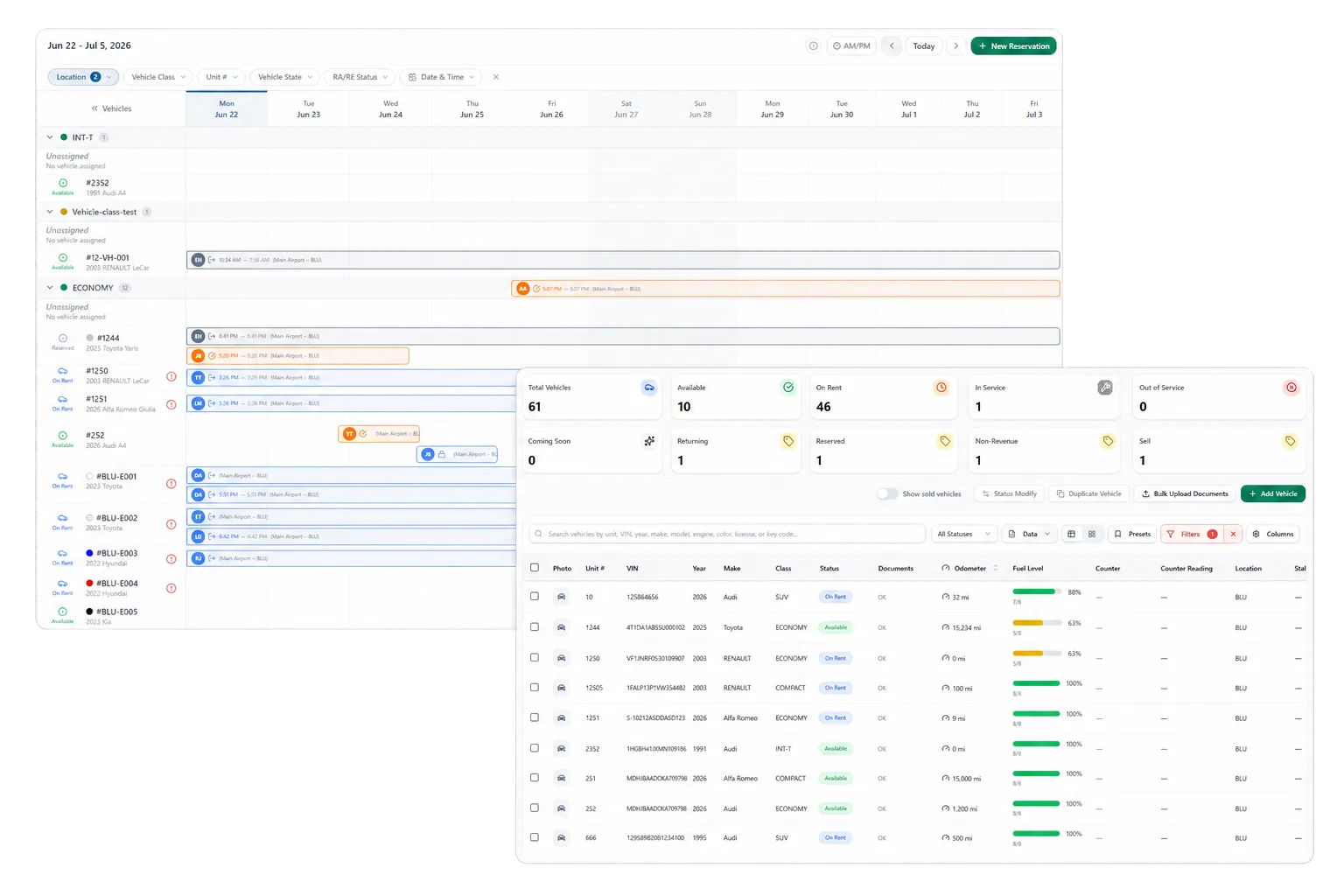
Keep the rental day out of disconnected files
A small rental team may handle phone calls, reservations, handoffs, returns, payment questions, vehicle service, and reporting with the same few people. Separate calendars, paper agreements, photo folders, and spreadsheets create extra checks at each handoff.
RentWorks Plus gives the team a shared rental record that connects the customer, vehicle, reservation, agreement, payment activity, condition, and related fleet work. Staff can review the context before taking the next action.
Use the nine-point rental revenue leak audit to trace where availability, agreement, payment, and return records stop reconciling before the bank deposit.
Move from reservation to signed agreement
Staff can create, change, and cancel reservations, review current availability, calculate estimated charges from configured rules, and assign vehicles on a visual timeline. Scheduled arrivals, departures, and active rentals stay in the planner view.
Supported customer and reservation details can carry into agreement preparation. Where configured, Signiphi can support on-screen or remote signatures for approved documents. Staff review the agreement before handoff.
Track the details that affect cash and capacity
RentWorks Plus can record supported rates, deposits, extras, promo rules, cash activity, refunds, balances, receipts, and tokenized payment references where applicable. Your team controls configured rules and reviews exceptions.
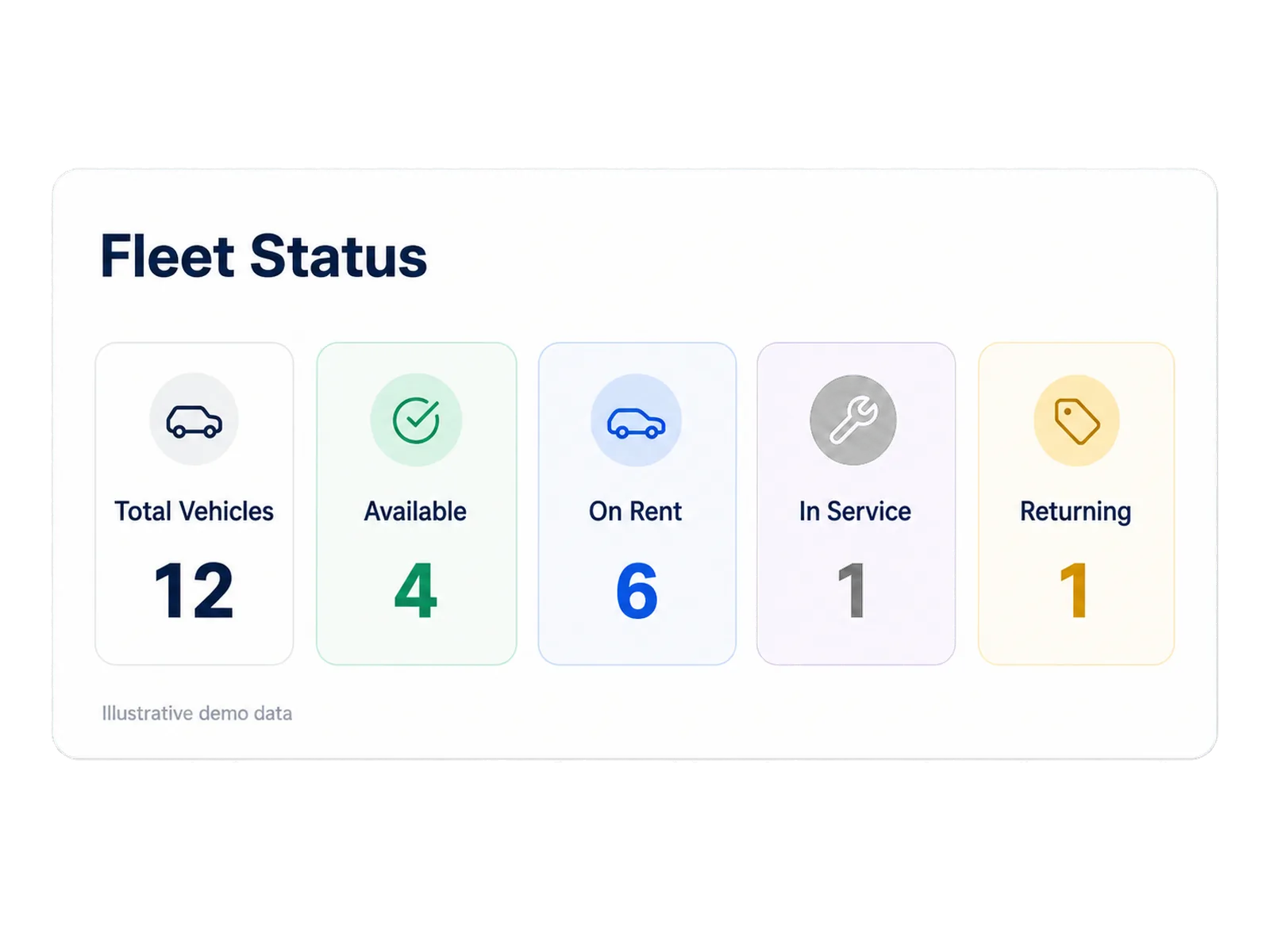
Operational views cover revenue activity, fleet and vehicle status, reservation conversion and no-shows, and maintenance alerts. Authorized users can export supported reports to CSV. Define each metric before using it to change pricing, fleet, or staffing.
Scope added capabilities around a defined need
Optional booking, voice, AI-assisted inspection, telematics, electronic signature, and payment products may fit a small operation when they address a named task. Each capability has its own provider, data flow, package scope, and support requirements.
Start with the core rental day and add scope where the operating case supports it. Ask which product is native, which depends on a partner, and which staff decision remains outside the tool.
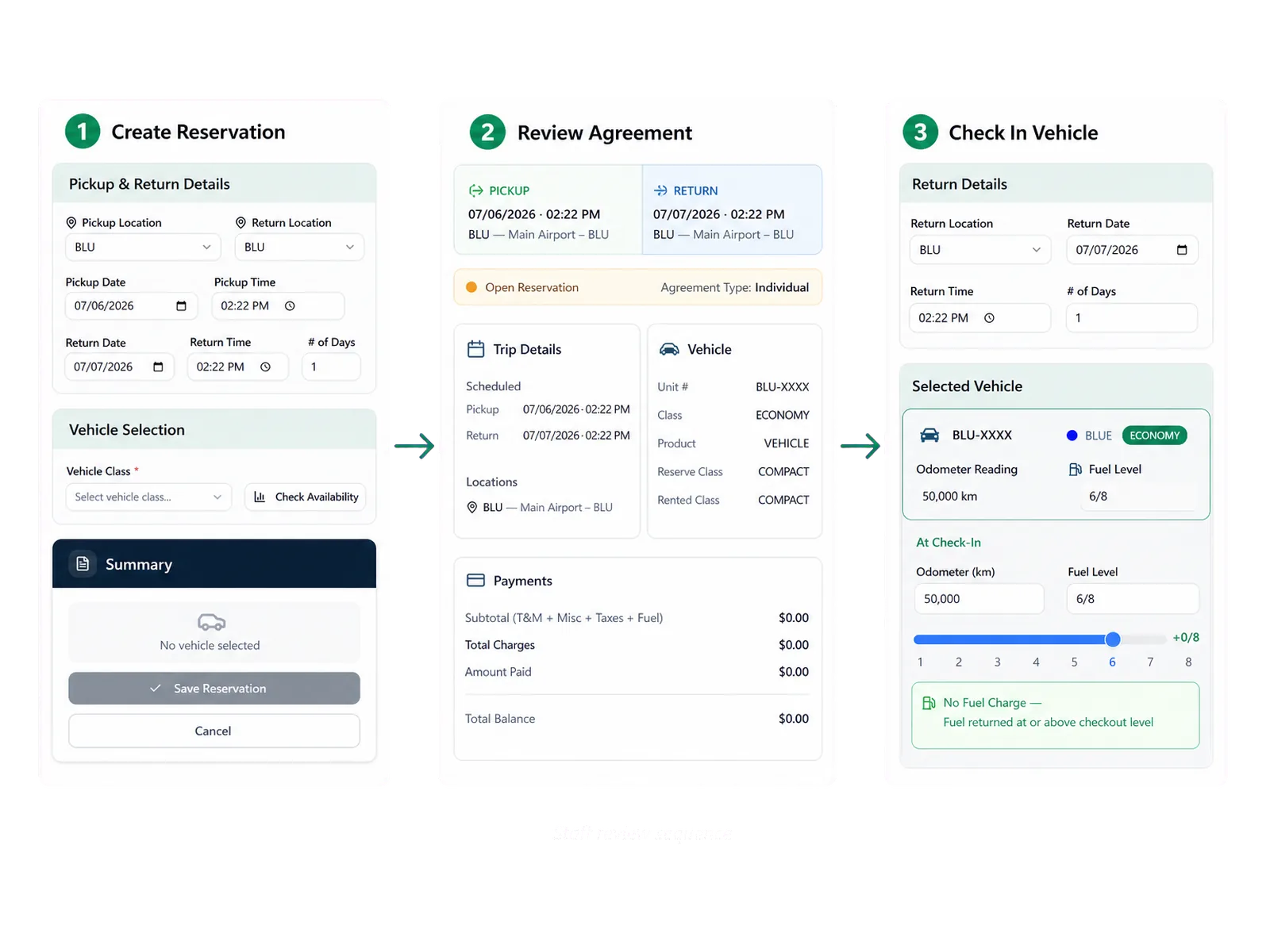
How teams adopt it
Three moments that make this real inside a working rental day.
Start
Keep the rental day out of disconnected files
Adopt
Move from reservation to signed agreement
Operate
Scope added capabilities around a defined need
Answers before your demo
Common questions from operators evaluating this capability.
How much does RentWorks Plus cost for a small fleet?
Pricing is quote-based and depends on fleet, locations, users, workflows, migration, implementation, payment services, integrations, support, and add-ons. RentWorks Plus does not publish a general price range on this page; request a scoped quote for your operation.
Can we add optional capabilities after launch?
Bluebird can scope some capabilities as optional products, add-ons, or integrations. Confirm package terms, technical dependencies, data access, implementation work, partner fees, and support before adding them.
Does a small team need AI features?
Use an AI-assisted product when it addresses a defined task and keeps staff in control. Ask about source data, partner ownership, uncertain results, review steps, privacy, cost, and failure handling.
Review vehicle readiness and return details
Fleet records can include status, availability, class, location, service history, and supported holds. Maintenance teams can set supported time or mileage thresholds and review due work. Repair orders can hold supported work and cost.