

Car rental reservation software for bookings and vehicle assignments on one working calendar
Create and manage reservations, review current vehicle availability, calculate estimated charges from configured rules, and assign units from a visual timeline.
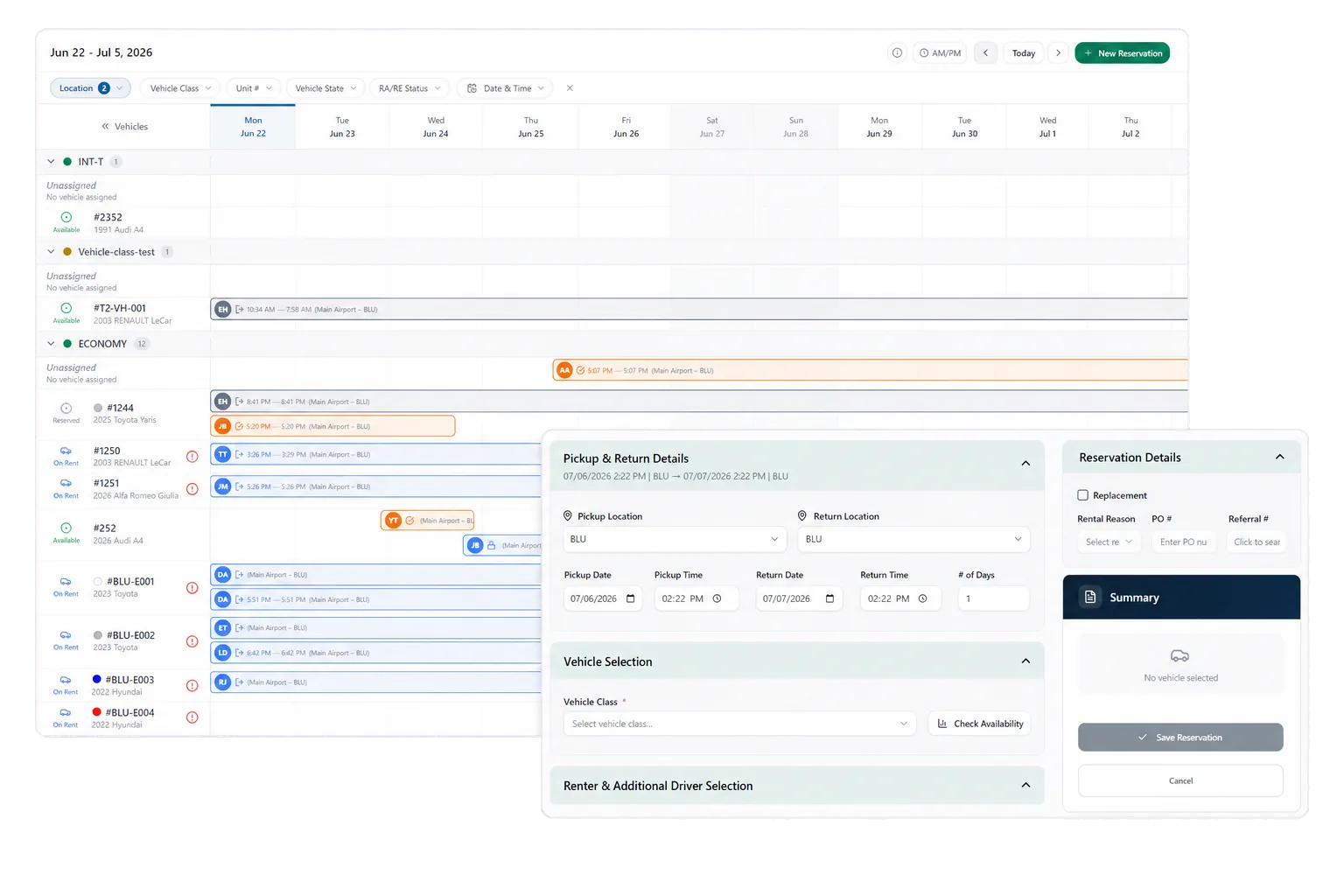
Every booking and every vehicle on one screen
RentWorks Plus supports reservation creation, changes, and cancellation alongside current vehicle availability. The visual planner lets staff review bookings and vehicles together, assign or move units, and prepare for scheduled arrivals, departures, and active rentals. Staff see utilization across the fleet, not just the next booking.
A planner becomes useful when it reflects the operating record. Reservation dates, vehicle class, unit status, location, supported holds, and existing assignments give staff the context to answer an availability question and choose the next action.
Build an estimate from configured rate inputs
Estimated charges come from the operator's configured dates, rate codes, fees, mileage rules, deposits, and selected options. Staff can review the estimate with the reservation instead of calculating from a separate rate sheet.
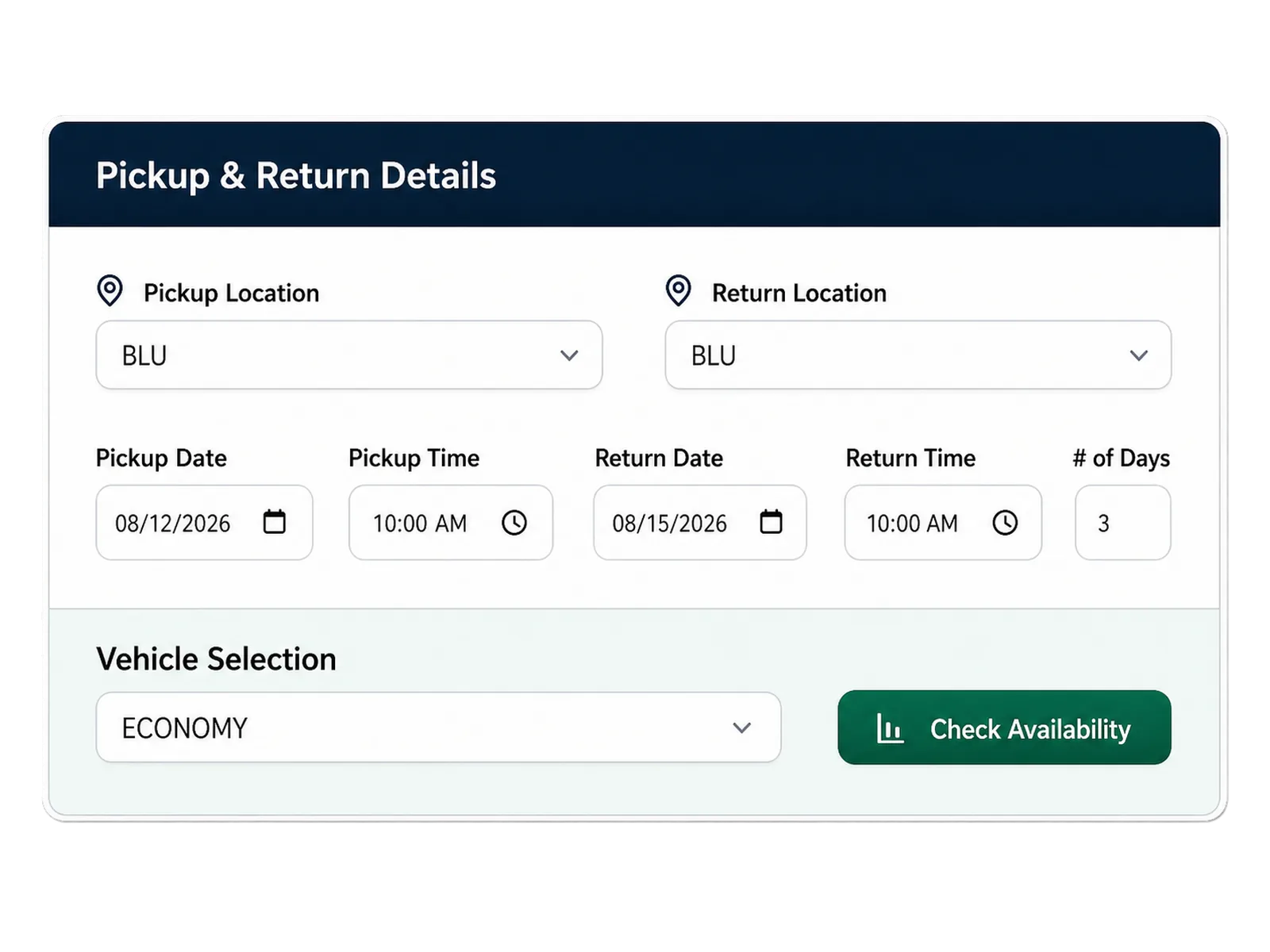
The estimate reflects the inputs available at that point in the booking. Changes to dates, vehicle choice, mileage terms, selected extras, fuel rules, or supported promotions can change the amount. The agreement and return workflow provide later review points before final payment activity.
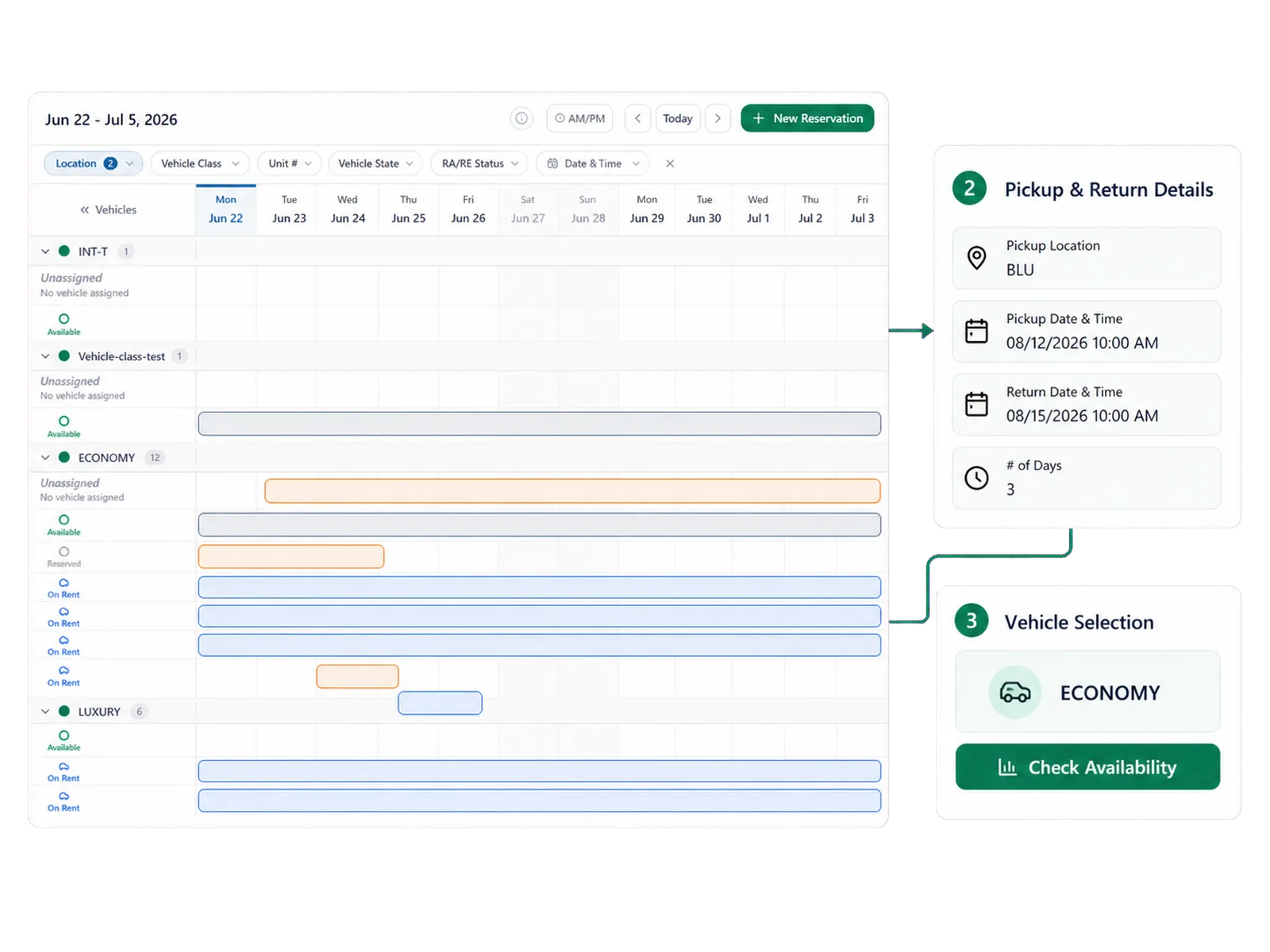
Assign and move vehicles without losing the booking context
Staff can place a vehicle against a reservation on the timeline, then move the assignment when the day changes. The reservation remains the working context for the customer, dates, rate inputs, and next steps.
Configured vehicle-status controls determine whether a unit appears as bookable. A maintenance or repair status can remove a vehicle from the available set, while staff review any affected assignment and choose a replacement or another operating response.
Prepare for arrivals, departures, and active rentals
The daily view brings scheduled pickups, expected returns, and active rentals into one calendar, so counter and fleet teams work from the same plan. When a return runs late or a unit needs service, the affected booking and vehicle stay visible while the team responds.
Carry the reservation into the rental agreement
When a booking is ready for pickup, supported reservation and customer details move into agreement preparation, so staff confirm the rental instead of rebuilding it at the counter. The reservation, assignment, agreement, condition records, and later return activity stay tied to one rental record.
Track utilization, conversion, and no-shows
Fleet utilization, reservation conversion, and no-show views can support operating review when definitions are shared across locations and reporting periods. If your team needs a specific refresh interval, channel behavior, or reservation-source breakdown, include it in the demo and implementation scope.
How it flows
Three moments that make this real inside a working rental day.
Input
Every booking and every vehicle on one screen
Working state
Assign and move vehicles without losing the booking context
Outcome
Track utilization, conversion, and no-shows
Answers before your demo
Common questions from operators evaluating this capability.
How does the planner calculate availability?
The planner uses reservation dates, vehicle records, assignments, location, and configured status controls. A status that removes a unit from bookable inventory affects the vehicles available for assignment.
How are estimated charges calculated?
Estimated charges use configured dates, rate codes, fees, mileage rules, deposits, and selected options. Changes to those inputs can change the estimate before the agreement and final return review.
Can staff change a vehicle assignment?
Yes. Staff can assign or move a unit on the visual timeline while the reservation retains its customer, date, and rate context.
What happens when a vehicle needs service?
Configured status controls can remove the vehicle from bookable inventory. Staff can then review affected assignments and choose the appropriate replacement or schedule change.
Test the planner with a busy rental day
Bring an arrival window, late return, service hold, or assignment change to the demo and follow the decisions your team makes.