
Skip to main content
RentWorks Plus Bluebird Auto Rental Systems Book a Demo
RENTAL FLEET OPERATIONS SOFTWARE

Keep every vehicle, reservation, return, and hold in one operating view.

RentWorks Plus connects the reservation planner with vehicle status, assignments, service history, maintenance, inspections, returns, and supported fleet data tasks.
Deployed in weeksConfigurable to your processOne connected rental day
rentworksplus.com/solutions/fleet-managers Live
Keep every vehicle, reservation, return, and hold in one operating view.
What changes
Daily planningMaintenanceCondition evidenceFleet data updates
01

Run the day from the reservation planner

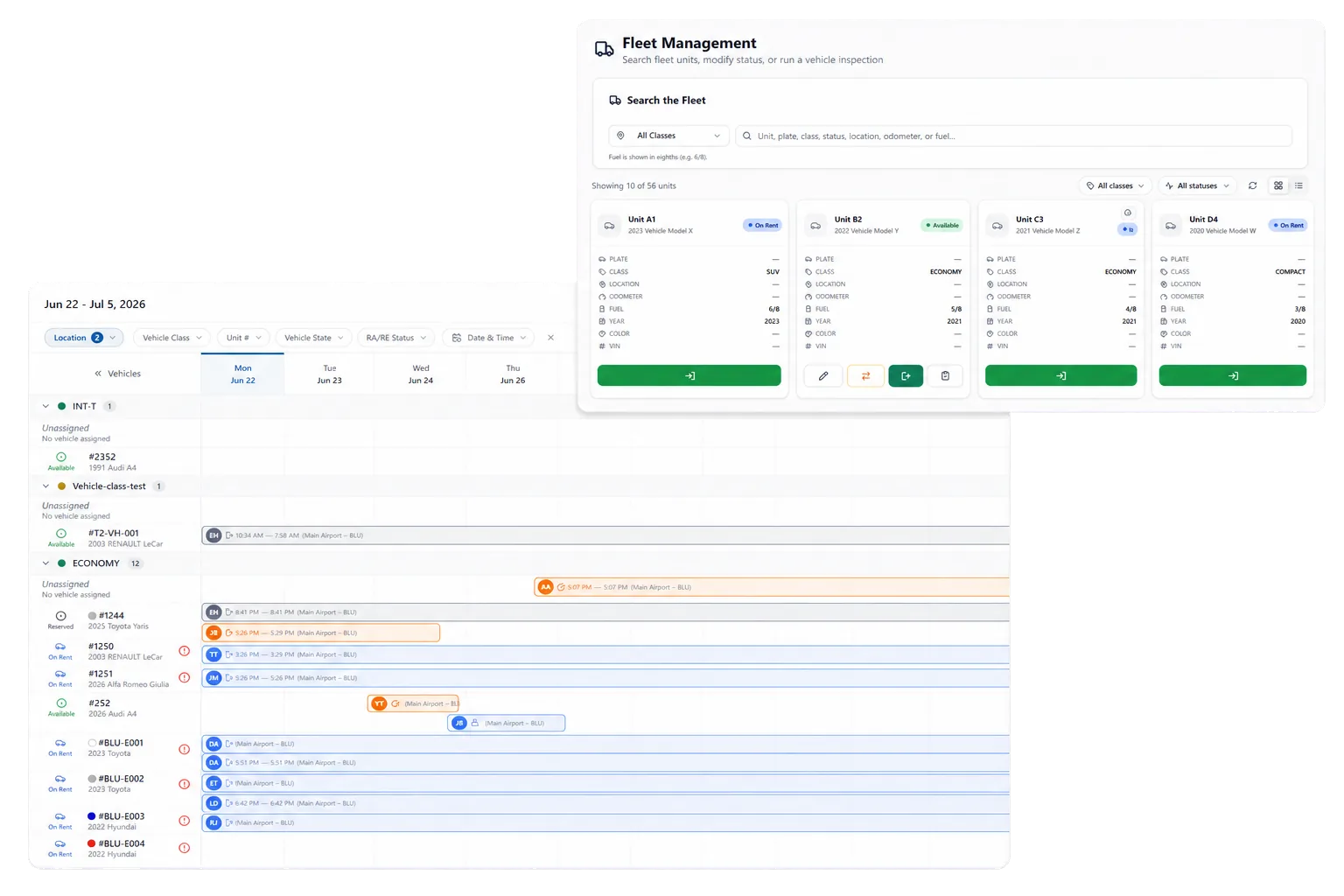
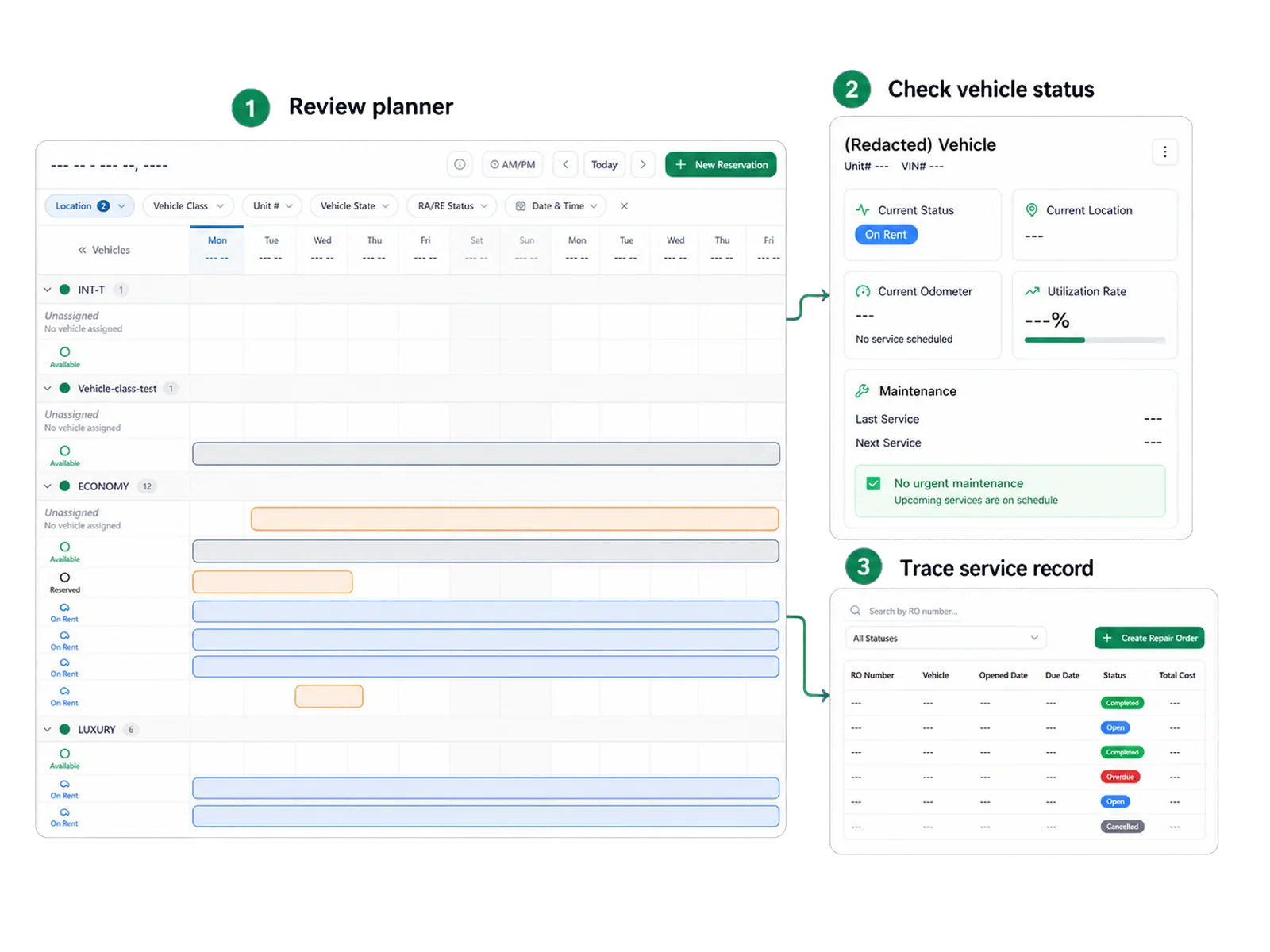
Fleet teams need to know what should arrive, what should leave, which vehicle has an assignment, and which unit needs attention. The RentWorks Plus planner shows scheduled arrivals, departures, active rentals, and vehicle assignments on a visual timeline.

Staff can create, change, and cancel reservations, review current availability, calculate estimated charges from configured rules, and assign or move vehicles. Ask how each reservation and vehicle status affects the view your team will use.

● Spotlight

Connect maintenance and repair work to the unit

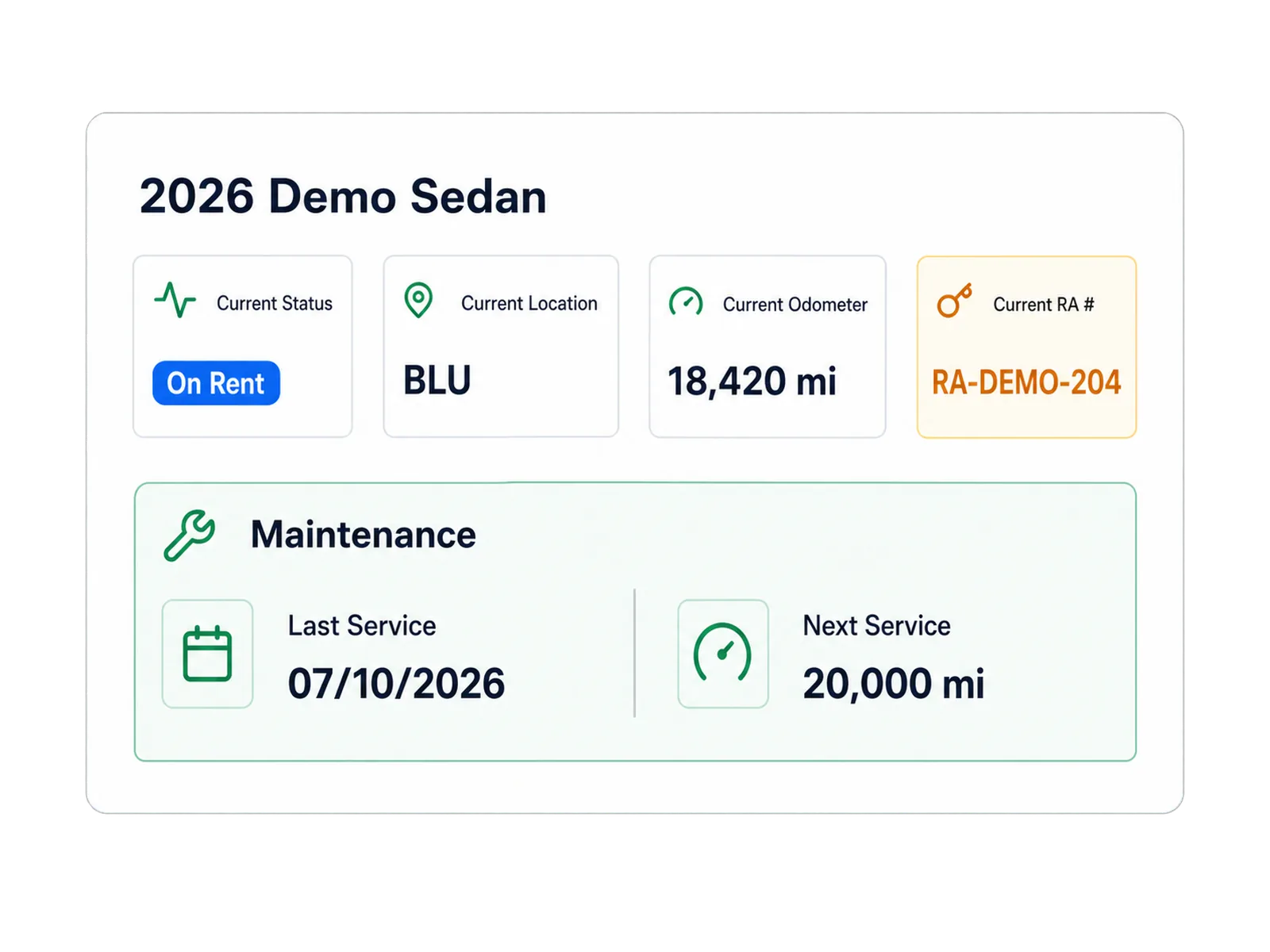
Maintenance teams can schedule service, set supported time or mileage thresholds, review due and overdue work, and retain service history. Repair orders can record supported shop work and cost against the vehicle.
Connect maintenance and repair work to the unit

These records help staff find units that need attention. They do not prove roadworthiness, predict downtime, or guarantee that staff cannot assign a vehicle. Your configured status rules and operating checks govern availability.

02

Keep condition evidence with rental history

Structured inspection workflows connect condition photos to the rental and vehicle history. Return staff can review supported pickup and return records with mileage, fuel, agreement details, and related claim context.

Optional AI-assisted inspection can compare supported photos and flag possible condition changes for staff review. Staff retain authority over damage, policy, liability, and any claim or recovery action.

In practice

Move approved fleet data with validation

RentWorks Plus supports CSV validation for approved fleet records during migration and bulk maintenance. Confirm the supported fields, required formats, error handling, user permissions, and export coverage before planning a data task.

Multiple-location administration can support vehicle and user context across configured locations. Ask the team to demonstrate your branch movement, non-revenue movement, or unit reassignment process from source record to report.
Move approved fleet data with validation
03

Put your hardest fleet day on the planner

Bring the late return, hold, vehicle move, or service event that forces your team into spreadsheets. We will use it to frame the demo.

Workflow

How teams adopt it

Three moments that make this real inside a working rental day.

1

Start

Run the day from the reservation planner

2

Adopt

Connect maintenance and repair work to the unit

3

Operate

Put your hardest fleet day on the planner

FAQ

Answers before your demo

Common questions from operators evaluating this capability.

Can maintenance status affect vehicle assignment?

Configured vehicle status controls can affect bookable inventory. Ask the team to show how maintenance, repair, inspection, cleaning, overdue return, and other holds work in your configured planner.

Can staff complete inspections away from the counter?

RentWorks Plus uses browser-based workflows and supports structured condition photos. Confirm supported devices, browsers, camera access, connectivity needs, upload behavior, and staff permissions for your vehicle-side process.

Can telematics update fleet decisions?

An optional telematics capability can provide supported GPS and vehicle-health context. Provider, hardware, fields, refresh interval, consent, geography, and connections to maintenance or planner actions require confirmation.

Review vehicle status before making a promise

Fleet records can include unit status, availability, ACRISS class, location, service history, and supported holds. Staff can review this context before assigning a vehicle or changing a booking.

RENTAL FLEET OPERATIONS SOFTWARE

Keep every vehicle, reservation, return, and hold in one operating view.

RentWorks Plus connects the reservation planner with vehicle status, assignments, service history, maintenance, inspections, returns, and supported fleet data tasks.

Deployed in weeksConfigurable to your processOne connected rental day
rentworksplus.com/solutions/fleet-managers Live
Keep every vehicle, reservation, return, and hold in one operating view.
What changes
Daily planningMaintenanceCondition evidenceFleet data updates
01

Run the day from the reservation planner

Fleet teams need to know what should arrive, what should leave, which vehicle has an assignment, and which unit needs attention. The RentWorks Plus planner shows scheduled arrivals, departures, active rentals, and vehicle assignments on a visual timeline.

Staff can create, change, and cancel reservations, review current availability, calculate estimated charges from configured rules, and assign or move vehicles. Ask how each reservation and vehicle status affects the view your team will use.

● Spotlight

Connect maintenance and repair work to the unit

Maintenance teams can schedule service, set supported time or mileage thresholds, review due and overdue work, and retain service history. Repair orders can record supported shop work and cost against the vehicle.

Connect maintenance and repair work to the unit

These records help staff find units that need attention. They do not prove roadworthiness, predict downtime, or guarantee that staff cannot assign a vehicle. Your configured status rules and operating checks govern availability.

02

Keep condition evidence with rental history

Structured inspection workflows connect condition photos to the rental and vehicle history. Return staff can review supported pickup and return records with mileage, fuel, agreement details, and related claim context.

Optional AI-assisted inspection can compare supported photos and flag possible condition changes for staff review. Staff retain authority over damage, policy, liability, and any claim or recovery action.

In practice

Move approved fleet data with validation

RentWorks Plus supports CSV validation for approved fleet records during migration and bulk maintenance. Confirm the supported fields, required formats, error handling, user permissions, and export coverage before planning a data task.

Multiple-location administration can support vehicle and user context across configured locations. Ask the team to demonstrate your branch movement, non-revenue movement, or unit reassignment process from source record to report.

Move approved fleet data with validation
03

Put your hardest fleet day on the planner

Bring the late return, hold, vehicle move, or service event that forces your team into spreadsheets. We will use it to frame the demo.

Workflow

How teams adopt it

Three moments that make this real inside a working rental day.

1

Start

Run the day from the reservation planner

2

Adopt

Connect maintenance and repair work to the unit

3

Operate

Put your hardest fleet day on the planner

FAQ

Answers before your demo

Common questions from operators evaluating this capability.

Can maintenance status affect vehicle assignment?

Configured vehicle status controls can affect bookable inventory. Ask the team to show how maintenance, repair, inspection, cleaning, overdue return, and other holds work in your configured planner.

Can staff complete inspections away from the counter?

RentWorks Plus uses browser-based workflows and supports structured condition photos. Confirm supported devices, browsers, camera access, connectivity needs, upload behavior, and staff permissions for your vehicle-side process.

Can telematics update fleet decisions?

An optional telematics capability can provide supported GPS and vehicle-health context. Provider, hardware, fields, refresh interval, consent, geography, and connections to maintenance or planner actions require confirmation.

Review vehicle status before making a promise

Fleet records can include unit status, availability, ACRISS class, location, service history, and supported holds. Staff can review this context before assigning a vehicle or changing a booking.