
Skip to main content
RentWorks Plus Bluebird Auto Rental Systems Book a Demo
AIRPORT CAR RENTAL OPERATIONS

Airport car rental software that prepares the rental before the rush reaches your counter.

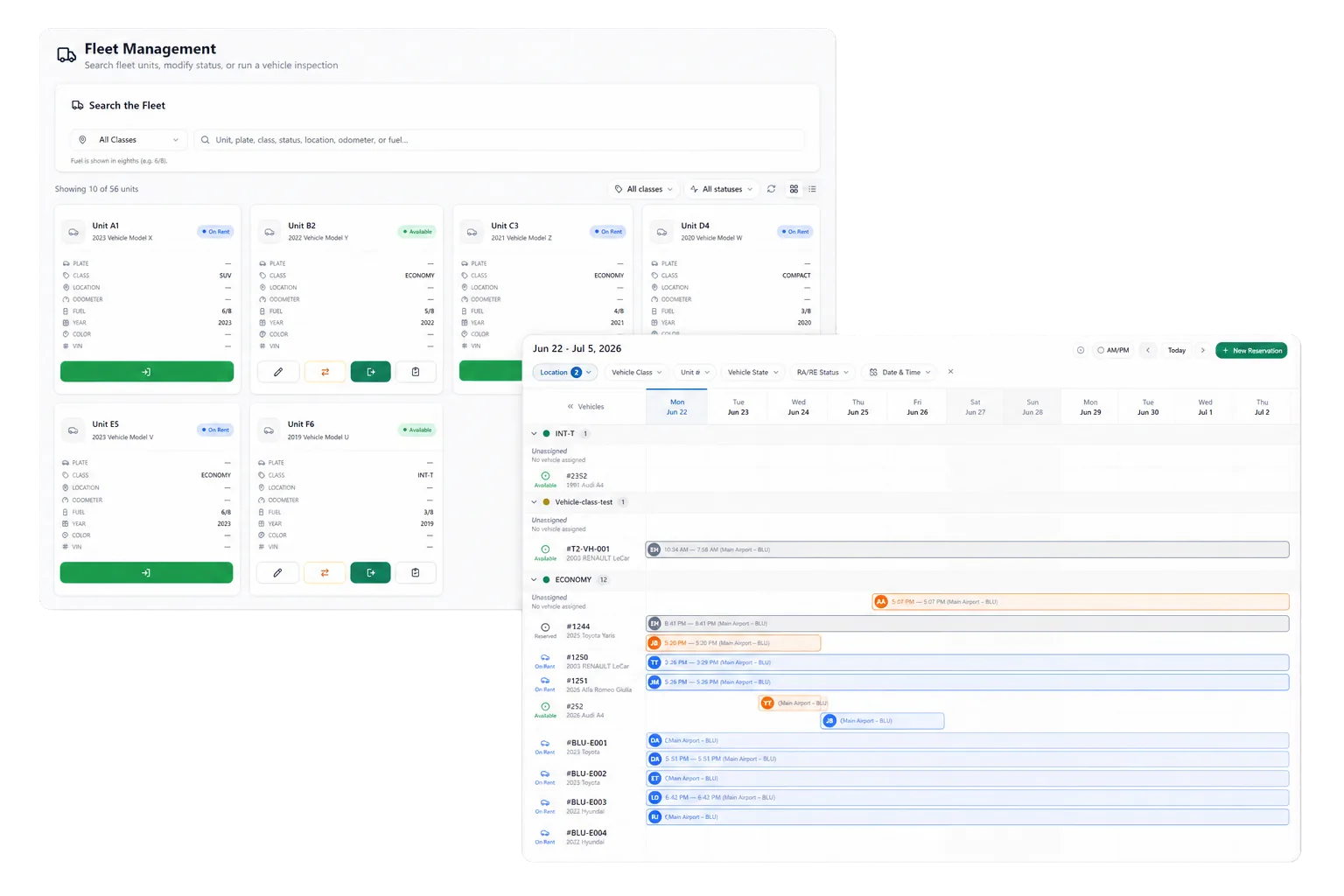
RentWorks Plus helps airport teams review arrivals, reservations, vehicle assignments, fleet status, agreements, payment activity, returns, and exceptions in one rental context.
Deployed in weeksConfigurable to your processOne connected rental day
rentworksplus.com/solutions/airport-operators Live
Prepare the rental before the airport rush reaches your counter.
What changes
Arrival planningPre-pickup stepsRental changesRates and payments
01

Plan around scheduled arrivals and vehicle readiness

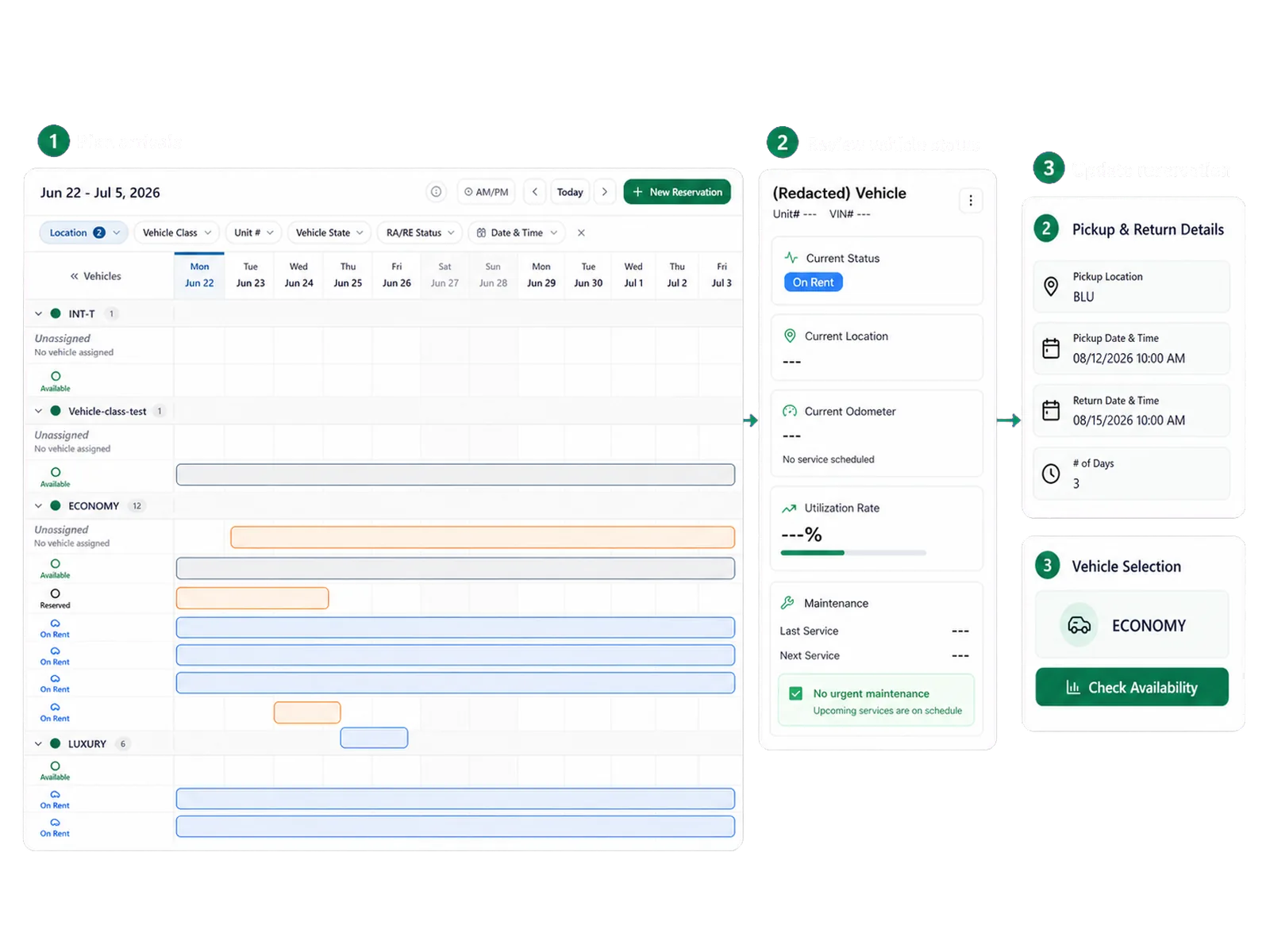
Airport demand arrives in waves, while vehicles return on their own schedule. The RentWorks Plus planner brings scheduled arrivals, departures, active rentals, and vehicle assignments into one working calendar.

Fleet records add status, location, availability, service history, and supported holds. Counter and fleet teams can review the same context before they assign a vehicle or change a booking. Ask how each status affects availability in your configured workflow.

● Spotlight

Move supported steps ahead of pickup

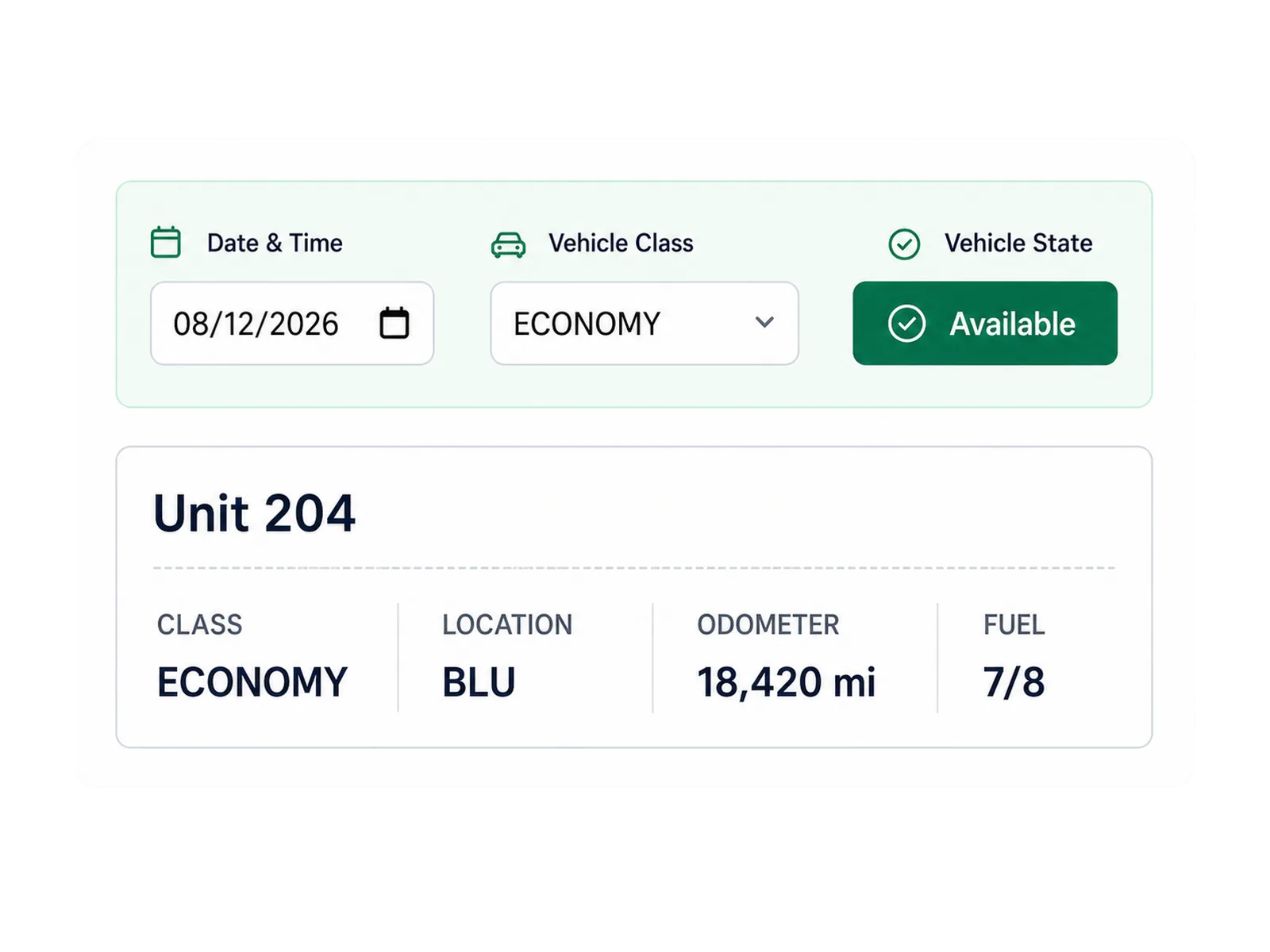
Staff can prepare supported customer details, agreement terms, payment requirements, and vehicle assignments before arrival. Where configured, Signiphi can support remote signatures for approved rental documents.
Move supported steps ahead of pickup

Your team should define which steps a renter may complete before pickup and which checks require staff. Identity, payment, agreement, vehicle, and policy exceptions still need an assisted path. Digital preparation should support the counter, not remove access to staff.

02

Handle changes without losing rental context

Flights shift, returns run late, and a vehicle may enter maintenance before the next assignment. Staff can change reservations and assignments while reviewing current fleet status, scheduled work, and the customer record.

Use the demo to test a late arrival, an overdue return, a vehicle substitution, and a maintenance hold. The system should show the source record, the staff decision, and the effect on the next rental.

In practice

Apply configured rates and payment rules

RentWorks Plus supports seasonal and mileage-based rate rules, selected extras, deposits, promo eligibility, expiration rules, fuel surcharges, and supported partner-rate settings. Quotes use the dates, rate rules, fees, mileage rules, and options configured by the operator.

Valpay can provide tokenized card workflows where configured. RentWorks Plus can record supported cash, refund, balance, and receipt activity. Confirm payment methods, hardware, geography, fees, merchant duties, and reconciliation during scoping.
Apply configured rates and payment rules
03

Put your peak period into the demo

Bring an arrival window, a vehicle constraint, and an exception that sends staff back to separate systems. We will use that scenario to frame the product review.

Workflow

How teams adopt it

Three moments that make this real inside a working rental day.

1

Start

Plan around scheduled arrivals and vehicle readiness

2

Adopt

Move supported steps ahead of pickup

3

Operate

Put your peak period into the demo

FAQ

Answers before your demo

Common questions from operators evaluating this capability.

Can renters complete steps before airport pickup?

Supported customer, document, agreement, and payment steps can move ahead of pickup where configured. Your operating policy should define the staff checks, exception path, and assisted option that remain at handoff.

Can staff change vehicle assignments after a delay?

Yes. The planner supports reservation and vehicle assignment changes. Staff can review scheduled arrivals and returns with current vehicle status before selecting a replacement.

Does RentWorks Plus set airport rental prices with AI?

The confirmed native capability covers configured rate rules and quote calculation. Do not assume an AI pricing feature. Your team sets the approved rates, rules, extras, deposits, and overrides.

Review returns with the agreement and evidence

Return staff can record mileage, fuel, condition photos, payment activity, and configured charges. Supported inspection records remain connected to the rental and vehicle history, which gives staff a factual basis for review.

AIRPORT CAR RENTAL OPERATIONS

Airport car rental software that prepares the rental before the rush reaches your counter.

RentWorks Plus helps airport teams review arrivals, reservations, vehicle assignments, fleet status, agreements, payment activity, returns, and exceptions in one rental context.

Deployed in weeksConfigurable to your processOne connected rental day
rentworksplus.com/solutions/airport-operators Live
Prepare the rental before the airport rush reaches your counter.
What changes
Arrival planningPre-pickup stepsRental changesRates and payments
01

Plan around scheduled arrivals and vehicle readiness

Airport demand arrives in waves, while vehicles return on their own schedule. The RentWorks Plus planner brings scheduled arrivals, departures, active rentals, and vehicle assignments into one working calendar.

Fleet records add status, location, availability, service history, and supported holds. Counter and fleet teams can review the same context before they assign a vehicle or change a booking. Ask how each status affects availability in your configured workflow.

● Spotlight

Move supported steps ahead of pickup

Staff can prepare supported customer details, agreement terms, payment requirements, and vehicle assignments before arrival. Where configured, Signiphi can support remote signatures for approved rental documents.

Move supported steps ahead of pickup

Your team should define which steps a renter may complete before pickup and which checks require staff. Identity, payment, agreement, vehicle, and policy exceptions still need an assisted path. Digital preparation should support the counter, not remove access to staff.

02

Handle changes without losing rental context

Flights shift, returns run late, and a vehicle may enter maintenance before the next assignment. Staff can change reservations and assignments while reviewing current fleet status, scheduled work, and the customer record.

Use the demo to test a late arrival, an overdue return, a vehicle substitution, and a maintenance hold. The system should show the source record, the staff decision, and the effect on the next rental.

In practice

Apply configured rates and payment rules

RentWorks Plus supports seasonal and mileage-based rate rules, selected extras, deposits, promo eligibility, expiration rules, fuel surcharges, and supported partner-rate settings. Quotes use the dates, rate rules, fees, mileage rules, and options configured by the operator.

Valpay can provide tokenized card workflows where configured. RentWorks Plus can record supported cash, refund, balance, and receipt activity. Confirm payment methods, hardware, geography, fees, merchant duties, and reconciliation during scoping.

Apply configured rates and payment rules
03

Put your peak period into the demo

Bring an arrival window, a vehicle constraint, and an exception that sends staff back to separate systems. We will use that scenario to frame the product review.

Workflow

How teams adopt it

Three moments that make this real inside a working rental day.

1

Start

Plan around scheduled arrivals and vehicle readiness

2

Adopt

Move supported steps ahead of pickup

3

Operate

Put your peak period into the demo

FAQ

Answers before your demo

Common questions from operators evaluating this capability.

Can renters complete steps before airport pickup?

Supported customer, document, agreement, and payment steps can move ahead of pickup where configured. Your operating policy should define the staff checks, exception path, and assisted option that remain at handoff.

Can staff change vehicle assignments after a delay?

Yes. The planner supports reservation and vehicle assignment changes. Staff can review scheduled arrivals and returns with current vehicle status before selecting a replacement.

Does RentWorks Plus set airport rental prices with AI?

The confirmed native capability covers configured rate rules and quote calculation. Do not assume an AI pricing feature. Your team sets the approved rates, rules, extras, deposits, and overrides.

Review returns with the agreement and evidence

Return staff can record mileage, fuel, condition photos, payment activity, and configured charges. Supported inspection records remain connected to the rental and vehicle history, which gives staff a factual basis for review.