

Create rental agreements your way, from custom forms to signature
Design agreement forms with the drag-and-drop PDF Builder, fill them from the reservation, and collect the signature on screen or by remote link. Everything stays on one rental record.
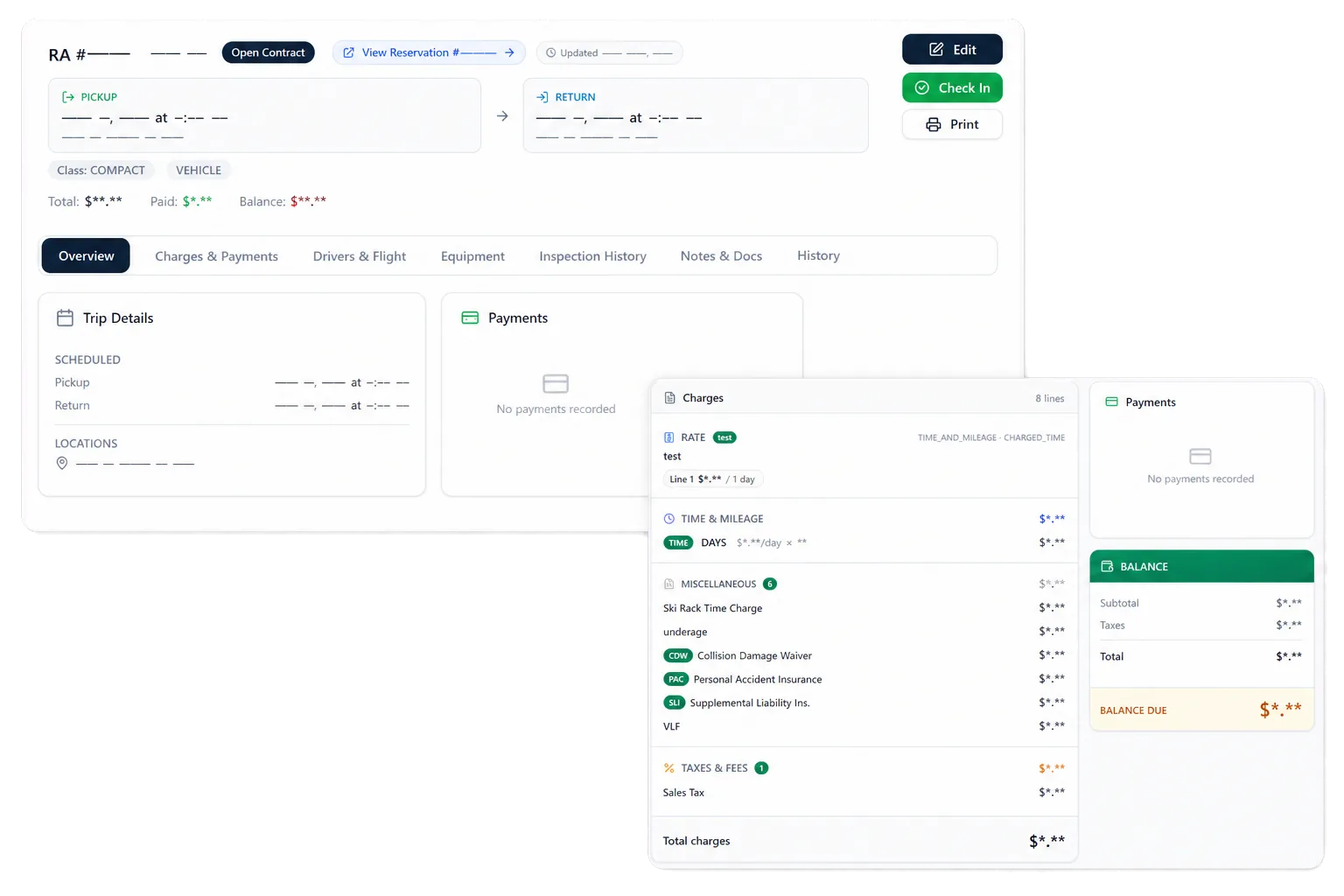
Design agreement forms with the drag-and-drop PDF Builder
PDF Builder lets your team create rental agreement documents by placing fields from rental data onto the form. Build multiple iterations of a form for the situations you actually rent in, and every version pulls consistent information from the same record.
Template fields, document types, and signing eligibility follow the configured setup, so the forms match how your operation rents rather than a fixed layout.
Start from the reservation, not a blank form
Carry the vehicle, dates, renter, drivers, rate, coverage, add-ons, deposits, charges, and terms forward, so staff confirm the rental instead of re-keying it.
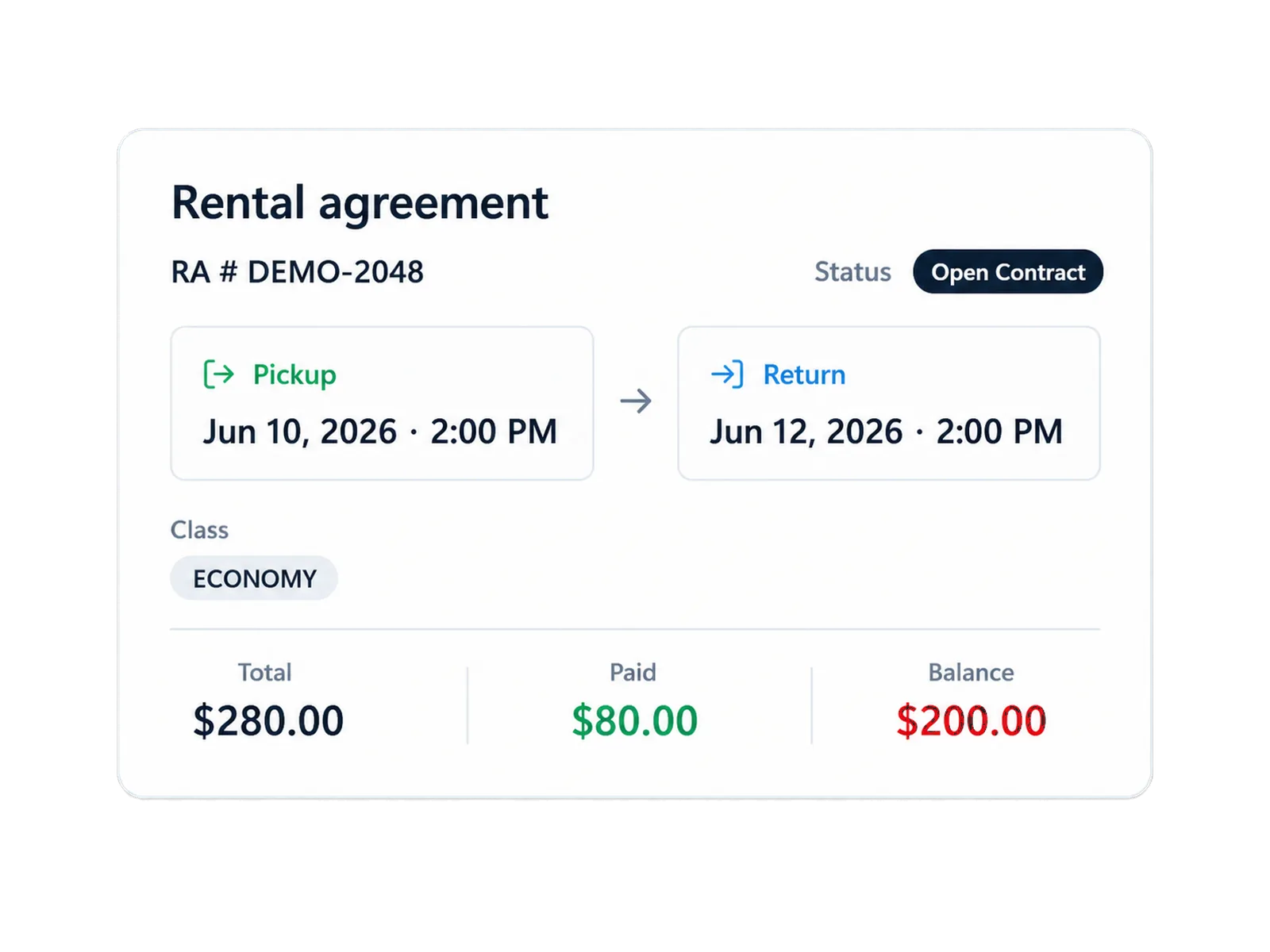
Some fields begin with the reservation; others require confirmation at pickup. The distinction stays visible to staff:
Everything about the rental, on one record
The signed agreement stays connected to the work it governs. Payments, renters, drivers, the assigned vehicle, condition records, and any later claim sit against the same agreement, so return, payment, inspection, and claims staff start from the contract instead of searching for it.
Sign at the counter or from anywhere
RentWorks Plus connects with Signiphi for electronic signature. Where configured, a renter signs on screen at the counter or through a remote signing link for supported rental agreements and PDF Builder documents.
Supported documents, devices, and signing scope depend on configuration. The e-Signature page covers the signing workflow in detail.
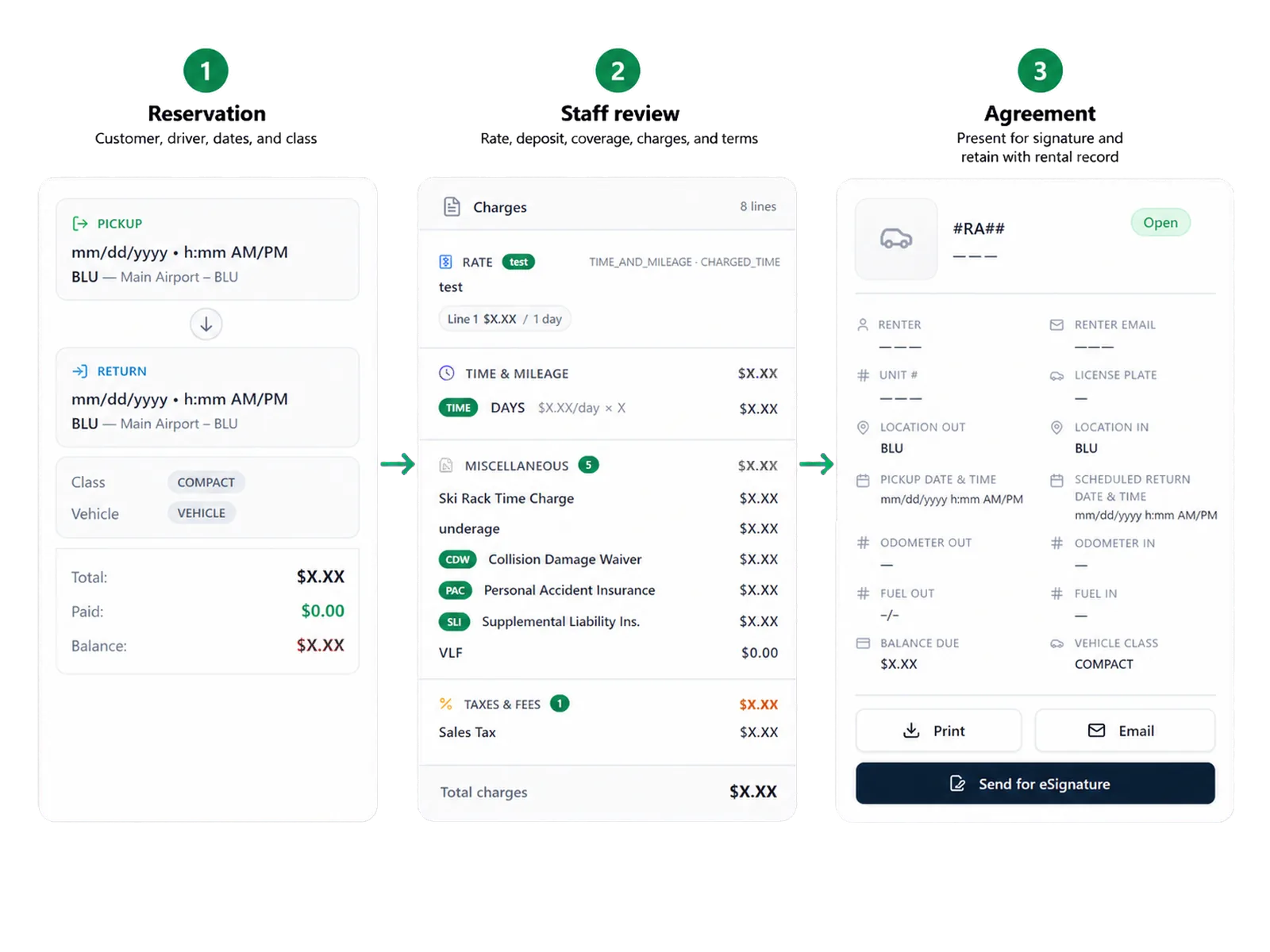
How it flows
Three moments that make this real inside a working rental day.
Input
Design agreement forms with the drag-and-drop PDF Builder
Working state
Start from the reservation, not a blank form
Outcome
Sign at the counter or from anywhere
Answers before your demo
Common questions from operators evaluating this capability.
What information can move from a reservation into an agreement?
Supported customer, driver, date, vehicle, rate, selected coverage, deposit, configured charge, and term details can enter agreement preparation. Staff review the required fields before signature.
Can staff change agreement information before signature?
Staff can review and update supported information that requires pickup confirmation, subject to the operator's permissions and policy.
Can renters sign at the counter or from another location?
Where configured, Signiphi supports on-screen signing at the counter and remote signing links for supported rental agreements and PDF Builder documents.
Does a signed agreement settle a later dispute?
No. The signed agreement provides contract context. Staff still review the terms, return records, condition evidence, payment activity, policy, and customer communication when a dispute occurs.
See your own forms in the demo
Bring your current rental agreement and the documents you use at pickup and return, and see how PDF Builder and the rental record handle them.