
Skip to main content
RentWorks Plus Bluebird Auto Rental Systems Book a Demo
Solutions by operation & role

Car rental software shaped around your operation.

Start with the rental day you run. RentWorks Plus connects the records and controls that matter to dealership, airport, franchise, corporate, specialty, and independent rental teams.
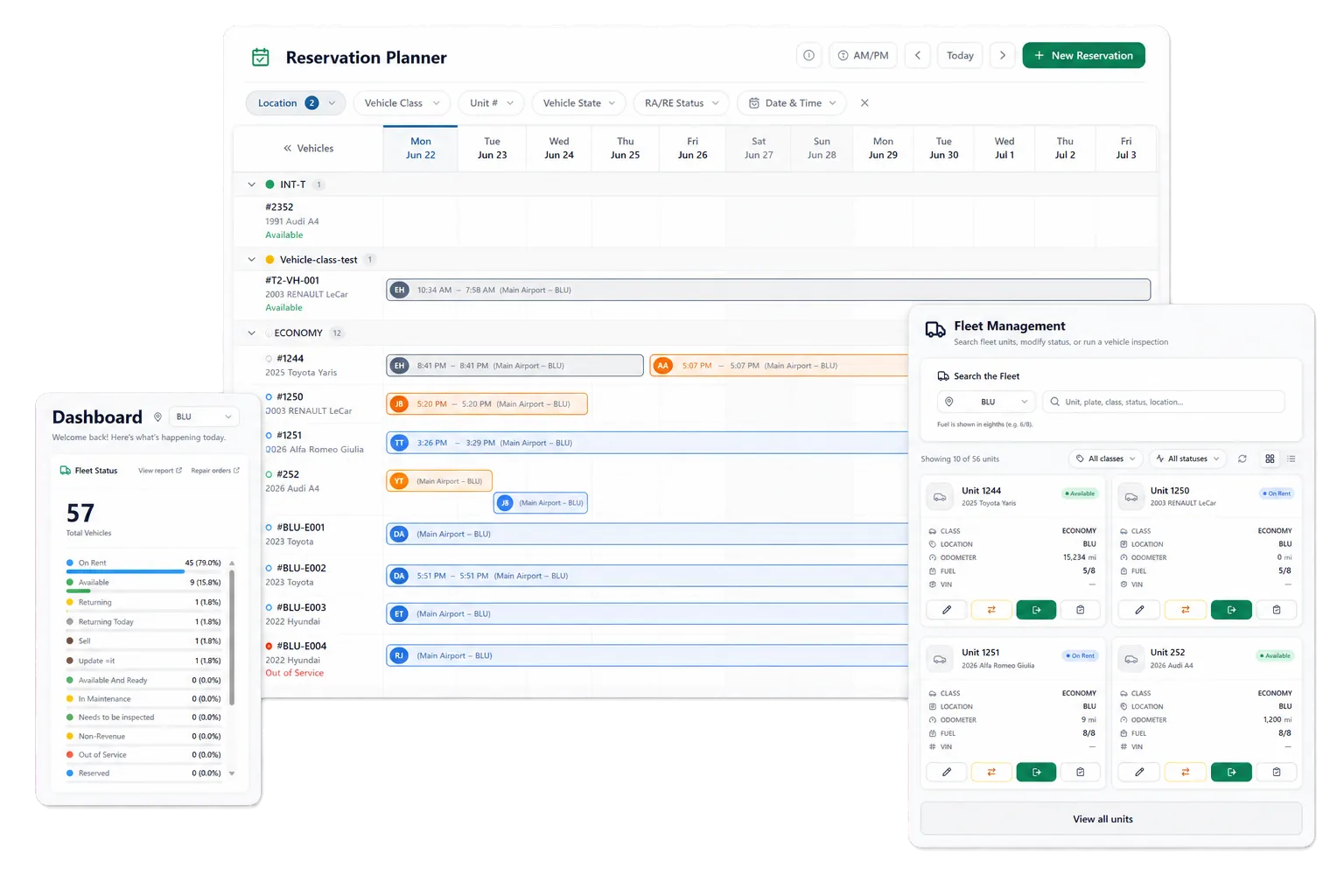
Dealership · Airport · Franchise Corporate · Specialty · Independent Small business ready
rentworksplus.com/solutions Live
Rental operators working across dealership, airport, independent, and commercial settings.
One platform, many operating models
Dealership Airport Franchise Corporate Specialty Small business
01

Start with your operating model

Every rental day is different. The record shouldn't be.

A dealership loaner program, an airport counter, and a long-term rental business handle different agreements, exceptions, account rules, and vehicle demands. RentWorks Plus gives each team access to connected rental records while configuration reflects locations, roles, rates, and workflows.

Choose the solution page that matches your work, then test the product with a real scenario. The strongest evaluation follows one customer and one vehicle through reservation, assignment, agreement, payment, handoff, return, condition review, and reporting.

02

By operation

Find the path for your rental business.

Dealership teams focus on loaner agreements and vehicle history. Airport operators review arrival windows and vehicle readiness. Franchise and regional groups examine location controls and shared reports. Corporate teams work with accounts, drivers, and long-term terms. Specialty operators test condition evidence and claims. Small businesses start with the core rental day and expand as needs change.
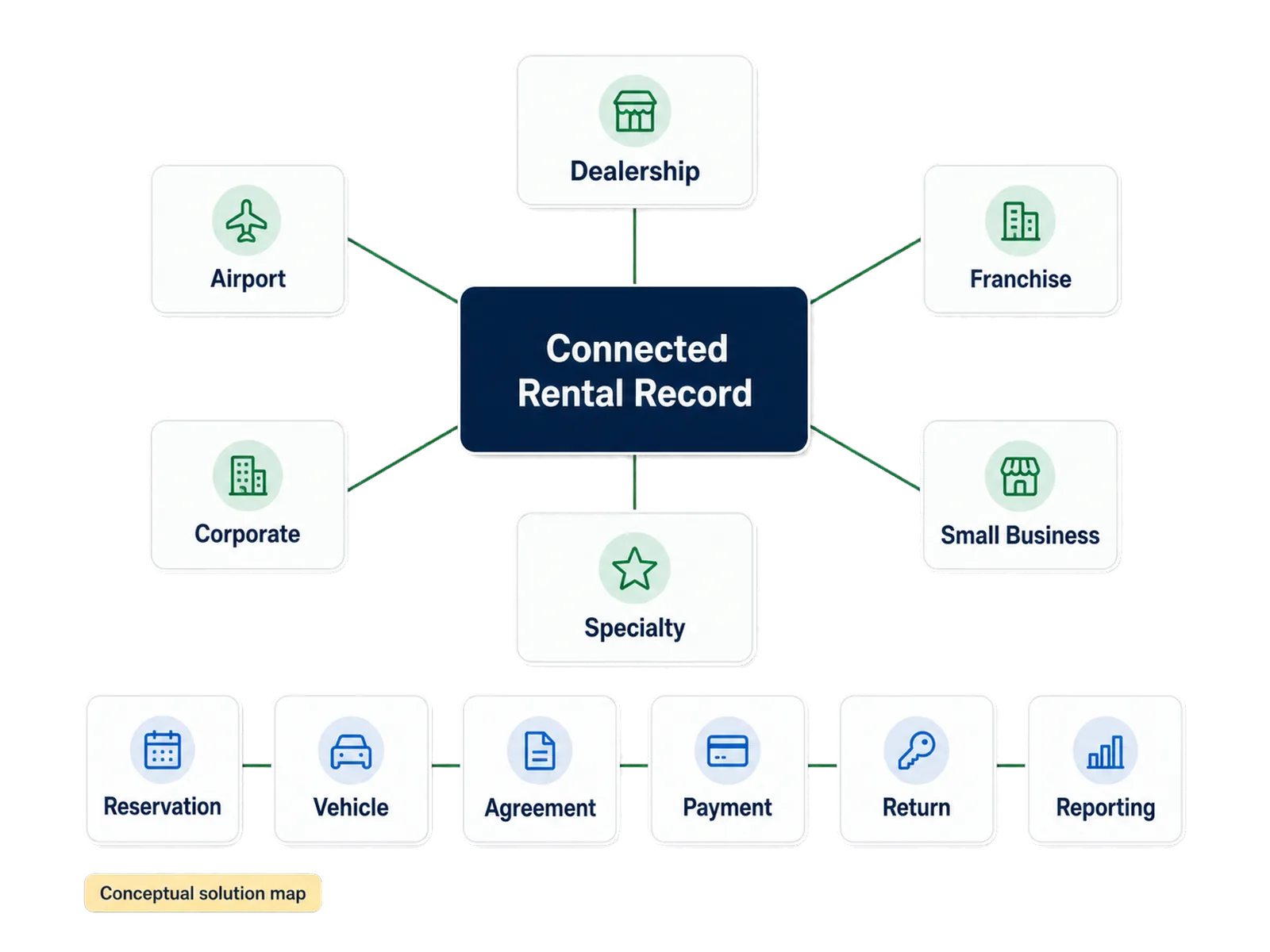
Solutions map grouping the rental business types RentWorks Plus supports.
03

By role

Give each role the context it needs.

Counter staff need a guided path through customer details, vehicle assignment, agreement preparation, payment activity, signature, condition capture, and return review. Fleet teams need current vehicle status, scheduled arrivals and returns, service needs, and repair context. Owners and managers need defined operational views and reports they can trace to source records.
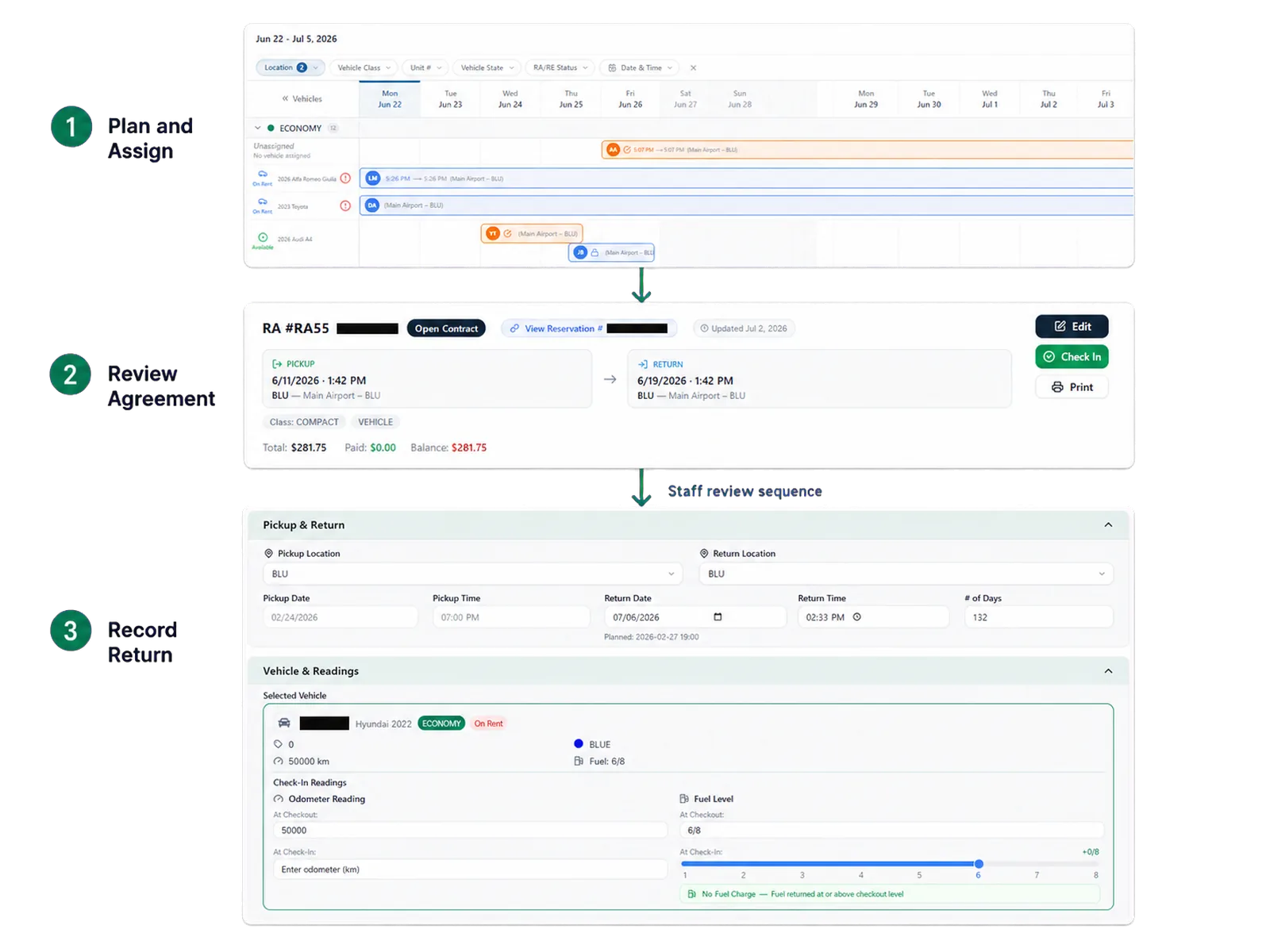
Operating model exception review workflow for RentWorks Plus.

Discover · Configure · Operate

Three steps to the operating model that fits your rental day.

01

Discover

Pick the operating model that matches your rental day — dealership, airport, franchise, corporate, specialty, or independent.

02

Configure

Set locations, roles, rate rules, and workflows so the record fits your process instead of the other way around.

03

Operate

Run reservations, agreements, handoffs, returns, payments, and reports on one connected rental record.

Compare workflows

Feature lists don't show how a changed reservation is handled.

Ask each vendor to run the same exception from start to finish and show where staff review enters the process. Use the same quote scope — fleet, locations, users, data migration, training, payment services, partner products, support, hardware, and contract terms.

  • A late return that affects the next booking.
  • A vehicle swap or overdue rental.
  • A disputed condition record with photo evidence.
  • A failed payment and refund flow.
  • A corporate-account exception the report should reflect.

FAQ

Answers before your demo

Common questions from operators evaluating RentWorks Plus.

Which rental businesses can use RentWorks Plus?

RentWorks Plus can support independent rental operators, dealership loaner programs, airport teams, franchise groups, corporate and long-term rental operations, specialty fleets, and small rental businesses. Product fit depends on the workflow and scope confirmed in the proposal.

Can teams have different access?

Yes. Administrators can configure users, roles, approved permissions, and supported field access. Ask the product team to demonstrate the exact records, actions, exports, and inherited access that apply to each role.

Which workflow should we automate first?

Start with a repeatable process that staff can define and measure, such as reservation assignment, agreement preparation, return review, or maintenance follow-up. Keep exceptions and consequential decisions under staff control.

See your operating model in RentWorks Plus.

Tell us who rents your vehicles, where your team works, and which exception creates the most rework. We will shape the demo around that context.

Book a Demo
Solutions by operation & role

Car rental software shaped around your operation.

Start with the rental day you run. RentWorks Plus connects the records and controls that matter to dealership, airport, franchise, corporate, specialty, and independent rental teams.

Dealership · Airport · Franchise Corporate · Specialty · Independent Small business ready
rentworksplus.com/solutions Live
Rental operators working across dealership, airport, independent, and commercial settings.
One platform, many operating models
Dealership Airport Franchise Corporate Specialty Small business
01

Start with your operating model

Every rental day is different. The record shouldn't be.

A dealership loaner program, an airport counter, and a long-term rental business handle different agreements, exceptions, account rules, and vehicle demands. RentWorks Plus gives each team access to connected rental records while configuration reflects locations, roles, rates, and workflows.

Choose the solution page that matches your work, then test the product with a real scenario. The strongest evaluation follows one customer and one vehicle through reservation, assignment, agreement, payment, handoff, return, condition review, and reporting.

02

By operation

Find the path for your rental business.

Dealership teams focus on loaner agreements and vehicle history. Airport operators review arrival windows and vehicle readiness. Franchise and regional groups examine location controls and shared reports. Corporate teams work with accounts, drivers, and long-term terms. Specialty operators test condition evidence and claims. Small businesses start with the core rental day and expand as needs change.

Solutions map grouping the rental business types RentWorks Plus supports.
03

By role

Give each role the context it needs.

Counter staff need a guided path through customer details, vehicle assignment, agreement preparation, payment activity, signature, condition capture, and return review. Fleet teams need current vehicle status, scheduled arrivals and returns, service needs, and repair context. Owners and managers need defined operational views and reports they can trace to source records.

Operating model exception review workflow for RentWorks Plus.

Discover · Configure · Operate

Three steps to the operating model that fits your rental day.

01

Discover

Pick the operating model that matches your rental day — dealership, airport, franchise, corporate, specialty, or independent.

02

Configure

Set locations, roles, rate rules, and workflows so the record fits your process instead of the other way around.

03

Operate

Run reservations, agreements, handoffs, returns, payments, and reports on one connected rental record.

Compare workflows

Feature lists don't show how a changed reservation is handled.

Ask each vendor to run the same exception from start to finish and show where staff review enters the process. Use the same quote scope — fleet, locations, users, data migration, training, payment services, partner products, support, hardware, and contract terms.

  • A late return that affects the next booking.
  • A vehicle swap or overdue rental.
  • A disputed condition record with photo evidence.
  • A failed payment and refund flow.
  • A corporate-account exception the report should reflect.

FAQ

Answers before your demo

Common questions from operators evaluating RentWorks Plus.

Which rental businesses can use RentWorks Plus?

RentWorks Plus can support independent rental operators, dealership loaner programs, airport teams, franchise groups, corporate and long-term rental operations, specialty fleets, and small rental businesses. Product fit depends on the workflow and scope confirmed in the proposal.

Can teams have different access?

Yes. Administrators can configure users, roles, approved permissions, and supported field access. Ask the product team to demonstrate the exact records, actions, exports, and inherited access that apply to each role.

Which workflow should we automate first?

Start with a repeatable process that staff can define and measure, such as reservation assignment, agreement preparation, return review, or maintenance follow-up. Keep exceptions and consequential decisions under staff control.

See your operating model in RentWorks Plus.

Tell us who rents your vehicles, where your team works, and which exception creates the most rework. We will shape the demo around that context.

Book a Demo