
Skip to main content
RentWorks Plus Bluebird Auto Rental Systems Book a Demo
RentWorks Plus Platform

Run the rental day from one connected operating platform.

Connect reservations, agreements, vehicle handoff, fleet status, payments, inspections, claims, customer accounts, maintenance, and reporting around the same rental context.
Built on RentWorks Plus SSAE-18 hosted 40+ years in rental
rentworksplus.com/platform Live
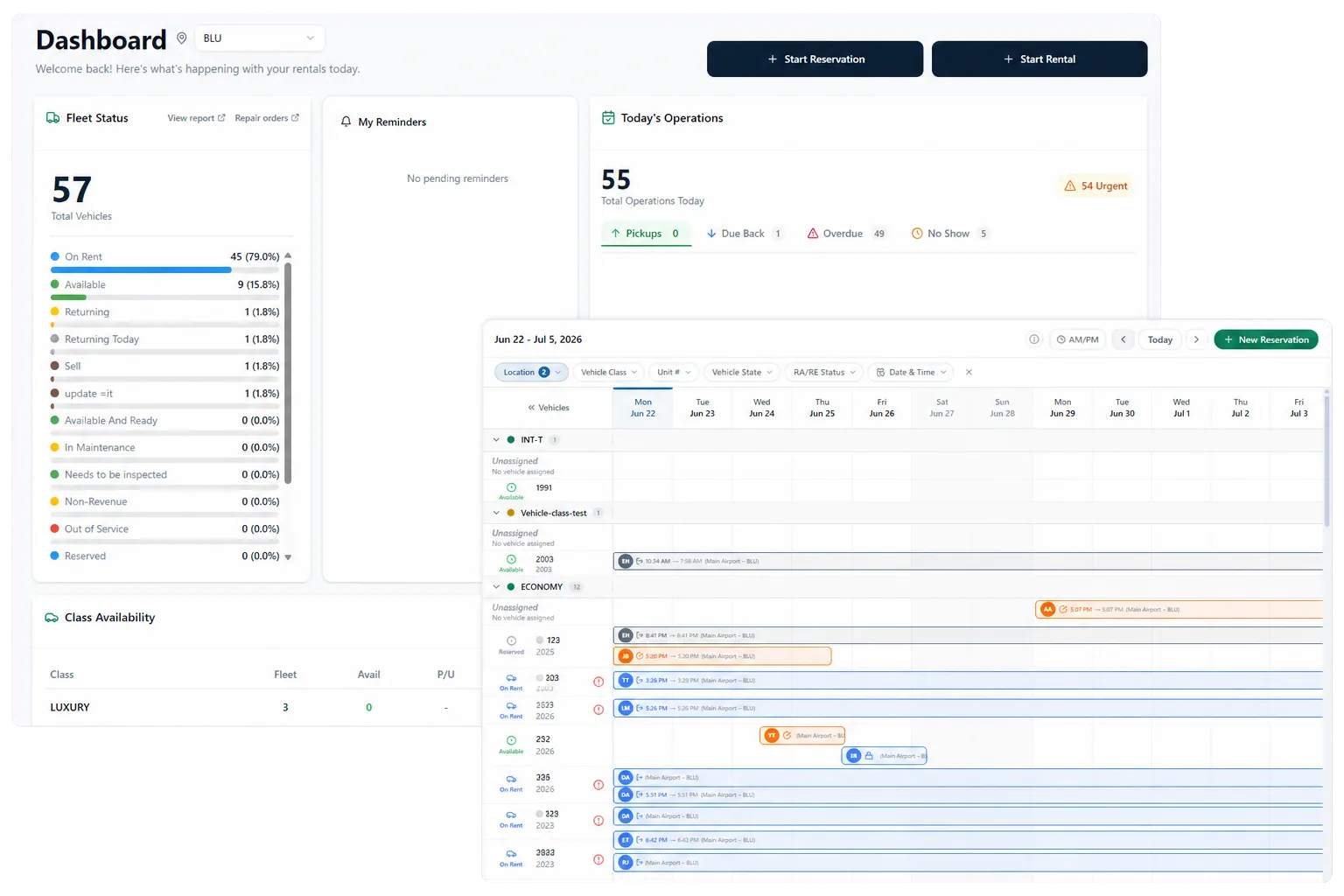
RentWorks Plus dashboard and reservation planner shown together in a two-panel product interface collage.
One rental day, connected
Reservations Agreements Fleet Payments Inspections Reporting
01

Follow the rental

From reservation through return, on one shared record.

RentWorks Plus is cloud-based car rental management software from Bluebird Auto Rental Systems. It gives your team a shared place to plan a reservation, prepare an agreement, assign a vehicle, record the handoff, review the return, manage payment activity, and keep the rental record available for later work.

A late return can affect an assignment. A service hold can change availability. A condition record can matter during a claim. RentWorks Plus keeps those records connected so staff can review the rental without rebuilding its history from paper, email, and separate spreadsheets.

02

One platform, ten operating jobs

Organized around the work your team already does.

The platform is organized around operating jobs, not an unverified module count. Start with the work that creates delay, uncertainty, or duplicate entry, then follow the connected records into the next part of the rental day.
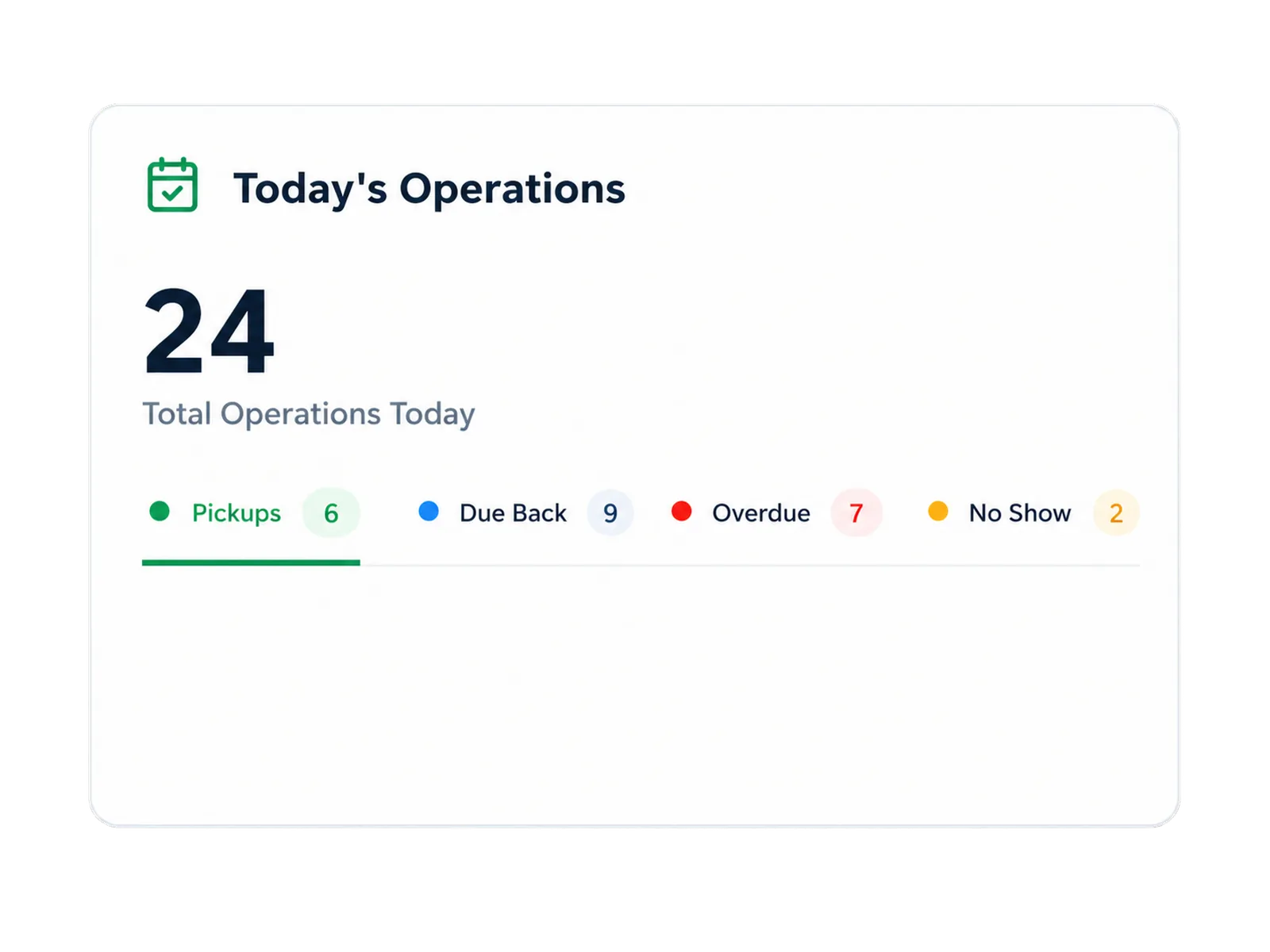
Today's operations feature card grouping the core rental jobs inside RentWorks Plus.

Plan · Operate · Review

The rental day in three connected views.

01

Plan

Review arrivals, departures, availability, and vehicle assignments on the reservation planner.

02

Operate

Prepare the agreement, capture condition, take payment, and hand the vehicle to the renter.

03

Review

Record the return, follow up on service or claims, and keep the rental record available for later work.
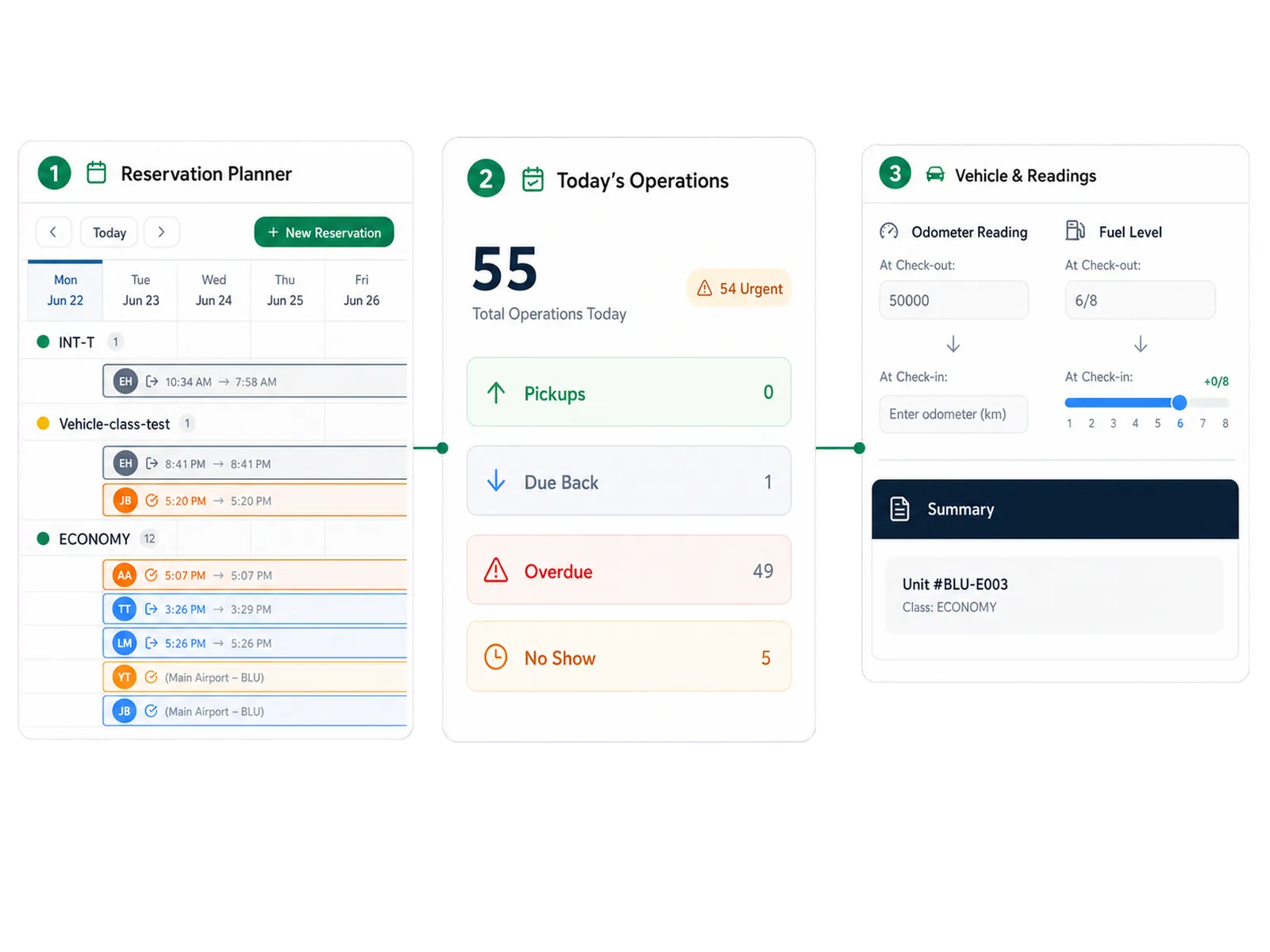
Plan, operate, review workflow diagram for RentWorks Plus.
Native vs partner

Core rental operations are native. Partners cover signature and card workflows.

Signiphi supports electronic signatures on eligible documents. Valpay supports tokenized card workflows. AI-assisted inspection, voice intake, telematics, and online booking are optional workflows whose package, data flow, and support scope are set during quoting.

03

Roles & access

Give each role the context for its next decision.

Counter teams need a clear handoff and return path. Fleet teams need status, availability, service, and repair context. Finance teams need configured charges, payment activity, balances, and claim costs. Owners and managers need operational views that trace back to the records behind them.

  • Counter, fleet, finance, owner, and admin views scoped by role.
  • Location-aware permissions and inherited access across sites.
  • Selected audit history for supported records and fields.
  • Validated CSV tasks for supported customer and fleet fields during migration or bulk maintenance.

FAQ

Answers before your demo

Common questions from operators evaluating RentWorks Plus.

What does RentWorks Plus cover?

RentWorks Plus connects reservation planning, agreements, vehicle handoff and return, fleet records, payments, inspections, claims, customer accounts, maintenance, repairs, reporting, and administration. Package scope and partner services depend on the operation and proposal.

Which capabilities are native and which need a partner or add-on?

Core rental operations are native to the platform. Electronic signature and tokenized card workflows use configured partner services. Voice intake, AI-assisted inspection, telematics, and online booking are optional workflows whose package, data flow, and support scope are set during quoting.

Can teams have different access?

Yes. Administrators configure users, roles, permissions, and supported field access. Ask the product team to demonstrate the exact records, actions, exports, and inherited access that apply to each role.

See the rental day connect in your operation.

Bring one difficult day — a late return, a swap, a condition dispute — and we will run it through RentWorks Plus with your data model.

Book a Demo
RentWorks Plus Platform

Run the rental day from one connected operating platform.

Connect reservations, agreements, vehicle handoff, fleet status, payments, inspections, claims, customer accounts, maintenance, and reporting around the same rental context.

Built on RentWorks Plus SSAE-18 hosted 40+ years in rental
rentworksplus.com/platform Live
RentWorks Plus dashboard and reservation planner shown together in a two-panel product interface collage.
One rental day, connected
Reservations Agreements Fleet Payments Inspections Reporting
01

Follow the rental

From reservation through return, on one shared record.

RentWorks Plus is cloud-based car rental management software from Bluebird Auto Rental Systems. It gives your team a shared place to plan a reservation, prepare an agreement, assign a vehicle, record the handoff, review the return, manage payment activity, and keep the rental record available for later work.

A late return can affect an assignment. A service hold can change availability. A condition record can matter during a claim. RentWorks Plus keeps those records connected so staff can review the rental without rebuilding its history from paper, email, and separate spreadsheets.

02

One platform, ten operating jobs

Organized around the work your team already does.

The platform is organized around operating jobs, not an unverified module count. Start with the work that creates delay, uncertainty, or duplicate entry, then follow the connected records into the next part of the rental day.

Today's operations feature card grouping the core rental jobs inside RentWorks Plus.

Plan · Operate · Review

The rental day in three connected views.

01

Plan

Review arrivals, departures, availability, and vehicle assignments on the reservation planner.

02

Operate

Prepare the agreement, capture condition, take payment, and hand the vehicle to the renter.

03

Review

Record the return, follow up on service or claims, and keep the rental record available for later work.

Plan, operate, review workflow diagram for RentWorks Plus.
Native vs partner

Core rental operations are native. Partners cover signature and card workflows.

Signiphi supports electronic signatures on eligible documents. Valpay supports tokenized card workflows. AI-assisted inspection, voice intake, telematics, and online booking are optional workflows whose package, data flow, and support scope are set during quoting.

03

Roles & access

Give each role the context for its next decision.

Counter teams need a clear handoff and return path. Fleet teams need status, availability, service, and repair context. Finance teams need configured charges, payment activity, balances, and claim costs. Owners and managers need operational views that trace back to the records behind them.

  • Counter, fleet, finance, owner, and admin views scoped by role.
  • Location-aware permissions and inherited access across sites.
  • Selected audit history for supported records and fields.
  • Validated CSV tasks for supported customer and fleet fields during migration or bulk maintenance.

FAQ

Answers before your demo

Common questions from operators evaluating RentWorks Plus.

What does RentWorks Plus cover?

RentWorks Plus connects reservation planning, agreements, vehicle handoff and return, fleet records, payments, inspections, claims, customer accounts, maintenance, repairs, reporting, and administration. Package scope and partner services depend on the operation and proposal.

Which capabilities are native and which need a partner or add-on?

Core rental operations are native to the platform. Electronic signature and tokenized card workflows use configured partner services. Voice intake, AI-assisted inspection, telematics, and online booking are optional workflows whose package, data flow, and support scope are set during quoting.

Can teams have different access?

Yes. Administrators configure users, roles, permissions, and supported field access. Ask the product team to demonstrate the exact records, actions, exports, and inherited access that apply to each role.

See the rental day connect in your operation.

Bring one difficult day — a late return, a swap, a condition dispute — and we will run it through RentWorks Plus with your data model.

Book a Demo