

Multi-location car rental software with local control and shared visibility.
RentWorks Plus connects reservations, vehicles, rates, users, payment activity, customer records, and reports while supporting location-aware configuration and approved role access.
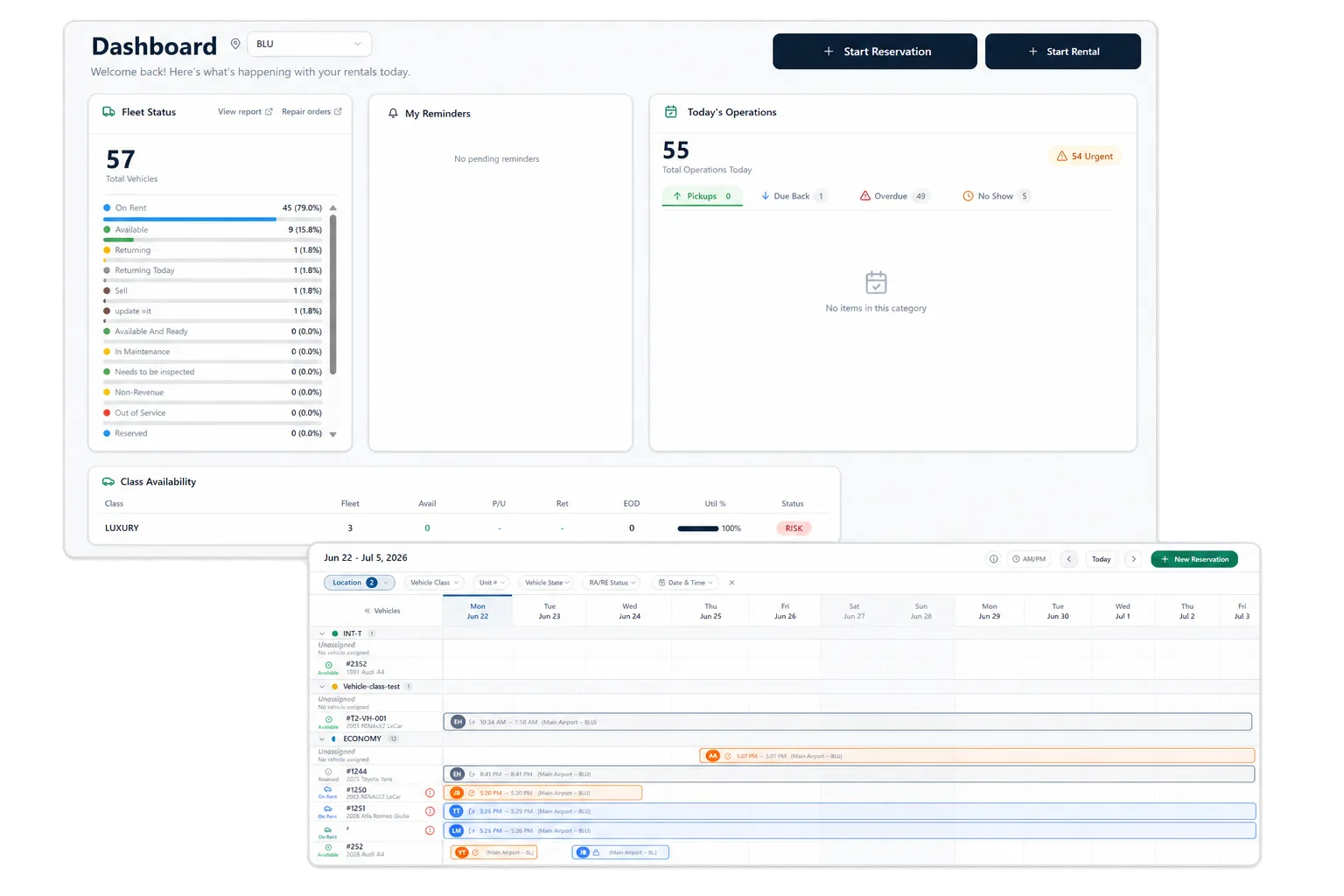
Give branches a common operating record
Franchise and regional rental teams need consistent records without forcing each location into the same day-to-day conditions. RentWorks Plus supports multiple locations, users, roles, reservations, vehicle records, rate rules, payment activity, and reporting inside one cloud-based platform.
Teams can work from shared customer and vehicle context while administrators configure approved location and role controls. Define which settings belong to the group, which belong to a branch, and who may change them.
Configure local access and operating rules
Branches may have different users, counters, rental demand, rates, and vehicle needs. Administrators can manage users, roles, approved permissions, location settings, and supported customer fields for the configured environment.
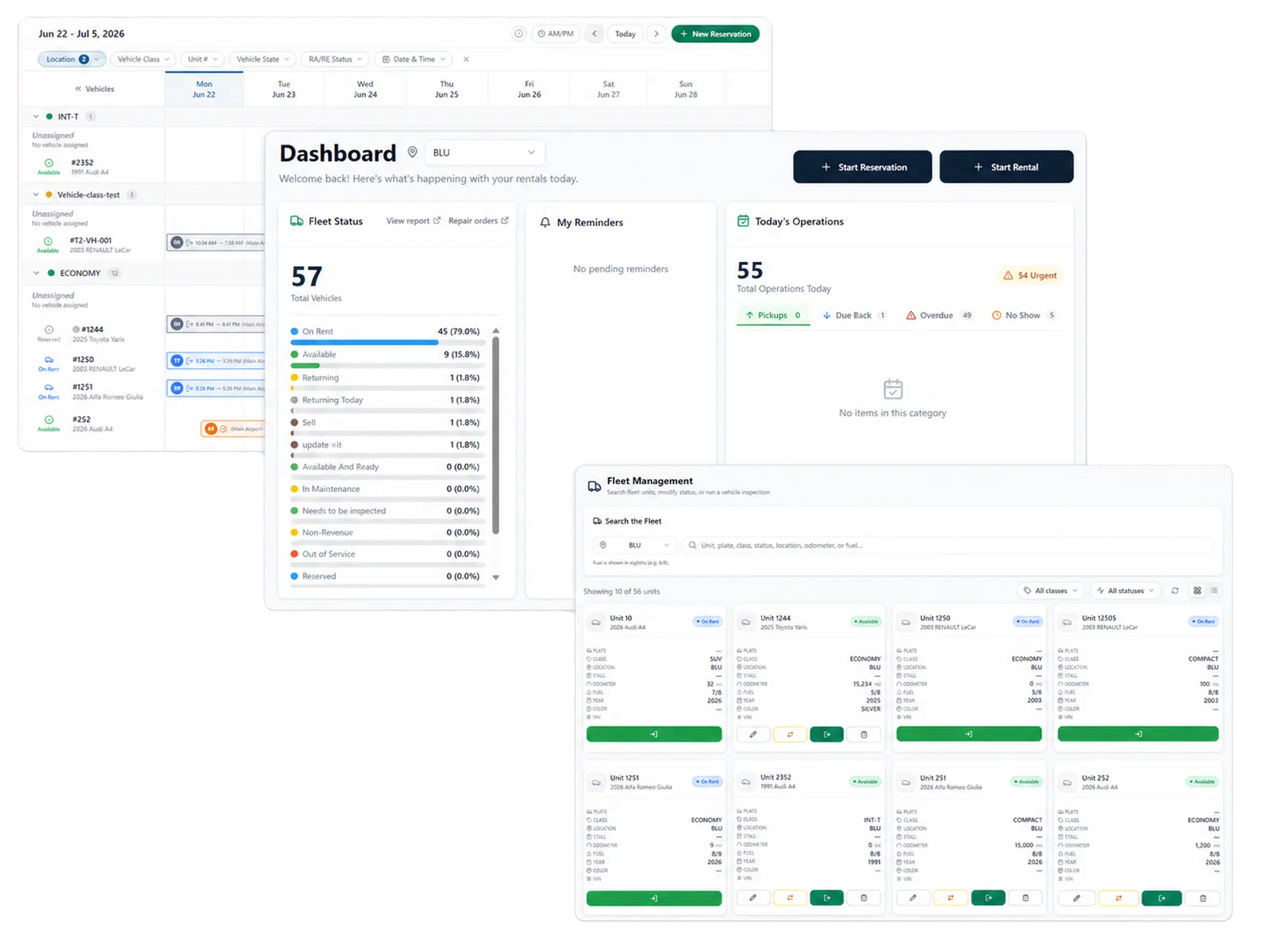
Use the implementation process to document rate ownership, override authority, vehicle movement, customer access, refund approval, and report access. Shared software works best when each branch knows which decisions it owns.
Plan reservations and vehicle work across locations
The reservation planner shows scheduled arrivals, departures, active rentals, and assignments. Fleet records add status, location, availability, service history, and supported holds. Staff can review this context before assigning a unit or changing a reservation.
One-way movement, transfers, extensions, overdue returns, and maintenance work can change branch capacity. Ask the product team to demonstrate the exact movement records and status controls your operation uses.
Use shared metric definitions
RentWorks Plus provides operational views for revenue activity, fleet and vehicle status, reservation conversion and no-shows, and maintenance alerts. Authorized users can export supported reports to CSV for analysis and approved sharing.
A report needs a written definition before branches compare results. Agree on reservation status, no-show treatment, availability, utilization denominator, open balance, and maintenance status. Bring one required franchise report to the demo and trace each field to its source.
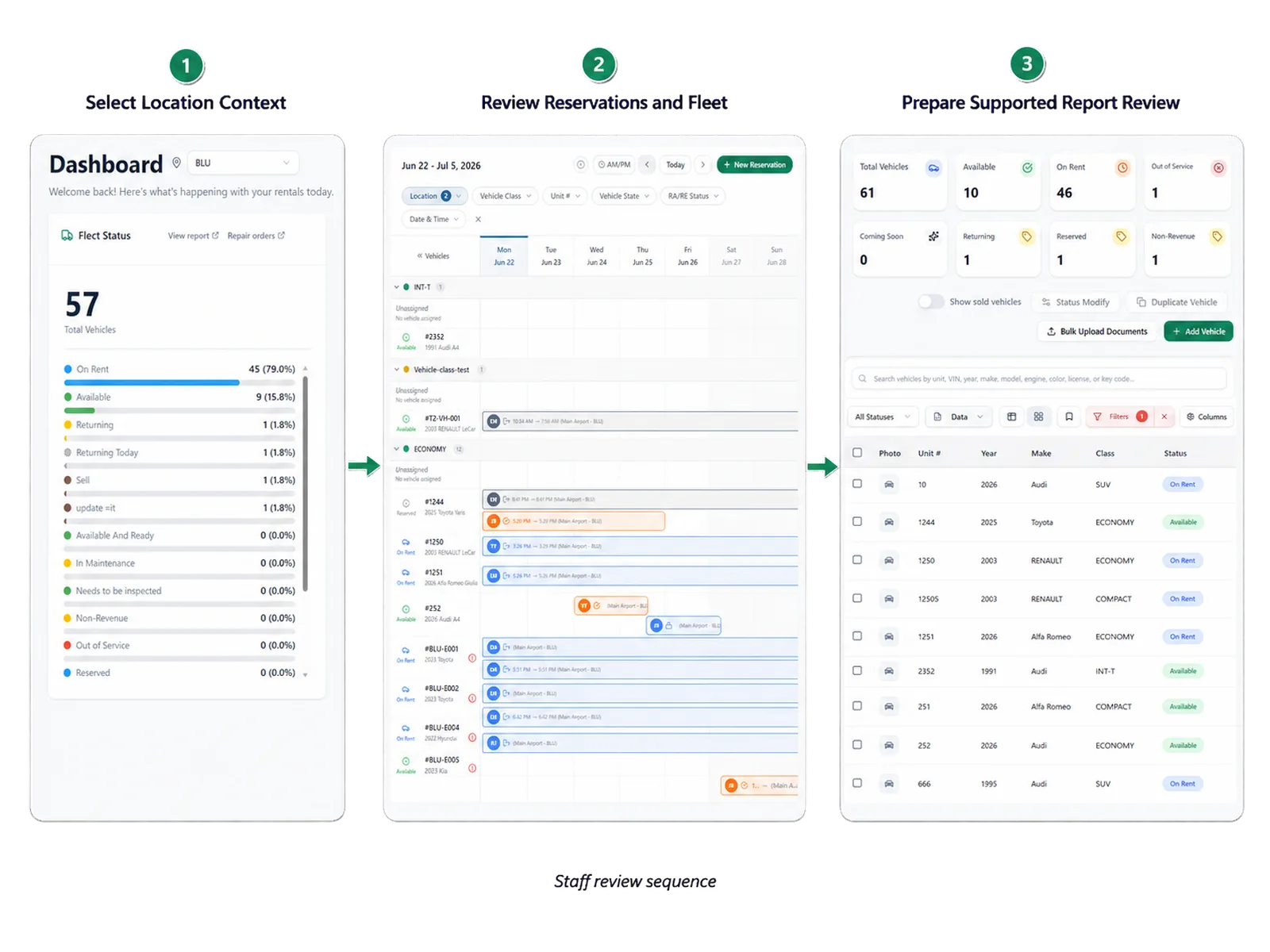
Keep exceptions visible to the right team
Late returns, vehicle substitutions, payment issues, condition questions, and maintenance holds need an owner. Connected records help branch staff and managers review the customer, vehicle, agreement, payment, and fleet context before deciding what happens next.
Configured roles and selected audit history can support review. Confirm which changes the product records, how long history remains available, and which users may export or amend the underlying data.
Model your branch structure in the demo
Use real branch roles, a shared customer, a vehicle movement, and a required report. Ask the team to show which settings apply across the environment and which can vary by location.
The proposal should state included locations, users, workflows, data tasks, integrations, implementation work, partner products, training, support, and contract terms.
Record the product version, configuration assumptions, report definitions, and open questions from the session. Use that record when the team reviews scope, price, and implementation responsibilities.
Use branch roles from your current approval path.
Test one location change and one cross-branch report.
List work that remains outside the platform.
Confirm how location changes enter the required report.
Map your locations, roles, and reports
Bring your branch structure and one required report. We will use them to frame a multi-location RentWorks Plus demo.
How teams adopt it
Three moments that make this real inside a working rental day.
Start
Give branches a common operating record
Adopt
Plan reservations and vehicle work across locations
Operate
Map your locations, roles, and reports
Answers before your demo
Common questions from operators evaluating this capability.
Can branches use different rates and permissions?
RentWorks Plus supports location-aware configuration, users, roles, and approved permissions. Ask the product team to confirm the exact rate, counter, field, vehicle, and report controls available for your branch structure.
Can leaders review activity across locations?
RentWorks Plus provides supported operational views and reports within the configured environment. Bring the cross-location report your team needs and confirm filters, definitions, access, refresh behavior, and CSV output in the demo.
How should a franchise group govern optional AI products?
Name the use case, provider, data access, staff review step, failure path, and support owner. Apply approved roles and keep payment, policy, condition, and liability decisions with authorized staff.
Ready to see it in your operation?
Bring one difficult rental day and we'll run it through RentWorks Plus with your data model.