
Skip to main content
RentWorks Plus Bluebird Auto Rental Systems Book a Demo
CORPORATE AND LONG-TERM RENTAL OPERATIONS

Keep long-term rentals, account rules, and billing in one record.

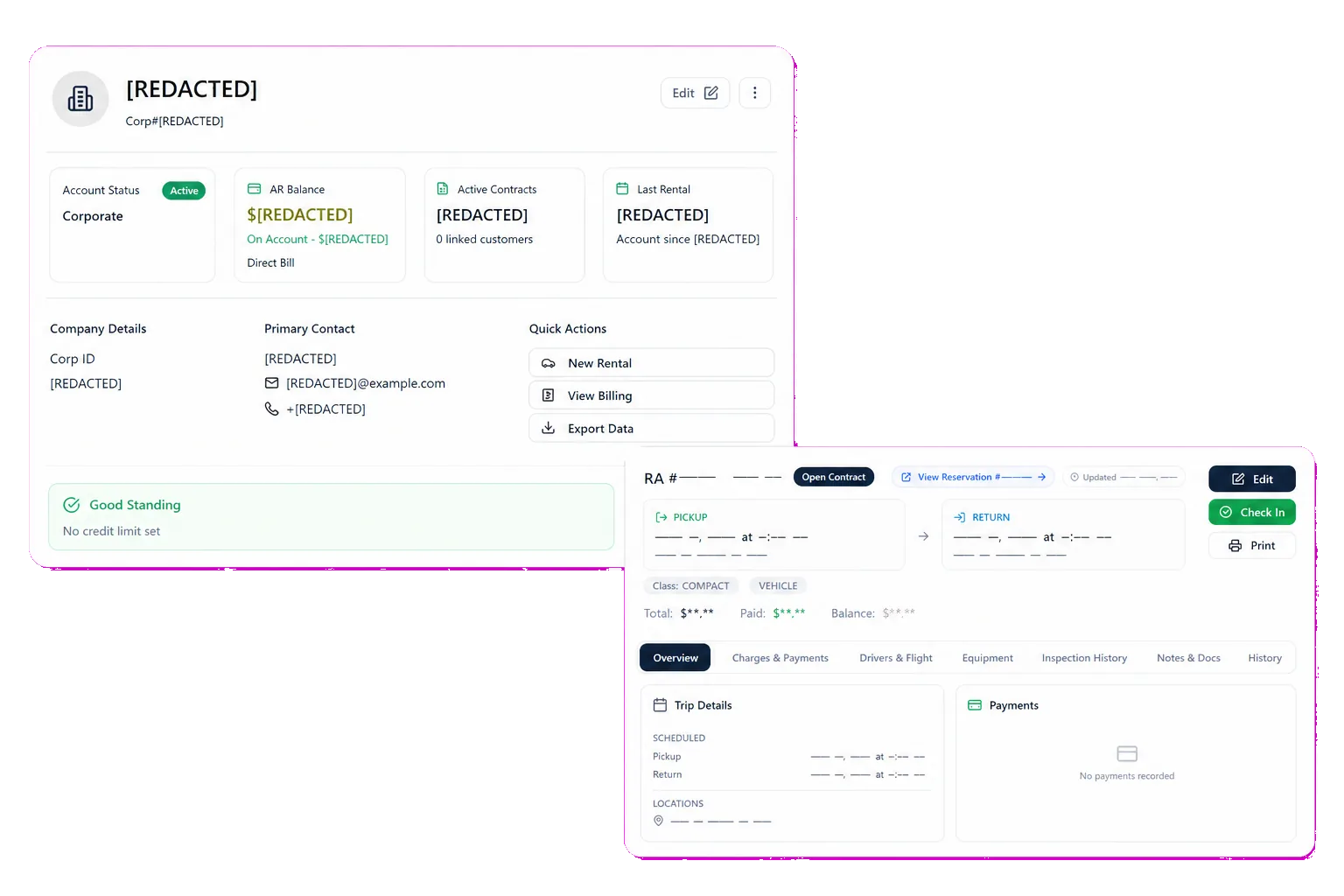
RentWorks Plus connects corporate accounts, authorized drivers, negotiated terms, agreements, vehicles, balances, documents, payment activity, and account reporting for B2B rental work.
Deployed in weeksConfigurable to your processOne connected rental day
rentworksplus.com/solutions/commercial-rental-software Live
Keep long-term rentals, account rules, and billing in one record.
What changes
Business accountsAgreement preparationLong-duration rentalsAccess control
01

Give each business account a rental context

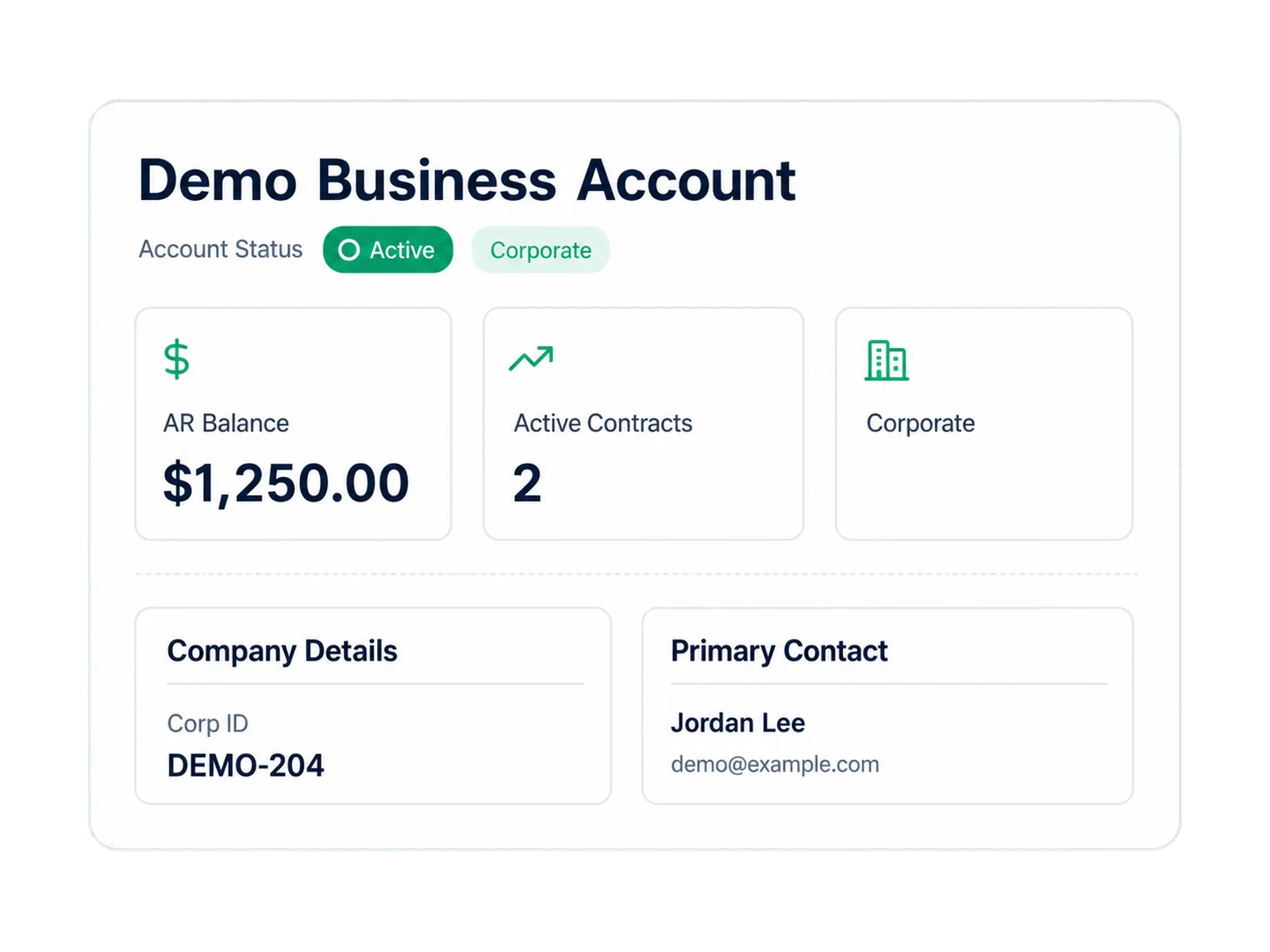
Corporate rental work extends beyond a customer profile. Your team needs the company, authorized drivers, negotiated terms, contracts, active rentals, balances, documents, and payment history in a record that staff can review during the rental day.

RentWorks Plus supports customer and corporate account records with contact and license details, employee drivers, account controls, negotiated terms, balances, documents, rental history, and account reporting. Your team defines the approved terms and who may change them.

● Spotlight

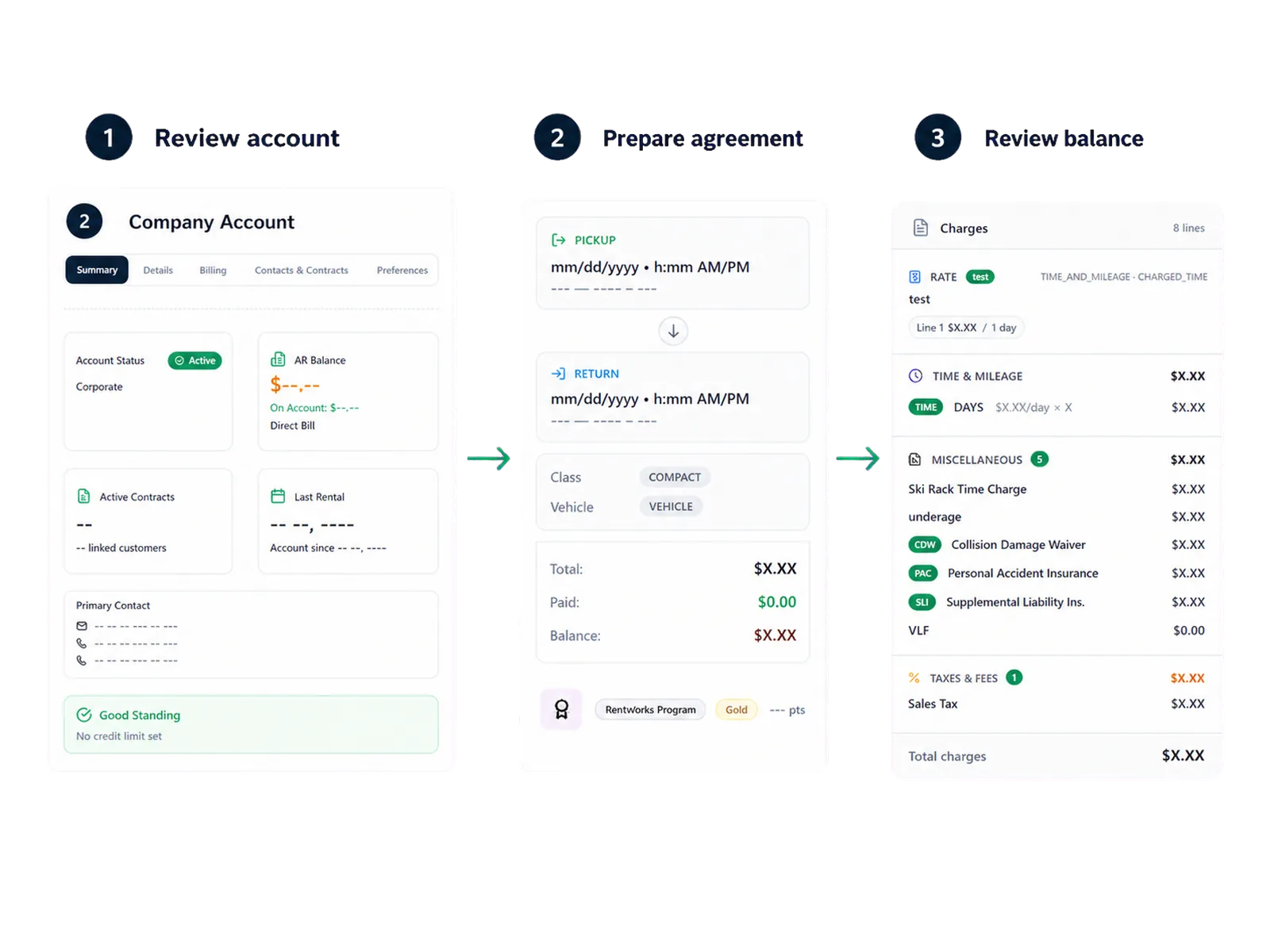
Prepare agreements from approved account details

Staff can carry supported reservation, customer, driver, rate, deposit, charge, coverage, and term details into agreement preparation. They can review those details before signature and keep the signed document tied to the rental record.
Prepare agreements from approved account details

Configured Signiphi workflows can support on-screen or remote signatures for approved rental agreements and PDF Builder documents. Confirm the document types, signing method, authentication, retention, package scope, and support owner in the proposal.

02

Keep long-duration rentals visible to fleet staff

A long-term rental may cross service thresholds, driver changes, payment events, extensions, and vehicle swaps. Rental and fleet records give staff a place to review the active agreement, assigned vehicle, status, service history, condition, and account context.

Maintenance teams can set supported time or mileage thresholds and review due work. Repair orders can record supported shop work and cost. Use the demo to show how your team handles a service event while a corporate agreement remains open.

Trucks and vans

Run trucks and commercial vans on the same rental record as the cars

Commercial operators rarely run one kind of vehicle. Box trucks, cargo vans, and pickups can sit in the same inventory as the car fleet, each with its own configured class, rate rules, and mileage terms, so counter and account staff work one rental record whatever rolls off the lot.

Commercial rentals usually carry per-mile terms, and configured mileage rate rules with supported odometer capture are what those charges are calculated from. Condition photos at check-out and check-in document a sixteen-foot truck the same way they document a sedan, and a supported damage record carries its evidence into the claim.

Bring a long-distance move, a mid-contract extension, and a mileage dispute to the product review, and run all three against your own classes and rate rules.

In practice

Control access to customer and contract data

Administrators can manage users, roles, approved permissions, and supported customer fields. Field controls can limit which configured roles may view or edit selected customer data.

Bring your counter, account-management, finance, fleet, and administrator roles to the product review. Confirm access to terms, balances, payment references, documents, exports, reports, and selected change history.
Control access to customer and contract data
03

Scope the account workflow before you compare quotes

Use one business account with two drivers, negotiated terms, an extended rental, a vehicle service event, an open balance, and a required report. Ask each vendor to run the same scenario.

The quote should state included account features, billing steps, payment services, locations, users, data migration, document work, integrations, implementation tasks, support, and partner fees.

Ask for sample outputs from the configured workflow, including the agreement, account view, balance record, payment receipt, CSV export, and required report. Confirm which output serves as the official record for each team.

Workflow

How teams adopt it

Three moments that make this real inside a working rental day.

1

Start

Give each business account a rental context

2

Adopt

Prepare agreements from approved account details

3

Operate

Scope the account workflow before you compare quotes

FAQ

Answers before your demo

Common questions from operators evaluating this capability.

Can corporate accounts have authorized drivers and negotiated terms?

Yes. RentWorks Plus supports corporate account records with employee drivers, contracts, negotiated terms, balances, documents, rental history, and account reporting. Confirm the fields and approval rules your team needs.

Does RentWorks Plus support long-term rentals?

RentWorks Plus can manage rental agreements, assigned vehicles, customer and account records, payment activity, condition records, and fleet service context over an extended rental. Test your extension, swap, billing, and maintenance steps in the demo.

How should corporate rental billing be evaluated?

Review account terms, authorized drivers, agreements, balances, documents, and payment records. Ask the team to demonstrate the supported billing steps and include them in the written proposal.

Review balances and payment activity with the account

RentWorks Plus can record supported deposits, cash activity, refunds, balances, receipts, and tokenized card references where applicable. Valpay can provide tokenized card workflows under a configured integration.

CORPORATE AND LONG-TERM RENTAL OPERATIONS

Keep long-term rentals, account rules, and billing in one record.

RentWorks Plus connects corporate accounts, authorized drivers, negotiated terms, agreements, vehicles, balances, documents, payment activity, and account reporting for B2B rental work.

Deployed in weeksConfigurable to your processOne connected rental day
rentworksplus.com/solutions/commercial-rental-software Live
Keep long-term rentals, account rules, and billing in one record.
What changes
Business accountsAgreement preparationLong-duration rentalsAccess control
01

Give each business account a rental context

Corporate rental work extends beyond a customer profile. Your team needs the company, authorized drivers, negotiated terms, contracts, active rentals, balances, documents, and payment history in a record that staff can review during the rental day.

RentWorks Plus supports customer and corporate account records with contact and license details, employee drivers, account controls, negotiated terms, balances, documents, rental history, and account reporting. Your team defines the approved terms and who may change them.

● Spotlight

Prepare agreements from approved account details

Staff can carry supported reservation, customer, driver, rate, deposit, charge, coverage, and term details into agreement preparation. They can review those details before signature and keep the signed document tied to the rental record.

Prepare agreements from approved account details

Configured Signiphi workflows can support on-screen or remote signatures for approved rental agreements and PDF Builder documents. Confirm the document types, signing method, authentication, retention, package scope, and support owner in the proposal.

02

Keep long-duration rentals visible to fleet staff

A long-term rental may cross service thresholds, driver changes, payment events, extensions, and vehicle swaps. Rental and fleet records give staff a place to review the active agreement, assigned vehicle, status, service history, condition, and account context.

Maintenance teams can set supported time or mileage thresholds and review due work. Repair orders can record supported shop work and cost. Use the demo to show how your team handles a service event while a corporate agreement remains open.

Trucks and vans

Run trucks and commercial vans on the same rental record as the cars

Commercial operators rarely run one kind of vehicle. Box trucks, cargo vans, and pickups can sit in the same inventory as the car fleet, each with its own configured class, rate rules, and mileage terms, so counter and account staff work one rental record whatever rolls off the lot.

Commercial rentals usually carry per-mile terms, and configured mileage rate rules with supported odometer capture are what those charges are calculated from. Condition photos at check-out and check-in document a sixteen-foot truck the same way they document a sedan, and a supported damage record carries its evidence into the claim.

Bring a long-distance move, a mid-contract extension, and a mileage dispute to the product review, and run all three against your own classes and rate rules.

In practice

Control access to customer and contract data

Administrators can manage users, roles, approved permissions, and supported customer fields. Field controls can limit which configured roles may view or edit selected customer data.

Bring your counter, account-management, finance, fleet, and administrator roles to the product review. Confirm access to terms, balances, payment references, documents, exports, reports, and selected change history.

Control access to customer and contract data
03

Scope the account workflow before you compare quotes

Use one business account with two drivers, negotiated terms, an extended rental, a vehicle service event, an open balance, and a required report. Ask each vendor to run the same scenario.

The quote should state included account features, billing steps, payment services, locations, users, data migration, document work, integrations, implementation tasks, support, and partner fees.

Ask for sample outputs from the configured workflow, including the agreement, account view, balance record, payment receipt, CSV export, and required report. Confirm which output serves as the official record for each team.

Workflow

How teams adopt it

Three moments that make this real inside a working rental day.

1

Start

Give each business account a rental context

2

Adopt

Prepare agreements from approved account details

3

Operate

Scope the account workflow before you compare quotes

FAQ

Answers before your demo

Common questions from operators evaluating this capability.

Can corporate accounts have authorized drivers and negotiated terms?

Yes. RentWorks Plus supports corporate account records with employee drivers, contracts, negotiated terms, balances, documents, rental history, and account reporting. Confirm the fields and approval rules your team needs.

Does RentWorks Plus support long-term rentals?

RentWorks Plus can manage rental agreements, assigned vehicles, customer and account records, payment activity, condition records, and fleet service context over an extended rental. Test your extension, swap, billing, and maintenance steps in the demo.

How should corporate rental billing be evaluated?

Review account terms, authorized drivers, agreements, balances, documents, and payment records. Ask the team to demonstrate the supported billing steps and include them in the written proposal.

Review balances and payment activity with the account

RentWorks Plus can record supported deposits, cash activity, refunds, balances, receipts, and tokenized card references where applicable. Valpay can provide tokenized card workflows under a configured integration.