
Skip to main content
RentWorks Plus Bluebird Auto Rental Systems Book a Demo
LUXURY AND SPECIALTY RENTAL OPERATIONS

Luxury car rental software that keeps agreements, condition evidence and claims tied to every high-value vehicle.

RentWorks Plus ties the customer, agreement, payment activity, condition photos, vehicle history, maintenance, repair work, and claim record to the rental under review.
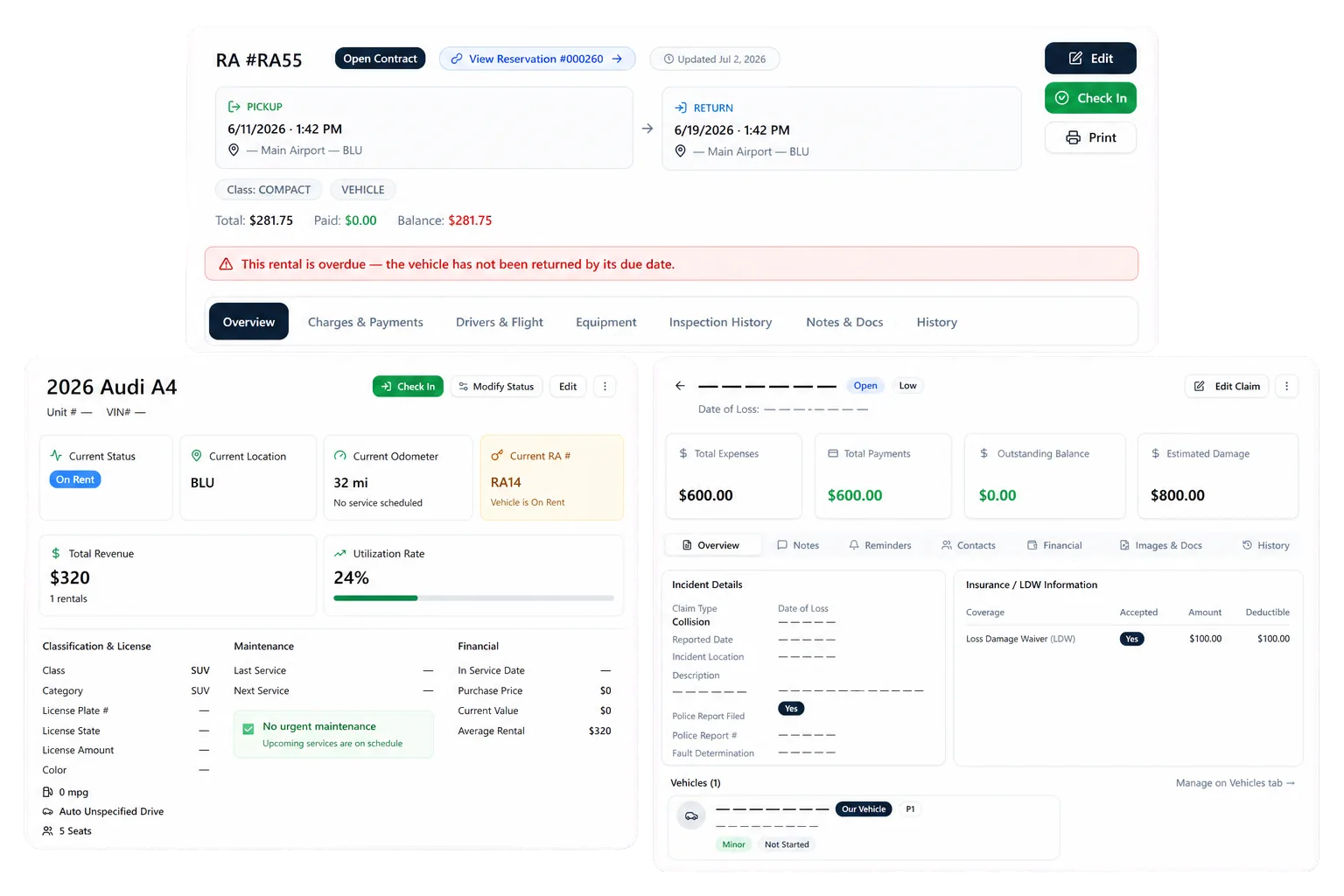
Deployed in weeksConfigurable to your processOne connected rental day
rentworksplus.com/solutions/luxury-car-rental-software Live
Keep agreements, condition evidence, service, and claim records connected for each high-value vehicle.
What changes
Complete recordsCondition evidencePayments and agreementsDamage claims
01

Build a complete record before the vehicle moves

A high-value rental needs more than a reservation and payment. Staff need the approved driver, agreement terms, deposit, condition record, mileage, selected coverage, and vehicle history in context before handoff.

RentWorks Plus carries supported reservation and customer details into agreement preparation. Staff can review rates, charges, deposits, terms, and vehicle details, then keep the signed document with the rental record.

● Spotlight

Document condition at pickup and return

Structured inspection workflows connect condition photos to the rental and vehicle history. Staff can record the starting condition before handoff and compare supported pickup and return records during check-in.
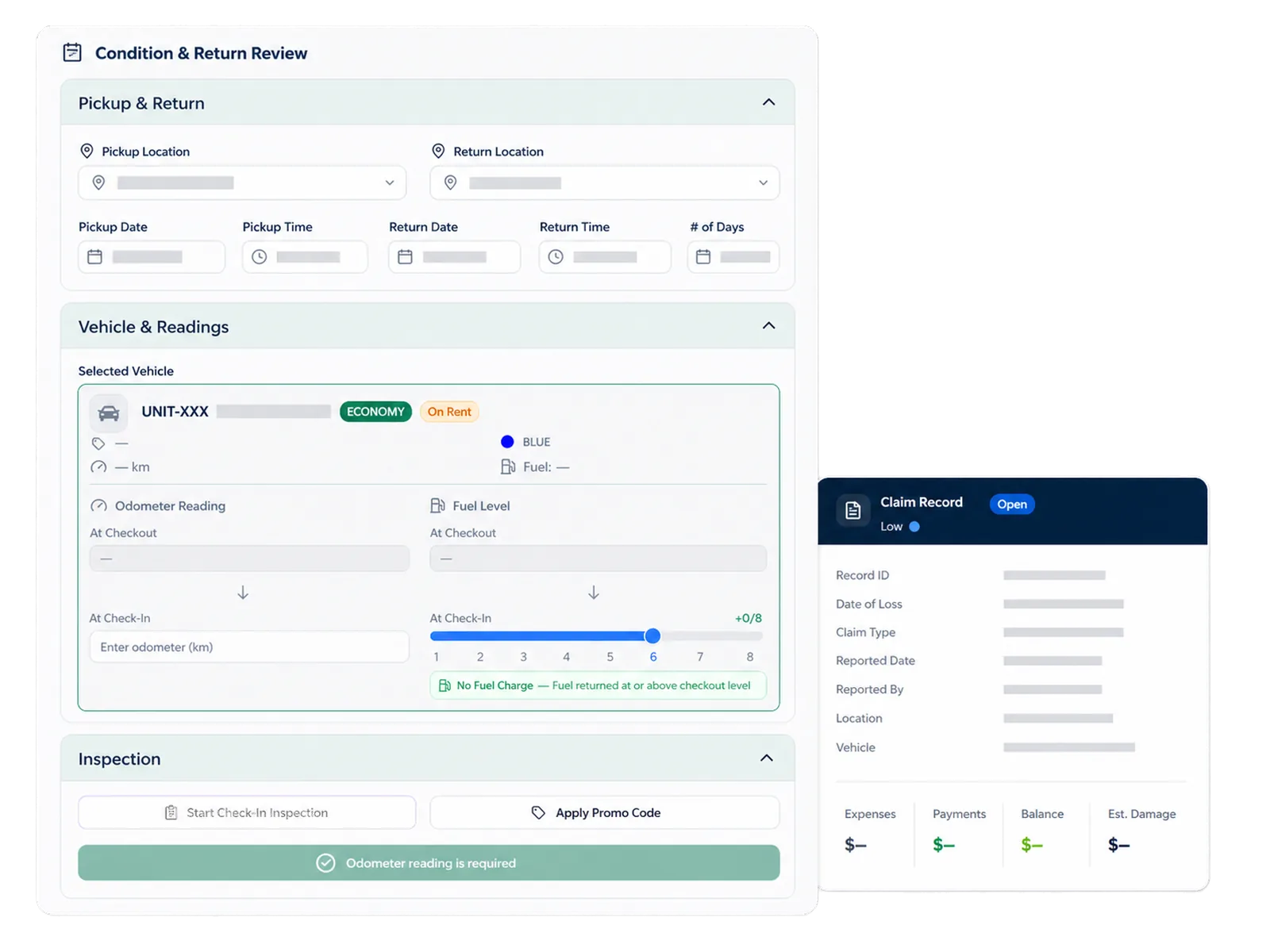
Document condition at pickup and return

The record gives staff evidence for review. It does not assign fault, settle a dispute, set an insurance decision, or guarantee collection. Your team applies the agreement, policy, customer communication, and claim process.

02

Keep payment and agreement details close to the review

RentWorks Plus supports configured rates, deposits, selected extras, mileage rules, fuel surcharges, promo eligibility, balances, refunds, receipts, and payment activity. Valpay can support tokenized card workflows where configured.

Staff can review the agreement and recorded return details before applying a configured charge. Confirm card methods, deposits, refunds, hardware, geography, fees, reconciliation, and merchant duties during scoping.

In practice

Carry supported damage records into claims

Claims records can include documents, expenses, payment activity, settlements, status, and subrogation tracking. Inspection evidence can remain connected to the rental and vehicle history where the configured workflow supports it.

Authorized staff decide whether a condition change belongs in a claim and which documents support the record. Ask how your team adds repair costs, correspondence, payments, and status changes, plus who may view or amend them.
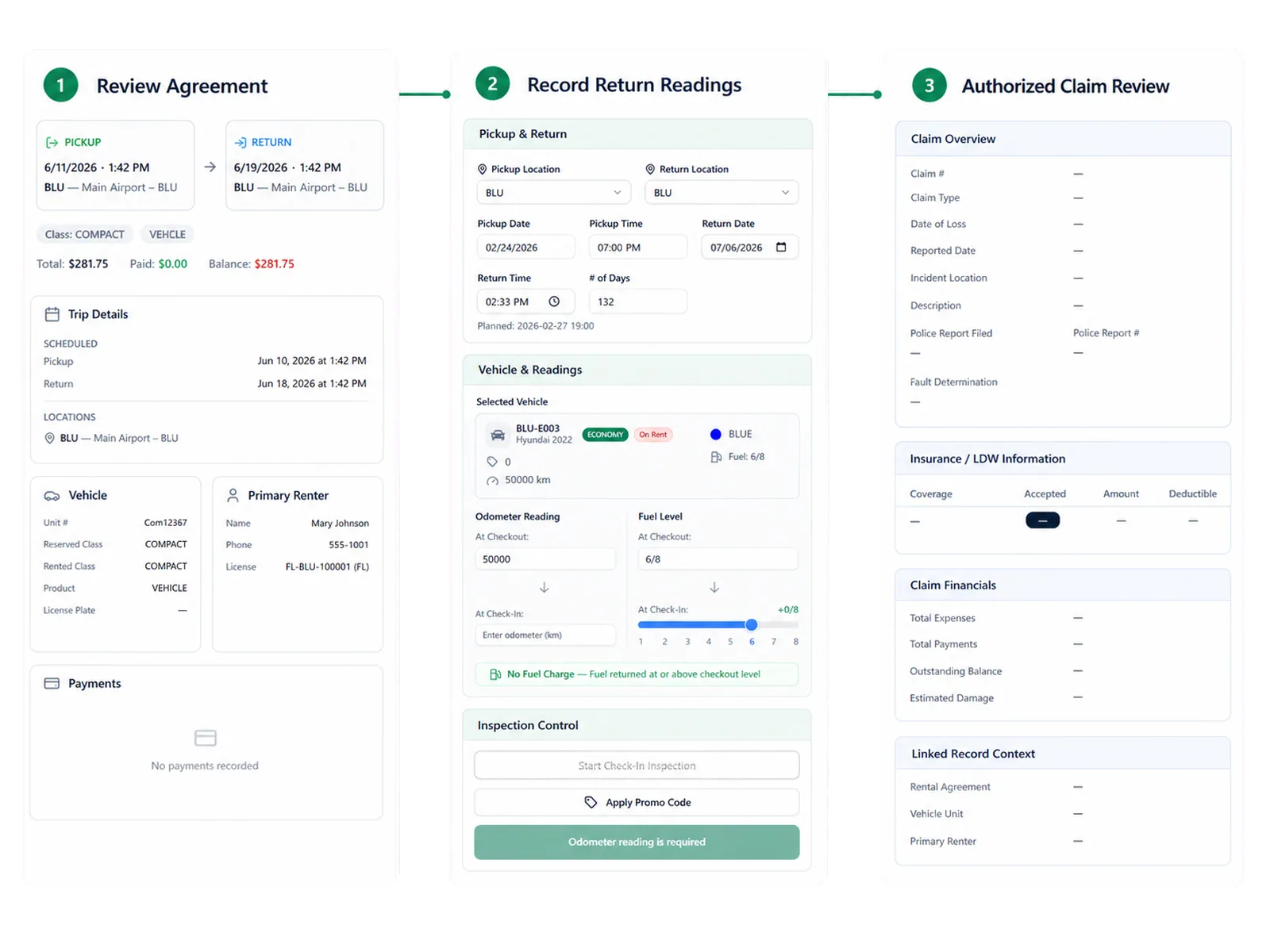
Carry supported damage records into claims
03

Track service history beside the rental record

Fleet records can include unit status, availability, class, location, service history, and supported holds. Maintenance teams can set supported time or mileage thresholds. Repair orders can record supported work and cost against the vehicle.

This context helps staff review whether a unit needs attention before the next assignment. It does not prove roadworthiness, resale value, insurance treatment, or a fixed reduction in downtime.

Workflow

How teams adopt it

Three moments that make this real inside a working rental day.

1

Start

Build a complete record before the vehicle moves

2

Adopt

Document condition at pickup and return

3

Operate

Track service history beside the rental record

FAQ

Answers before your demo

Common questions from operators evaluating this capability.

How are condition photos connected to a rental?

RentWorks Plus supports structured condition photos tied to the rental and vehicle history. Staff can compare supported pickup and return records while reviewing the agreement, notes, and policy.

Can inspection records lower our insurance premium?

RentWorks Plus does not set insurance pricing. Condition and claim records may support a conversation with your broker or carrier, but the insurer decides coverage, underwriting, and premium treatment.

Can AI-assisted inspection decide who caused damage?

No. The optional capability can flag possible changes in supported photos. Authorized staff review the evidence, agreement, policy, customer context, and claim record before deciding what action to take.

Test the exception, not the showroom path

Bring one rental with an additional driver, deposit, mileage rule, condition question, and service event. Ask the demo team to show agreement preparation, signature, pickup photos, return review, payment activity, claim records, and authorized access.

LUXURY AND SPECIALTY RENTAL OPERATIONS

Luxury car rental software that keeps agreements, condition evidence and claims tied to every high-value vehicle.

RentWorks Plus ties the customer, agreement, payment activity, condition photos, vehicle history, maintenance, repair work, and claim record to the rental under review.

Deployed in weeksConfigurable to your processOne connected rental day
rentworksplus.com/solutions/luxury-car-rental-software Live
Keep agreements, condition evidence, service, and claim records connected for each high-value vehicle.
What changes
Complete recordsCondition evidencePayments and agreementsDamage claims
01

Build a complete record before the vehicle moves

A high-value rental needs more than a reservation and payment. Staff need the approved driver, agreement terms, deposit, condition record, mileage, selected coverage, and vehicle history in context before handoff.

RentWorks Plus carries supported reservation and customer details into agreement preparation. Staff can review rates, charges, deposits, terms, and vehicle details, then keep the signed document with the rental record.

● Spotlight

Document condition at pickup and return

Structured inspection workflows connect condition photos to the rental and vehicle history. Staff can record the starting condition before handoff and compare supported pickup and return records during check-in.

Document condition at pickup and return

The record gives staff evidence for review. It does not assign fault, settle a dispute, set an insurance decision, or guarantee collection. Your team applies the agreement, policy, customer communication, and claim process.

02

Keep payment and agreement details close to the review

RentWorks Plus supports configured rates, deposits, selected extras, mileage rules, fuel surcharges, promo eligibility, balances, refunds, receipts, and payment activity. Valpay can support tokenized card workflows where configured.

Staff can review the agreement and recorded return details before applying a configured charge. Confirm card methods, deposits, refunds, hardware, geography, fees, reconciliation, and merchant duties during scoping.

In practice

Carry supported damage records into claims

Claims records can include documents, expenses, payment activity, settlements, status, and subrogation tracking. Inspection evidence can remain connected to the rental and vehicle history where the configured workflow supports it.

Authorized staff decide whether a condition change belongs in a claim and which documents support the record. Ask how your team adds repair costs, correspondence, payments, and status changes, plus who may view or amend them.

Carry supported damage records into claims
03

Track service history beside the rental record

Fleet records can include unit status, availability, class, location, service history, and supported holds. Maintenance teams can set supported time or mileage thresholds. Repair orders can record supported work and cost against the vehicle.

This context helps staff review whether a unit needs attention before the next assignment. It does not prove roadworthiness, resale value, insurance treatment, or a fixed reduction in downtime.

Workflow

How teams adopt it

Three moments that make this real inside a working rental day.

1

Start

Build a complete record before the vehicle moves

2

Adopt

Document condition at pickup and return

3

Operate

Track service history beside the rental record

FAQ

Answers before your demo

Common questions from operators evaluating this capability.

How are condition photos connected to a rental?

RentWorks Plus supports structured condition photos tied to the rental and vehicle history. Staff can compare supported pickup and return records while reviewing the agreement, notes, and policy.

Can inspection records lower our insurance premium?

RentWorks Plus does not set insurance pricing. Condition and claim records may support a conversation with your broker or carrier, but the insurer decides coverage, underwriting, and premium treatment.

Can AI-assisted inspection decide who caused damage?

No. The optional capability can flag possible changes in supported photos. Authorized staff review the evidence, agreement, policy, customer context, and claim record before deciding what action to take.

Test the exception, not the showroom path

Bring one rental with an additional driver, deposit, mileage rule, condition question, and service event. Ask the demo team to show agreement preparation, signature, pickup photos, return review, payment activity, claim records, and authorized access.