
Skip to main content
RentWorks Plus Bluebird Auto Rental Systems Book a Demo
RENTAL FLEET MANAGEMENT

Car rental fleet management software for vehicle status, availability, service and utilization

Review the operating state behind each unit, connect service and repair records, and keep fleet decisions tied to reservations and assignments.
Built on RentWorks PlusSSAE-18 hosted40+ years in rental
rentworksplus.com/platform/fleet-management Live
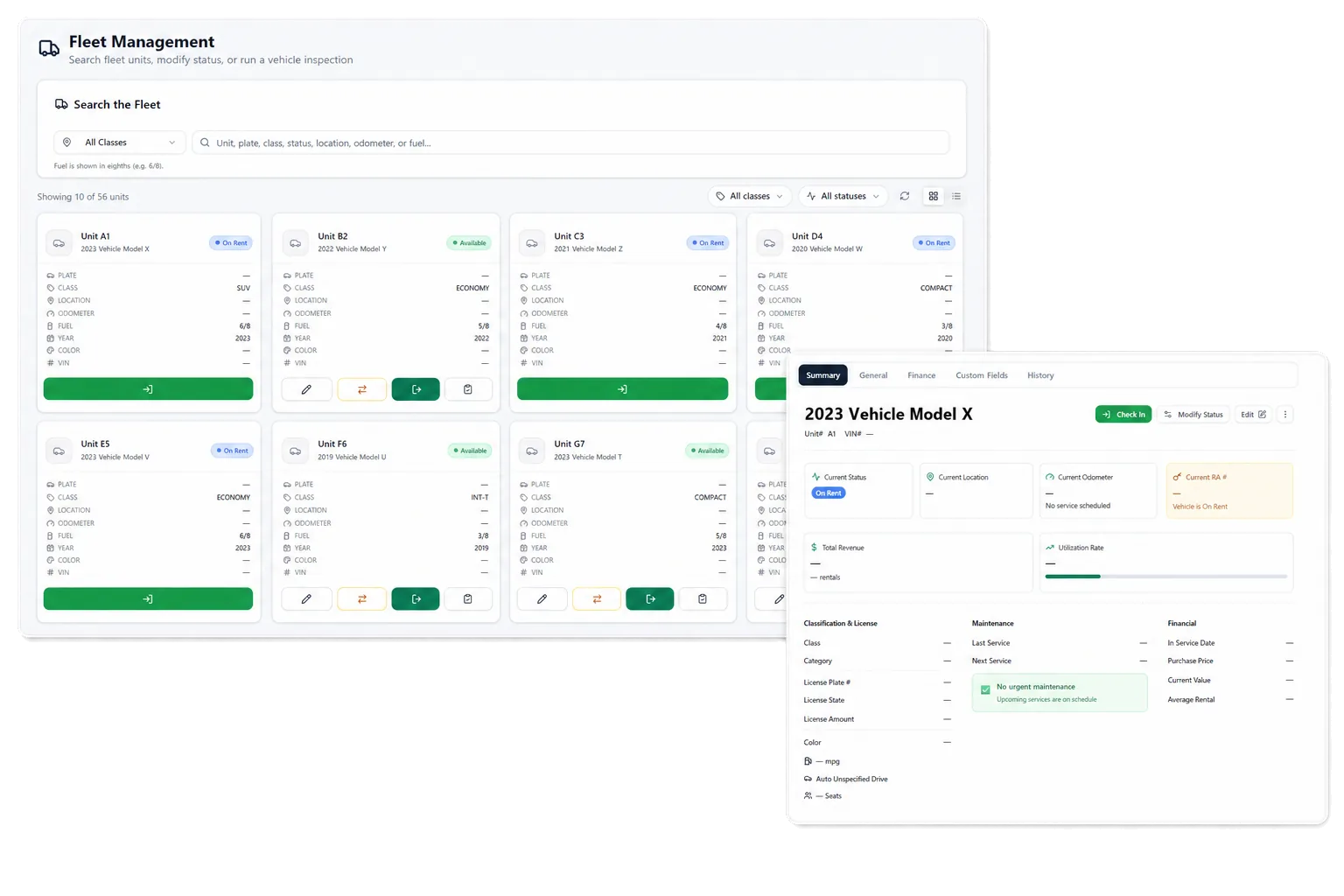
See vehicle status, availability, service, and utilization in rental context
What you get
Fleet overviewStatus controlsMaintenanceCondition history
01

Build a current operating picture of the fleet

RentWorks Plus keeps unit status, availability, ACRISS class, location, supported holds, service history, and utilization context with the vehicle record. Fleet teams can review that context beside reservations and assignments rather than maintaining a separate vehicle list.

A current view helps staff answer practical questions: which unit is assigned, which one is available, which one needs attention, and which status affects the rental plan. It does not replace staff judgment about road readiness or the operating policy for a given status.

● Spotlight

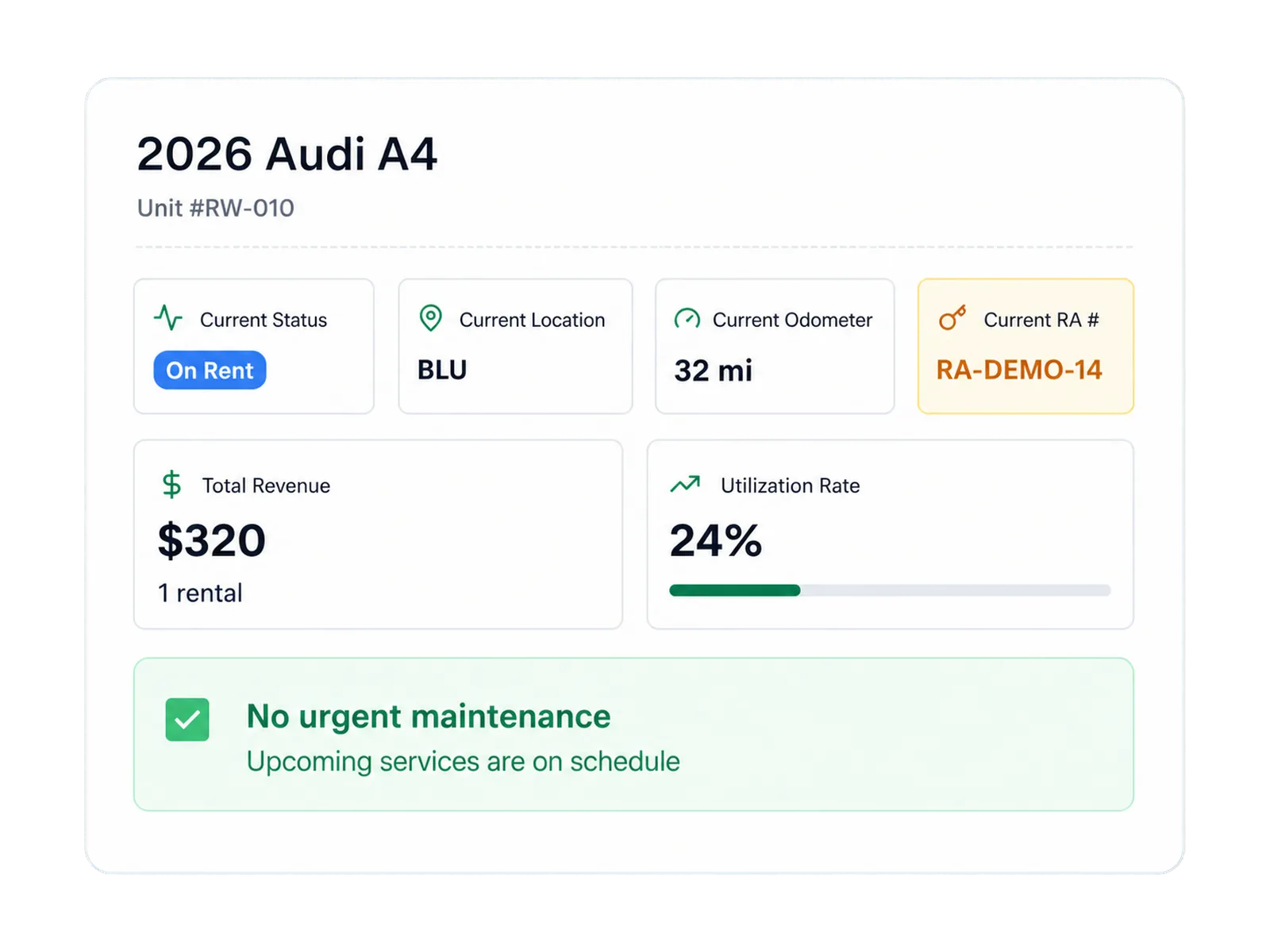
Use configured status controls in the rental plan

Vehicle status gives the reservation planner and fleet team a shared signal. Configured controls can remove a unit from bookable inventory while it is on a supported hold, in service, or under repair.
Use configured status controls in the rental plan

The exact status rules follow the operator's configuration. Staff can review affected assignments, choose another unit, or change the plan while retaining the reservation and vehicle context.

02

Connect maintenance and repair work to the unit

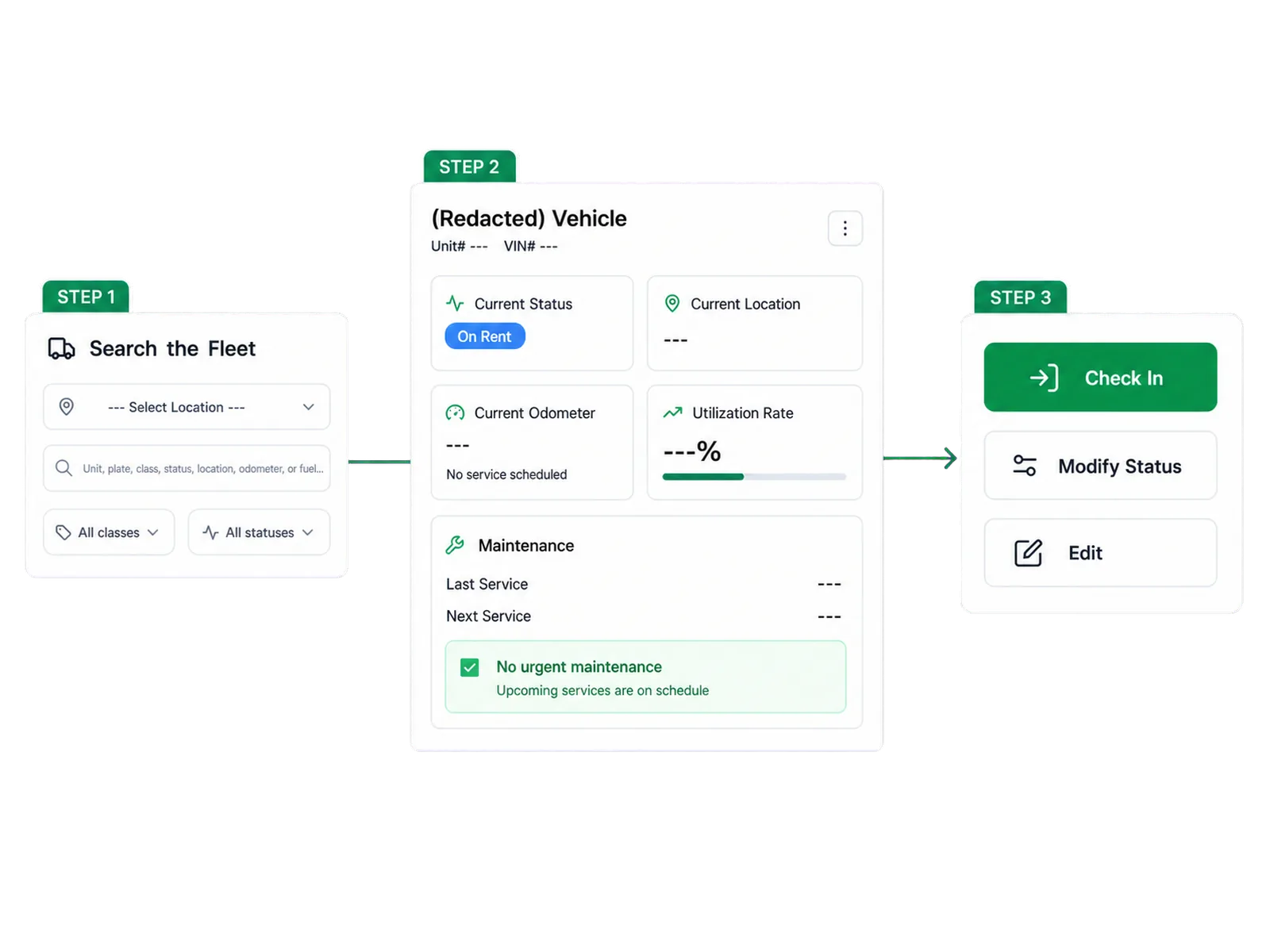
Maintenance schedules can use supported time or mileage thresholds and surface due or overdue work. Repair Orders can record supported shop work and cost against the vehicle while retaining the entry with service history.

This connection gives operations, fleet, and finance a common record for the unit. Maintenance forecasting and fixed downtime reductions require a documented model and measured product evidence.

In practice

Keep condition and claim history available for review

Supported inspections can connect condition photos to the rental and vehicle history. When a possible change needs follow-up, claim records can hold documents, expenses, payment activity, settlements, status, and subrogation work.

The record supports review across teams. Photos or an AI flag do not establish fault, authorize a charge, or establish that recovery will occur. Staff decide what the evidence and agreement support.
Keep condition and claim history available for review
03

Use utilization with a shared definition

Utilization context can help teams compare how units, classes, locations, or periods are used. The number only becomes useful when the denominator is clear. Total fleet, operational fleet, and rentable fleet can produce different results.

Set the definition before using utilization for a purchase, transfer, pricing, or disposal discussion. RentWorks Plus provides the operating records, while management chooses the measure and decision rule.

04

Maintain supported fleet fields in bulk

Validated CSV import and export can support supported fleet fields during migration and bulk maintenance. Validation helps the team find records that do not match the expected format before those records enter the working set.

The supported field list, history, documents, timing, and access depend on the scoped setup. Inventory Management focuses on the unit record and data tasks, while Fleet Management focuses on operating status, service, repairs, and utilization context.

Workflow

How it flows

Three moments that make this real inside a working rental day.

1

Input

Build a current operating picture of the fleet

2

Working state

Connect maintenance and repair work to the unit

3

Outcome

Maintain supported fleet fields in bulk

FAQ

Answers before your demo

Common questions from operators evaluating this capability.

What does RentWorks Plus track for fleet operations?

The supported scope includes unit status, availability, ACRISS class, location, supported holds, service history, and utilization context tied to the vehicle record.

Does a repair or maintenance status affect availability?

Configured status controls can remove a unit from bookable inventory. The exact rule and staff response follow the operator's setup.

Does RentWorks Plus predict fleet downtime?

The native capability covers maintenance scheduling, supported thresholds, due or overdue alerts, and service history. Maintenance forecasting requires separate product evidence.

Can fleet data be imported or exported by CSV?

Validated CSV tasks can support supported fleet fields. The maintained field list, validation rules, history, and access depend on the scoped configuration.

Review your fleet with the rental plan beside it

Bring a service hold, late return, repair, transfer, or utilization question to the demo and follow the vehicle record behind it.

RENTAL FLEET MANAGEMENT

Car rental fleet management software for vehicle status, availability, service and utilization

Review the operating state behind each unit, connect service and repair records, and keep fleet decisions tied to reservations and assignments.

Built on RentWorks PlusSSAE-18 hosted40+ years in rental
rentworksplus.com/platform/fleet-management Live
See vehicle status, availability, service, and utilization in rental context
What you get
Fleet overviewStatus controlsMaintenanceCondition history
01

Build a current operating picture of the fleet

RentWorks Plus keeps unit status, availability, ACRISS class, location, supported holds, service history, and utilization context with the vehicle record. Fleet teams can review that context beside reservations and assignments rather than maintaining a separate vehicle list.

A current view helps staff answer practical questions: which unit is assigned, which one is available, which one needs attention, and which status affects the rental plan. It does not replace staff judgment about road readiness or the operating policy for a given status.

● Spotlight

Use configured status controls in the rental plan

Vehicle status gives the reservation planner and fleet team a shared signal. Configured controls can remove a unit from bookable inventory while it is on a supported hold, in service, or under repair.

Use configured status controls in the rental plan

The exact status rules follow the operator's configuration. Staff can review affected assignments, choose another unit, or change the plan while retaining the reservation and vehicle context.

02

Connect maintenance and repair work to the unit

Maintenance schedules can use supported time or mileage thresholds and surface due or overdue work. Repair Orders can record supported shop work and cost against the vehicle while retaining the entry with service history.

This connection gives operations, fleet, and finance a common record for the unit. Maintenance forecasting and fixed downtime reductions require a documented model and measured product evidence.

In practice

Keep condition and claim history available for review

Supported inspections can connect condition photos to the rental and vehicle history. When a possible change needs follow-up, claim records can hold documents, expenses, payment activity, settlements, status, and subrogation work.

The record supports review across teams. Photos or an AI flag do not establish fault, authorize a charge, or establish that recovery will occur. Staff decide what the evidence and agreement support.

Keep condition and claim history available for review
03

Use utilization with a shared definition

Utilization context can help teams compare how units, classes, locations, or periods are used. The number only becomes useful when the denominator is clear. Total fleet, operational fleet, and rentable fleet can produce different results.

Set the definition before using utilization for a purchase, transfer, pricing, or disposal discussion. RentWorks Plus provides the operating records, while management chooses the measure and decision rule.

04

Maintain supported fleet fields in bulk

Validated CSV import and export can support supported fleet fields during migration and bulk maintenance. Validation helps the team find records that do not match the expected format before those records enter the working set.

The supported field list, history, documents, timing, and access depend on the scoped setup. Inventory Management focuses on the unit record and data tasks, while Fleet Management focuses on operating status, service, repairs, and utilization context.

Workflow

How it flows

Three moments that make this real inside a working rental day.

1

Input

Build a current operating picture of the fleet

2

Working state

Connect maintenance and repair work to the unit

3

Outcome

Maintain supported fleet fields in bulk

FAQ

Answers before your demo

Common questions from operators evaluating this capability.

What does RentWorks Plus track for fleet operations?

The supported scope includes unit status, availability, ACRISS class, location, supported holds, service history, and utilization context tied to the vehicle record.

Does a repair or maintenance status affect availability?

Configured status controls can remove a unit from bookable inventory. The exact rule and staff response follow the operator's setup.

Does RentWorks Plus predict fleet downtime?

The native capability covers maintenance scheduling, supported thresholds, due or overdue alerts, and service history. Maintenance forecasting requires separate product evidence.

Can fleet data be imported or exported by CSV?

Validated CSV tasks can support supported fleet fields. The maintained field list, validation rules, history, and access depend on the scoped configuration.

Review your fleet with the rental plan beside it

Bring a service hold, late return, repair, transfer, or utilization question to the demo and follow the vehicle record behind it.