
Skip to main content
RentWorks Plus Bluebird Auto Rental Systems Book a Demo
VEHICLE INSPECTIONS AND CLAIMS

Vehicle inspection and claims software that connects condition evidence to the claim record

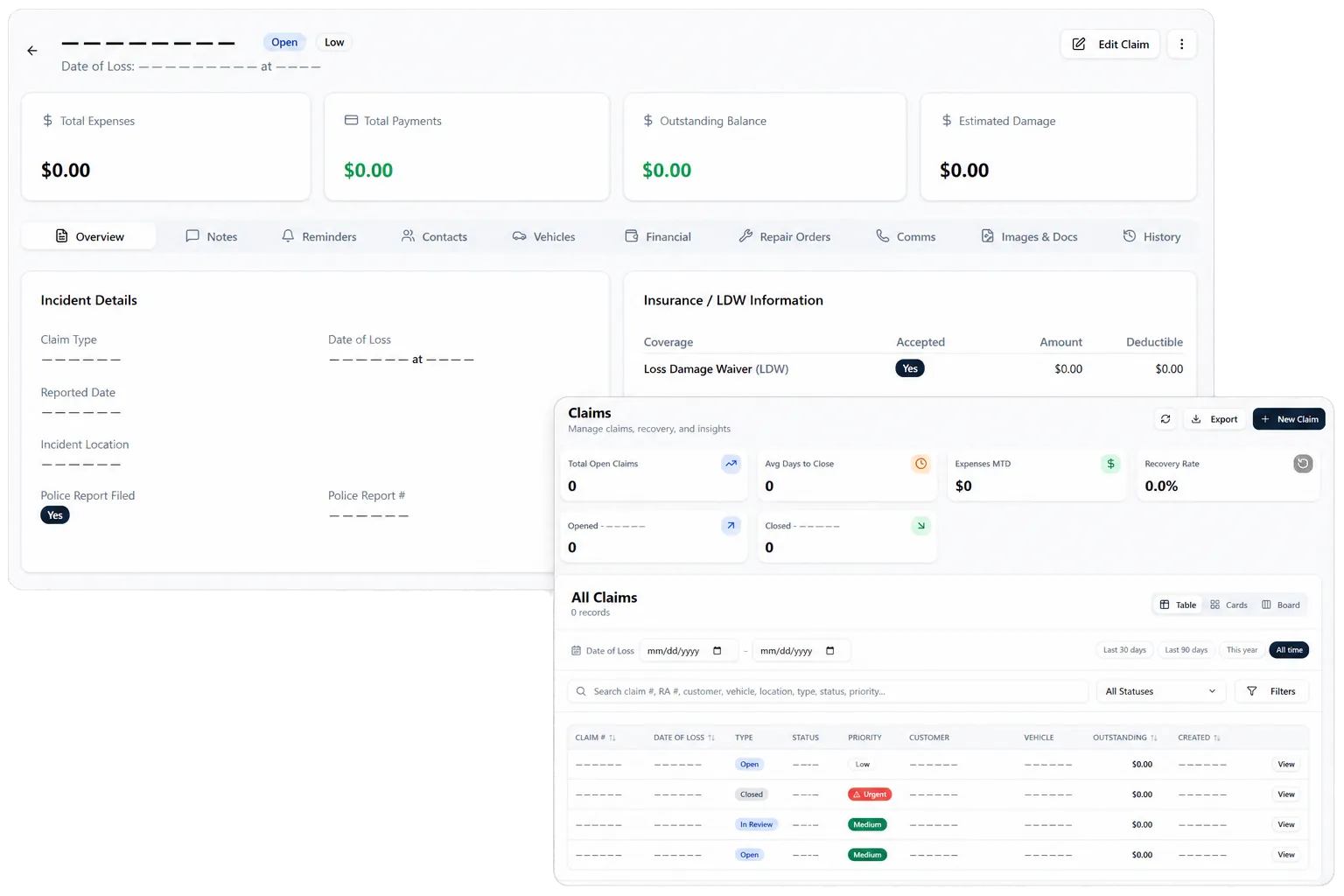
Capture structured condition photos, retain supported inspection history, and manage claim documents, expenses, payment activity, settlements, status, and subrogation work.
Built on RentWorks PlusSSAE-18 hosted40+ years in rental
rentworksplus.com/platform/inspections-claims Live
Connect vehicle-condition evidence with the claim record
What you get
Condition recordsClaim lifecycleInspection sharingRepair context
01

Create a structured condition record at pickup and return

RentWorks Plus supports photo-based condition assessment through a structured vehicle-zone workflow. Supported inspections can remain connected to the rental and vehicle history so staff can review pickup and return records in the same operating context.

A consistent capture process helps the team collect the views and notes required by its policy. The current public claim does not depend on a fixed zone count, since vehicle coverage and package scope can vary.

● Spotlight

Keep the claim lifecycle in one working record

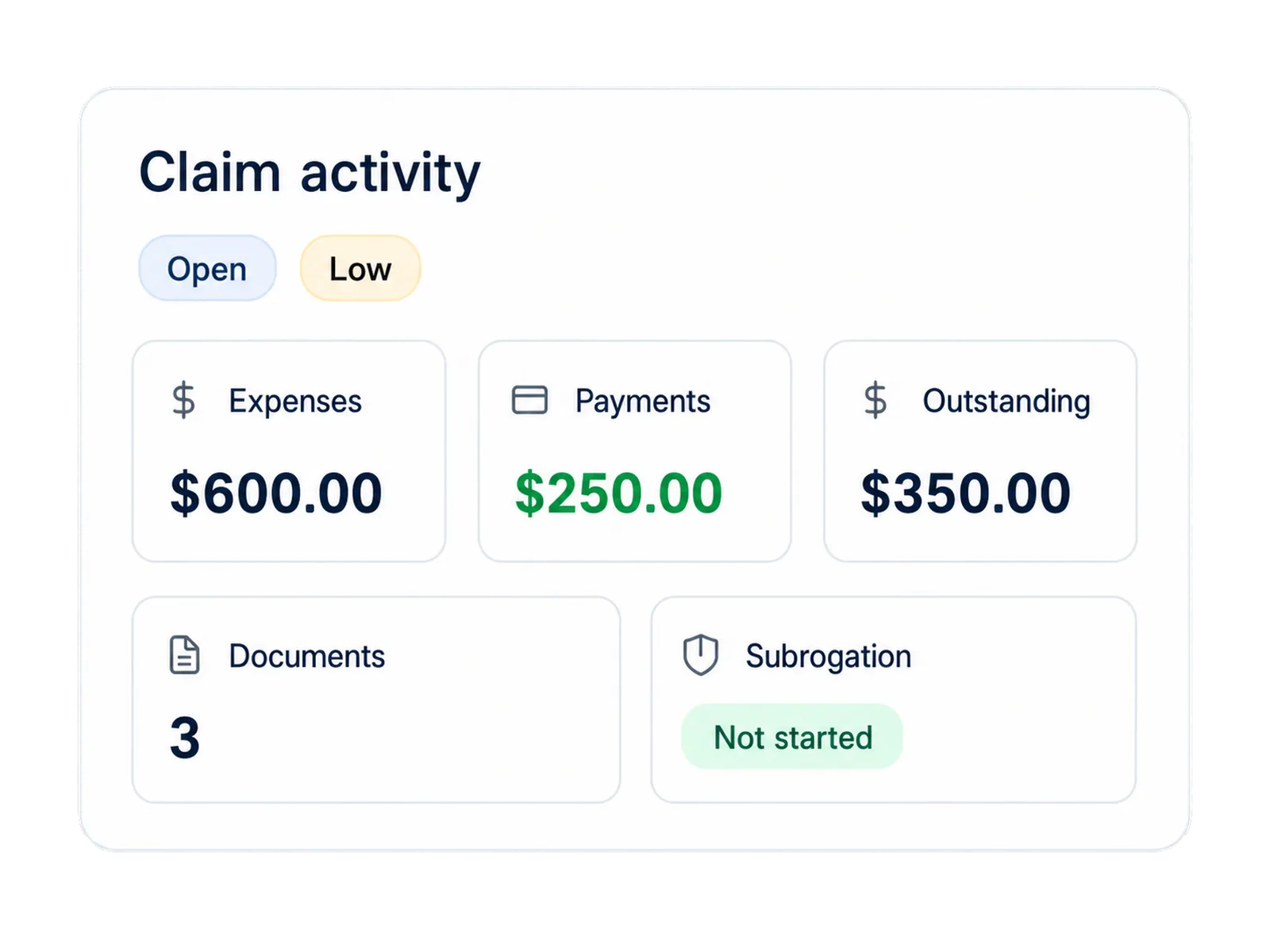
Claims records can include documents, expenses, payment activity, settlements, status, and subrogation activity. Keeping those items together gives claims, finance, fleet, and management a shared record of the work.
Keep the claim lifecycle in one working record

The record can support communication and follow-up, but it does not establish that costs will be recovered or settle a dispute. The operator remains responsible for policy, evidence review, customer communication, insurer or third-party contact, and closure decisions.

02

Share authorized inspection records where configured

A configured public inspection link can let an authorized recipient view a supported inspection record. That can help a renter, manager, repair partner, insurer, or claims contact review the evidence without relying on an email attachment chain.

The shared view should follow the operator's access, consent, privacy, and retention rules. The configured workflow determines what the link exposes, who may use it, and how access is handled.

In practice

Connect claim work with fleet and repair context

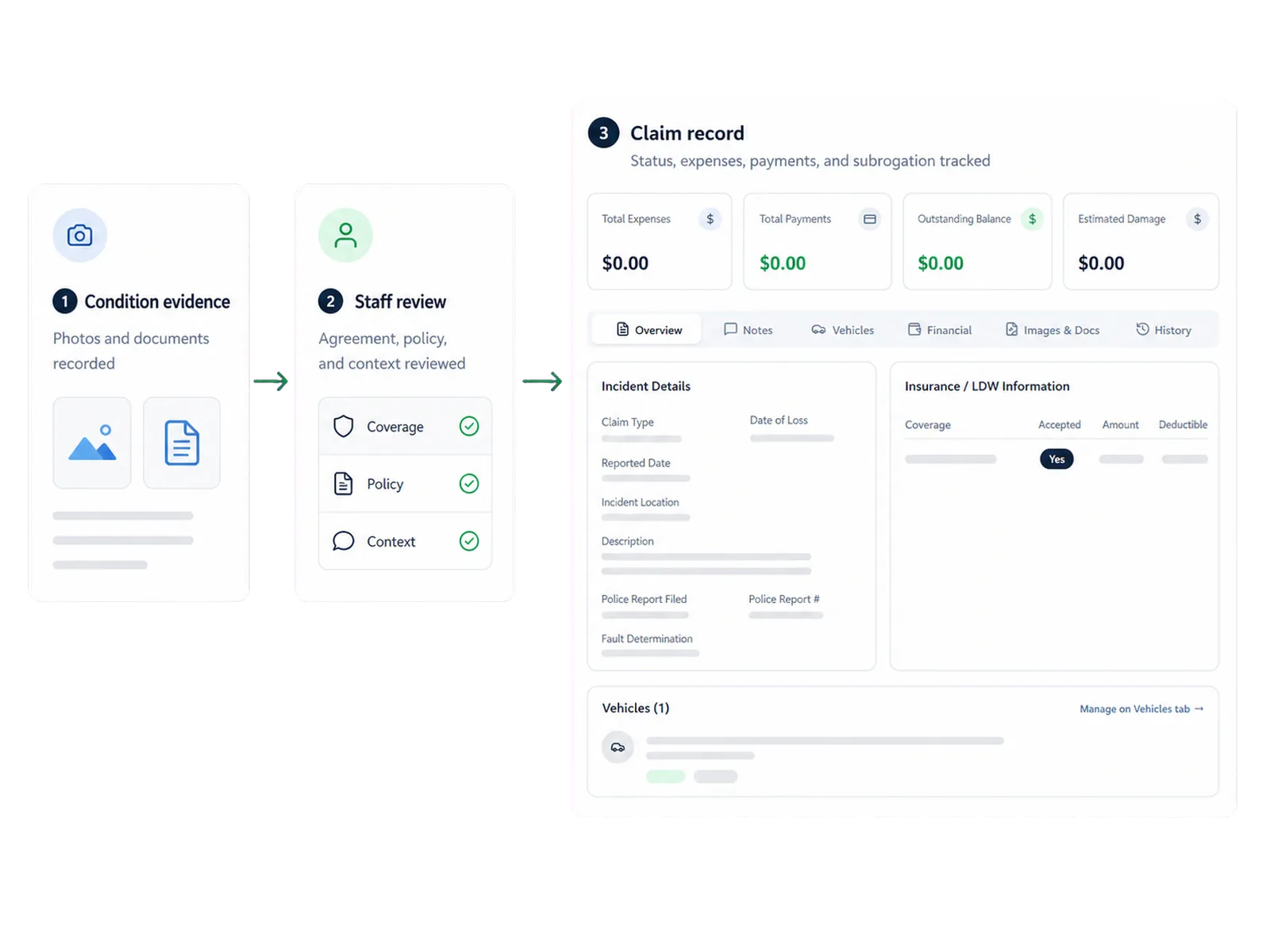
A condition issue can affect vehicle status, availability, maintenance, repair work, and the next assignment. Keeping the rental, vehicle, inspection, and claim context connected helps staff understand the operational effect while the claim is under review.

Repair Orders can retain supported shop work and cost with the vehicle record. The exact links between inspection, claim, repair, and status follow the configured workflow, so staff retain the decision points at each handoff.
Connect claim work with fleet and repair context
03

Use AI-assisted inspection as review support

An optional AI-assisted inspection capability can compare supported photos and flag possible condition changes for staff review. It can help staff focus attention on image differences without replacing the agreement, inspection policy, claim process, or human judgment.

The add-on scope should define image requirements, access, consent, retention, staff roles, and the path for a customer question. Staff remain responsible for deciding whether a change is new and whether any claim or recovery action is appropriate.

04

Follow condition evidence into the claim workflow

Bring a pickup inspection, return question, repair, or open claim to the demo and see how the supporting records stay connected.

Workflow

How it flows

Three moments that make this real inside a working rental day.

1

Input

Create a structured condition record at pickup and return

2

Working state

Share authorized inspection records where configured

3

Outcome

Follow condition evidence into the claim workflow

FAQ

Answers before your demo

Common questions from operators evaluating this capability.

What belongs in a rental claim record?

Supported records can include condition evidence, documents, expenses, payment activity, settlements, status, and subrogation activity connected to the rental and vehicle context.

Can an inspection record be shared?

Authorized inspection records can be shared by link where configured. Access, exposed fields, consent, and retention follow the operator's setup and policy.

Can RentWorks Plus charge a renter based only on a photo or AI flag?

No. Authorized staff review the agreement, condition evidence, policy, customer context, and claim information before deciding whether a charge or claim action is appropriate.

Does inspection software establish that damage costs will be recovered?

No. It can organize supported evidence and claim activity. Recovery depends on the agreement, evidence, policy, communication, third parties, and the operator's decision process.

Compare condition evidence without turning a flag into a decision

At return, staff can review supported before-and-after condition records beside the agreement and vehicle history. A possible change can lead to more review, a customer conversation, a repair assessment, or a claim record.

VEHICLE INSPECTIONS AND CLAIMS

Vehicle inspection and claims software that connects condition evidence to the claim record

Capture structured condition photos, retain supported inspection history, and manage claim documents, expenses, payment activity, settlements, status, and subrogation work.

Built on RentWorks PlusSSAE-18 hosted40+ years in rental
rentworksplus.com/platform/inspections-claims Live
Connect vehicle-condition evidence with the claim record
What you get
Condition recordsClaim lifecycleInspection sharingRepair context
01

Create a structured condition record at pickup and return

RentWorks Plus supports photo-based condition assessment through a structured vehicle-zone workflow. Supported inspections can remain connected to the rental and vehicle history so staff can review pickup and return records in the same operating context.

A consistent capture process helps the team collect the views and notes required by its policy. The current public claim does not depend on a fixed zone count, since vehicle coverage and package scope can vary.

● Spotlight

Keep the claim lifecycle in one working record

Claims records can include documents, expenses, payment activity, settlements, status, and subrogation activity. Keeping those items together gives claims, finance, fleet, and management a shared record of the work.

Keep the claim lifecycle in one working record

The record can support communication and follow-up, but it does not establish that costs will be recovered or settle a dispute. The operator remains responsible for policy, evidence review, customer communication, insurer or third-party contact, and closure decisions.

02

Share authorized inspection records where configured

A configured public inspection link can let an authorized recipient view a supported inspection record. That can help a renter, manager, repair partner, insurer, or claims contact review the evidence without relying on an email attachment chain.

The shared view should follow the operator's access, consent, privacy, and retention rules. The configured workflow determines what the link exposes, who may use it, and how access is handled.

In practice

Connect claim work with fleet and repair context

A condition issue can affect vehicle status, availability, maintenance, repair work, and the next assignment. Keeping the rental, vehicle, inspection, and claim context connected helps staff understand the operational effect while the claim is under review.

Repair Orders can retain supported shop work and cost with the vehicle record. The exact links between inspection, claim, repair, and status follow the configured workflow, so staff retain the decision points at each handoff.

Connect claim work with fleet and repair context
03

Use AI-assisted inspection as review support

An optional AI-assisted inspection capability can compare supported photos and flag possible condition changes for staff review. It can help staff focus attention on image differences without replacing the agreement, inspection policy, claim process, or human judgment.

The add-on scope should define image requirements, access, consent, retention, staff roles, and the path for a customer question. Staff remain responsible for deciding whether a change is new and whether any claim or recovery action is appropriate.

04

Follow condition evidence into the claim workflow

Bring a pickup inspection, return question, repair, or open claim to the demo and see how the supporting records stay connected.

Workflow

How it flows

Three moments that make this real inside a working rental day.

1

Input

Create a structured condition record at pickup and return

2

Working state

Share authorized inspection records where configured

3

Outcome

Follow condition evidence into the claim workflow

FAQ

Answers before your demo

Common questions from operators evaluating this capability.

What belongs in a rental claim record?

Supported records can include condition evidence, documents, expenses, payment activity, settlements, status, and subrogation activity connected to the rental and vehicle context.

Can an inspection record be shared?

Authorized inspection records can be shared by link where configured. Access, exposed fields, consent, and retention follow the operator's setup and policy.

Can RentWorks Plus charge a renter based only on a photo or AI flag?

No. Authorized staff review the agreement, condition evidence, policy, customer context, and claim information before deciding whether a charge or claim action is appropriate.

Does inspection software establish that damage costs will be recovered?

No. It can organize supported evidence and claim activity. Recovery depends on the agreement, evidence, policy, communication, third parties, and the operator's decision process.

Compare condition evidence without turning a flag into a decision

At return, staff can review supported before-and-after condition records beside the agreement and vehicle history. A possible change can lead to more review, a customer conversation, a repair assessment, or a claim record.