
Skip to main content
RentWorks Plus Bluebird Auto Rental Systems Book a Demo
CHECK-OUT AND CHECK-IN

Car rental check-in software for a consistent pickup and return workflow

Keep agreement context, condition photos, mileage, fuel, signatures, configured charges, counter actions, and staff review in one rental workflow.
Built on RentWorks PlusSSAE-18 hosted40+ years in rental
rentworksplus.com/platform/counter-operations Live
Guide pickup and return with a consistent counter workflow
What you get
PickupCondition recordsCounter POSVehicle status
01

Start pickup with the reservation and vehicle in context

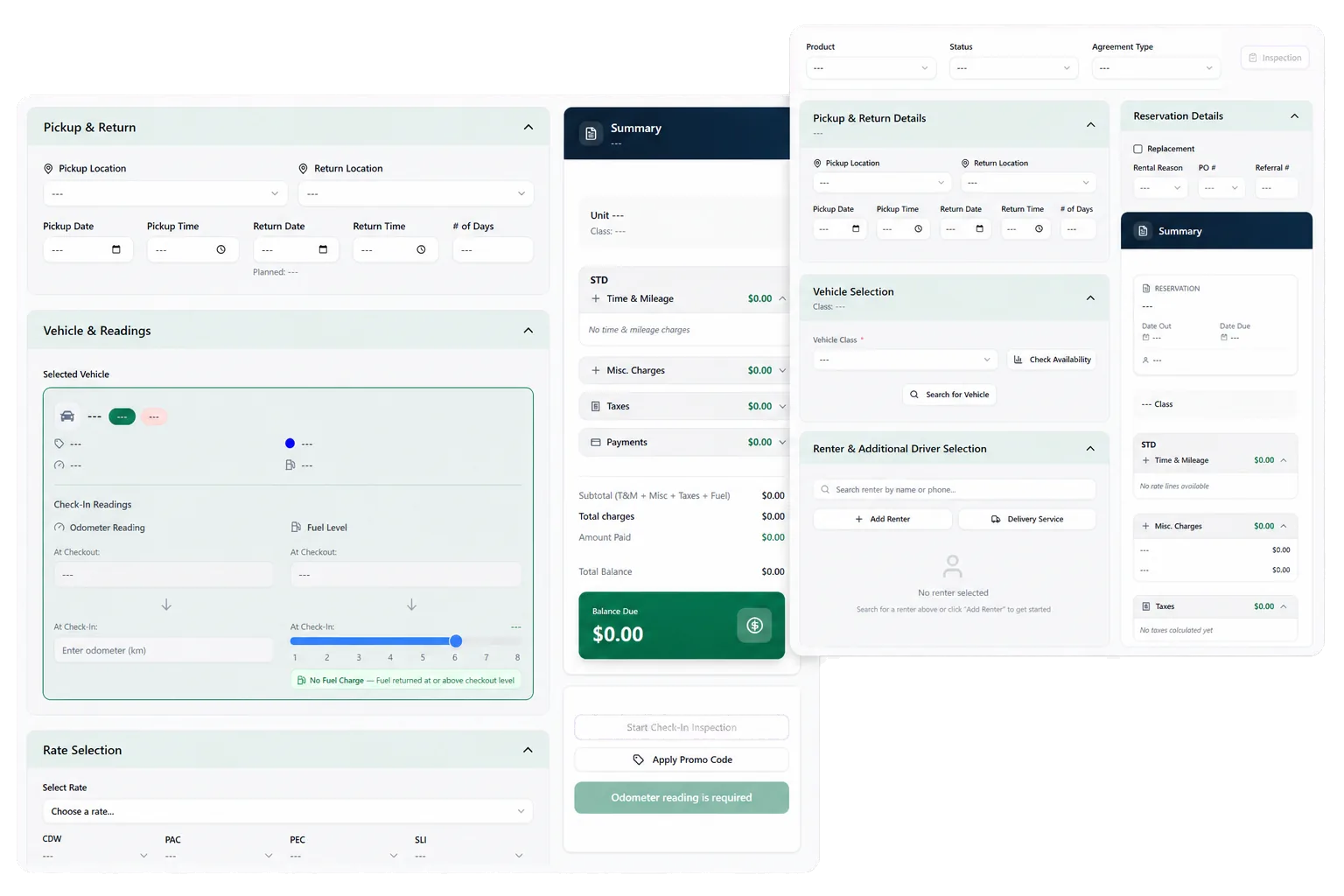
Counter Operations guides staff through vehicle handoff and return. At pickup, the team can work from supported reservation, customer, agreement, and assignment details rather than rebuilding the rental from separate notes.

The workflow can include condition photos, agreement generation, and electronic signature. Staff review the renter, drivers, selected terms, deposits, configured charges, and vehicle before completing the handoff.

● Spotlight

Document the vehicle before the keys change hands

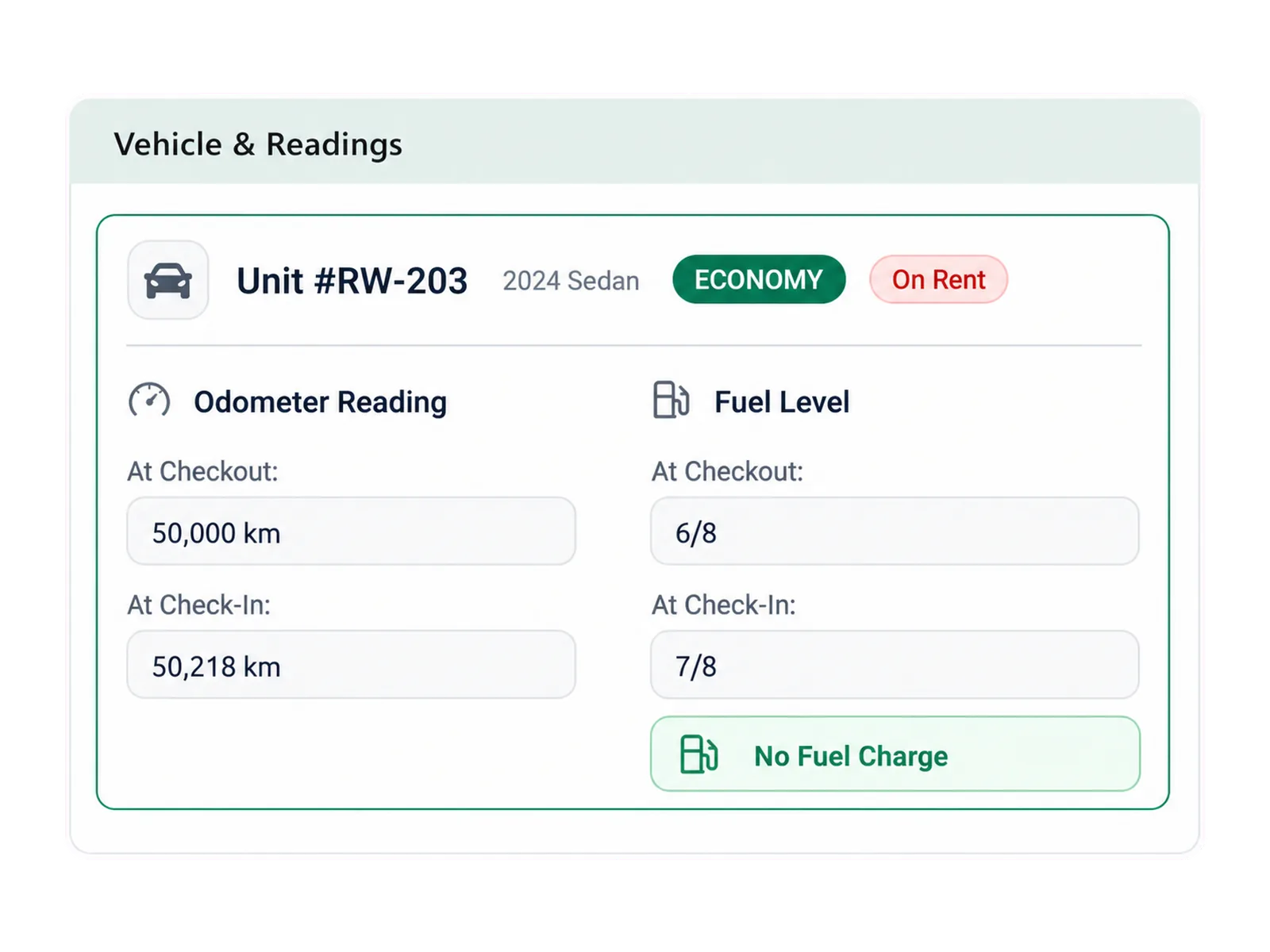
Condition records give staff a structured way to capture supported photos and notes at pickup. Keeping that record with the rental and vehicle gives the return team a reference for later review.
Document the vehicle before the keys change hands

The condition record supports a fact-based conversation. It does not decide fault or authorize a charge by itself. Staff use the agreement, photos, policy, customer context, and claim process when a possible change needs review.

02

Use Counter POS for frequent rental-day actions

Counter POS supports frequent transactions and quick actions for the working shift. Teams can record supported payments and non-revenue items without separating those entries from the rental or branch context.

Non-revenue activity can include fuel adjustments, credits, and miscellaneous fees. The exact transaction types, permissions, and review process follow the operator's configuration and financial controls.

Review supported payment and balance activity.

Record fuel adjustments, credits, and miscellaneous fees.

Keep lost-and-found records with the branch workflow.

Use role permissions for actions that require manager review.

In practice

Move the vehicle into its next working status

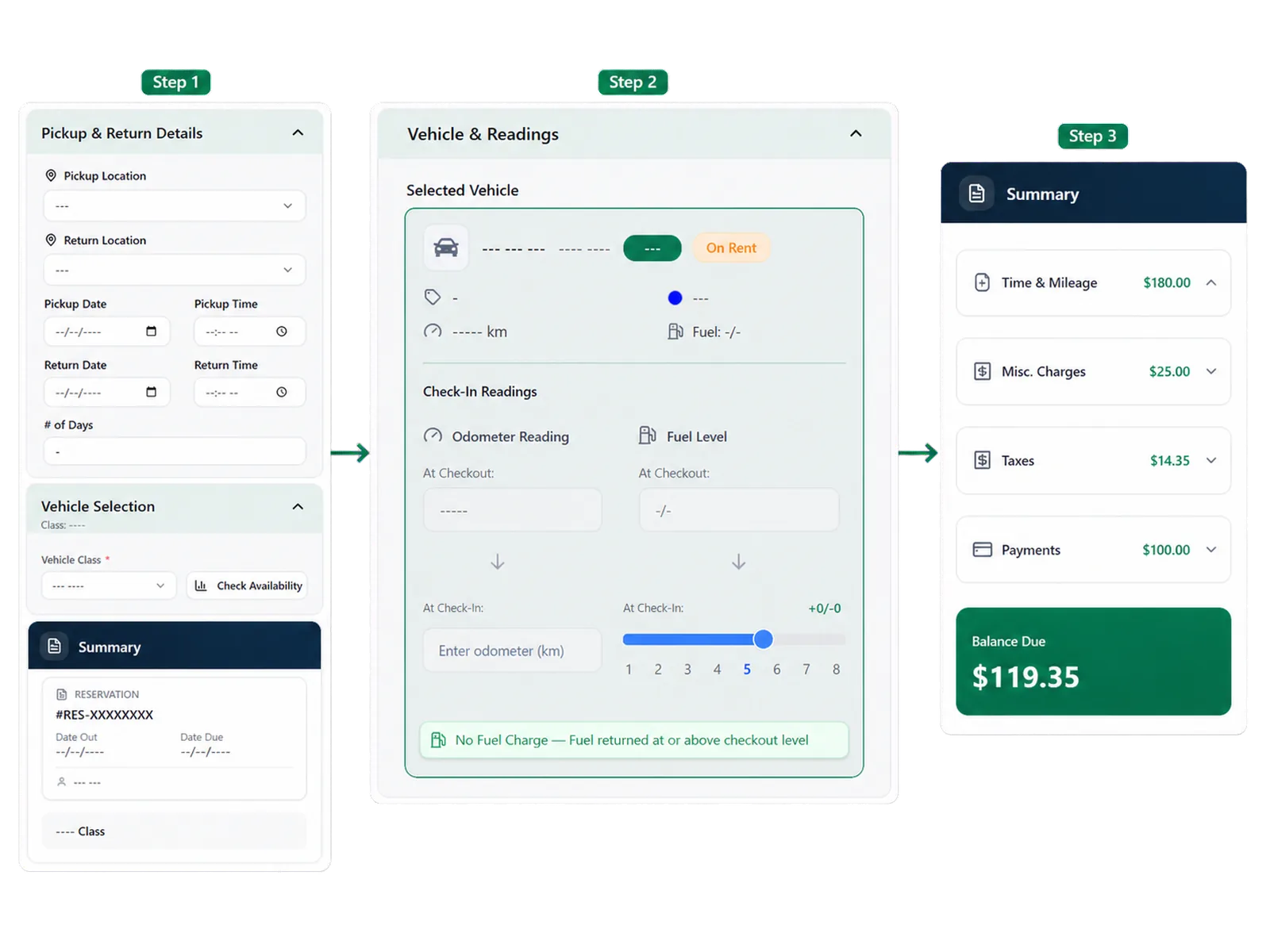
A completed return can lead to cleaning, inspection, maintenance, repair, another assignment, or a non-revenue movement. Configured status controls help the team show whether the unit is bookable while that work is underway.

Counter and fleet teams can review the same vehicle context instead of relying on a separate verbal handoff. When a return creates a claim or repair need, the condition and rental records remain available for that follow-up.
Move the vehicle into its next working status
03

Give new staff a repeatable operating path

In-app guidance can support the steps staff use during pickup, return, and counter work. A repeatable path helps teams teach the expected sequence while keeping manager judgment available for exceptions.

Training scope, role setup, supported devices, browser requirements, camera use, and partner services should match the counter environment. The demo can follow a normal rental and one difficult return so staff see the standard path and the exception path.

04

Follow pickup and return in one demo

Bring a normal handoff and a return with mileage, fuel, condition, or charge questions. See how the record supports staff review.

Workflow

How it flows

Three moments that make this real inside a working rental day.

1

Input

Start pickup with the reservation and vehicle in context

2

Working state

Use Counter POS for frequent rental-day actions

3

Outcome

Follow pickup and return in one demo

FAQ

Answers before your demo

Common questions from operators evaluating this capability.

What can check-out include?

Check-out can include supported reservation and agreement details, vehicle assignment, condition photos, agreement generation, electronic signature, deposits, configured charges, and the handoff record.

Which return charges can RentWorks Plus calculate?

It can calculate late, fuel, mileage, or other charges supported by the configured agreement rules and recorded return data. Staff review exceptions and disputes.

Do condition photos decide who is responsible for damage?

No. Photos support staff review. The operator considers the agreement, condition evidence, policy, customer context, and claim record before deciding the next action.

What are non-revenue items?

Supported non-revenue items can include fuel adjustments, credits, miscellaneous fees, and other branch activity that needs a record without being treated as a rental booking.

Review mileage, fuel, condition, and charges at return

Check-in records return mileage and lets staff compare supported condition records. RentWorks Plus can calculate applicable late, fuel, mileage, or other configured charges from the agreement rules and recorded return data.

CHECK-OUT AND CHECK-IN

Car rental check-in software for a consistent pickup and return workflow

Keep agreement context, condition photos, mileage, fuel, signatures, configured charges, counter actions, and staff review in one rental workflow.

Built on RentWorks PlusSSAE-18 hosted40+ years in rental
rentworksplus.com/platform/counter-operations Live
Guide pickup and return with a consistent counter workflow
What you get
PickupCondition recordsCounter POSVehicle status
01

Start pickup with the reservation and vehicle in context

Counter Operations guides staff through vehicle handoff and return. At pickup, the team can work from supported reservation, customer, agreement, and assignment details rather than rebuilding the rental from separate notes.

The workflow can include condition photos, agreement generation, and electronic signature. Staff review the renter, drivers, selected terms, deposits, configured charges, and vehicle before completing the handoff.

● Spotlight

Document the vehicle before the keys change hands

Condition records give staff a structured way to capture supported photos and notes at pickup. Keeping that record with the rental and vehicle gives the return team a reference for later review.

Document the vehicle before the keys change hands

The condition record supports a fact-based conversation. It does not decide fault or authorize a charge by itself. Staff use the agreement, photos, policy, customer context, and claim process when a possible change needs review.

02

Use Counter POS for frequent rental-day actions

Counter POS supports frequent transactions and quick actions for the working shift. Teams can record supported payments and non-revenue items without separating those entries from the rental or branch context.

Non-revenue activity can include fuel adjustments, credits, and miscellaneous fees. The exact transaction types, permissions, and review process follow the operator's configuration and financial controls.

Review supported payment and balance activity.

Record fuel adjustments, credits, and miscellaneous fees.

Keep lost-and-found records with the branch workflow.

Use role permissions for actions that require manager review.

In practice

Move the vehicle into its next working status

A completed return can lead to cleaning, inspection, maintenance, repair, another assignment, or a non-revenue movement. Configured status controls help the team show whether the unit is bookable while that work is underway.

Counter and fleet teams can review the same vehicle context instead of relying on a separate verbal handoff. When a return creates a claim or repair need, the condition and rental records remain available for that follow-up.

Move the vehicle into its next working status
03

Give new staff a repeatable operating path

In-app guidance can support the steps staff use during pickup, return, and counter work. A repeatable path helps teams teach the expected sequence while keeping manager judgment available for exceptions.

Training scope, role setup, supported devices, browser requirements, camera use, and partner services should match the counter environment. The demo can follow a normal rental and one difficult return so staff see the standard path and the exception path.

04

Follow pickup and return in one demo

Bring a normal handoff and a return with mileage, fuel, condition, or charge questions. See how the record supports staff review.

Workflow

How it flows

Three moments that make this real inside a working rental day.

1

Input

Start pickup with the reservation and vehicle in context

2

Working state

Use Counter POS for frequent rental-day actions

3

Outcome

Follow pickup and return in one demo

FAQ

Answers before your demo

Common questions from operators evaluating this capability.

What can check-out include?

Check-out can include supported reservation and agreement details, vehicle assignment, condition photos, agreement generation, electronic signature, deposits, configured charges, and the handoff record.

Which return charges can RentWorks Plus calculate?

It can calculate late, fuel, mileage, or other charges supported by the configured agreement rules and recorded return data. Staff review exceptions and disputes.

Do condition photos decide who is responsible for damage?

No. Photos support staff review. The operator considers the agreement, condition evidence, policy, customer context, and claim record before deciding the next action.

What are non-revenue items?

Supported non-revenue items can include fuel adjustments, credits, miscellaneous fees, and other branch activity that needs a record without being treated as a rental booking.

Review mileage, fuel, condition, and charges at return

Check-in records return mileage and lets staff compare supported condition records. RentWorks Plus can calculate applicable late, fuel, mileage, or other configured charges from the agreement rules and recorded return data.